In short
Claude has deep research under the name Research. Turn on web search, press the plus button, choose Research, and Claude runs a chain of searches on paid plans and writes a cited report.
A report covers what is published. Tracy AI Interviewer connects to Claude and interviews your customers on video, following up each vague answer, with the recording behind every finding.
Scope the run, check the sources, then take the gaps to customers. The first 3 Tracy results are free.
Does Claude have deep research?
Yes. Anthropic's feature is called Research. It runs several searches that build on each other, decides what to look into next from what it finds, and returns a report. It is available on the paid plans (Pro, Max, Ultra, Team and Enterprise) on Claude web, Claude Desktop and Claude Mobile. A second Anthropic help page describes it as information gathering that takes five or more tool calls over one to three minutes, with citations in the report.
That speed is the reason to use it for a first pass and the reason to read the output carefully. A report built in three minutes from public pages tells you what is published, in the order the searches happened to find it.
How do you use Claude Research?
- Turn on web search first. Research needs it.
- Click the plus button at the bottom left of the chat and choose Research. A blue indicator shows it is on, and you click it again to turn it off.
- Switch on the connectors you want it to read, such as Google Workspace. Research can use connected tools without asking each time. From Claude Mobile it searches only the web and ignores your connectors, so start on web or Desktop when your own files matter. It also cannot use local MCP servers set up in Claude Desktop.
- Write the question as a decision, not a topic.
- Expect it to spend your limits faster than a normal chat. Anthropic says research sessions can use up your limits faster.
Prompt shapes that work for a customer research lead are below. Replace the brackets.
Which prompts scope a deep research run?
A prompt that names the decision, the audience and what a useful answer looks like beats a topic.
- Scope. "I am deciding whether [team] should build [feature] this quarter. Find published evidence on how [segment] handle [job] today, which tools they use and what they complain about. Give me the three claims you are least sure of."
- Source control. "Use only vendor documentation, analyst reports and review sites. For every price or number, give the page and the date. Write 'not stated' where a page is silent."
- Gap list. "List what a report like this cannot tell me, as questions I would ask [segment] directly."
- Interview brief. "Turn the gap list into eight questions for a 20-minute interview, each asking for the last time something happened, and add a follow-up for each."
The third prompt turns what the report could not find into a guide a customer can answer, and that is where the run hands over to a method for running customer interviews.
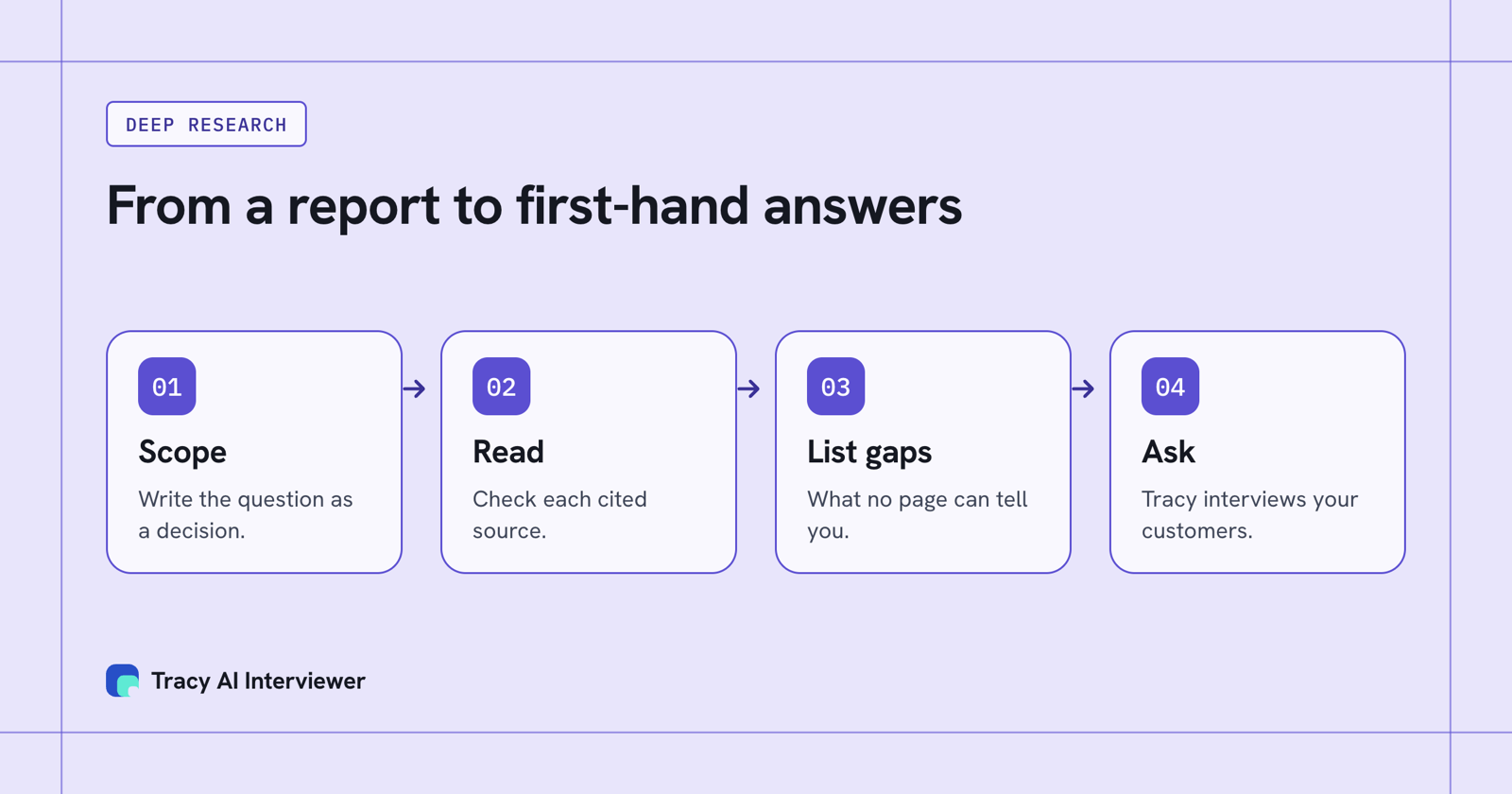
Research finds what is published; the gap list becomes the interview guide.
Is Claude Research as good as ChatGPT deep research?
The vendors' own pages describe two different working styles, and neither page ranks them. OpenAI says deep research can draw on uploaded files, the web or chosen domains and eligible connected apps, returns citations or source links, and lets you edit the plan before it starts. Anthropic says Research decides its next step as it goes and can use connected tools. If you want to steer the scope before a run, the editable plan is the difference worth knowing about. If you work in Claude and want the run to read your Google Workspace, Research is already there.
Test both on one question you already know the answer to, and compare the sources each cites. Claude vs ChatGPT for research lays out the file limits, and Claude vs Gemini for research does the same for Google's version.
What about Claude skills and Claude Code for deep research?
A skill is a folder of instructions, scripts and resources that Claude loads when it is relevant. For research that means your brief template, your source rules and your report format can live in one place and apply every time. Skills are available on Free, Pro, Max, Ultra, Team and Enterprise plans with code execution on, and Anthropic advises using skills only from sources you trust. Claude skills for business goes through setup. Claude Code and Cowork share the same agentic architecture, so a recurring research task can also run as a scheduled Cowork task; check Anthropic's pages for the plan you are on.
Where Research stops, and Tracy starts
Research reads pages. It cannot tell you why your last ten customers chose, stayed or left, because nobody published that. Tracy AI Interviewer supplies that part from the same Claude chat. Add it once as a custom connector (Customize, Connectors, Add, Add custom connector, then Tracy's server address; on Team and Enterprise an Owner does this). The Claude setup steps are on the site, and Tracy works in Claude Cowork too.
Then paste the interview brief from the last prompt. Tracy drafts the interview and Claude shows it as a preview for you to approve before anything is created; inviting people needs a second approval. Customers get one link, join in a browser at any hour with no account, and are told on the join screen that the conversation is recorded and transcribed. You ask Claude for the results and get what each person said to each question, plus the result fields.
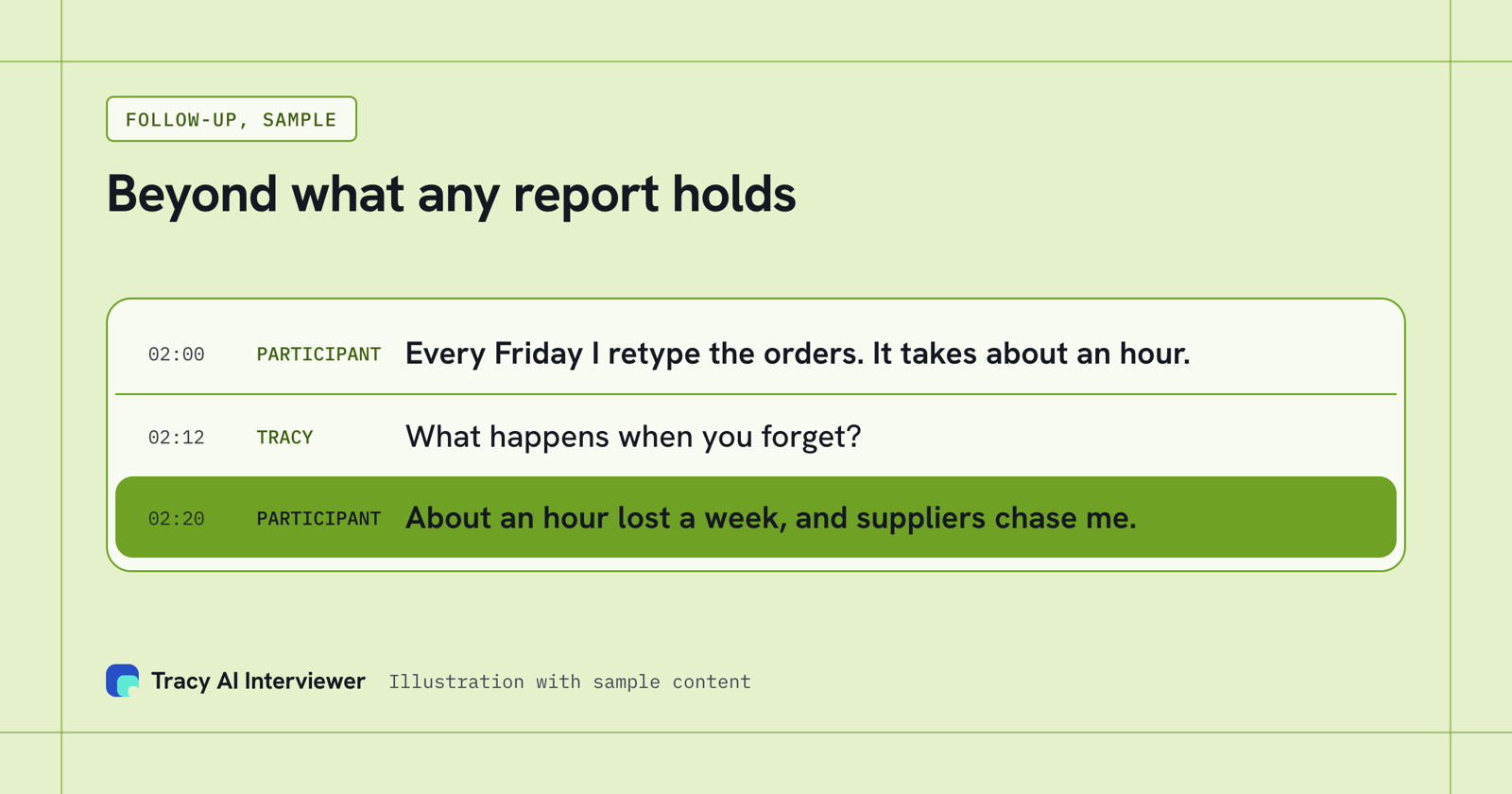
Asking about the last time turns a general habit into a cost.
What the evidence looks like
In the sample, the follow-up puts the cost into a field: "Time lost: about 1 hour a week", evidence at question 1, 02:20, next to the participant's own words, "Every Friday I retype the orders. It takes about an hour." The recording and a timestamped transcript sit behind it. Every participant gets the same guide, so the fields compare across the round, and you can quote one customer exactly and open the moment.
Tracy reports what people said and does not score or rank them. You decide what the round means, and Claude can help write up the findings. Reading transcripts side by side covers that step. At volume, Tracy has completed 100K+ interviews, with 99% completion.
Which path fits you?
- Claude only, for customer questions: Claude for customer research.
- Coding what people said: Claude for thematic analysis.
- Comparing assistants for the desk work: ChatGPT vs Claude for market research.
- Setting up the interview side: the customer research use case.
Common questions
Does Claude have deep research?
How do I use Claude Research?
Is Claude Research as good as ChatGPT deep research?
Can Claude replace customer interviews?
What does Tracy cost to try?
Take the research gaps to your customers
Connect Tracy to Claude, paste your interview brief and approve the preview. Customers answer from a link at any hour.
Try it free (opens in a new tab) Book a demo (opens in a new tab)
Your first 3 results are free. No card needed.
Sources
- Anthropic: Using Research on Claude, retrieved 23 Nov 2026.
- Anthropic: Research on Claude, retrieved 22 Nov 2026.
- OpenAI: Deep research, retrieved 23 Nov 2026.
- Anthropic: What are skills?, retrieved 23 Nov 2026.
- Anthropic: Custom connectors using remote MCP, retrieved 23 Nov 2026.