In short
Claude for customer research reads what you already hold: call notes, support tickets, survey exports and transcripts, kept in a Project with your codebook. It drafts themes and you check each against the source.
It cannot ask a customer anything. Connect Tracy AI Interviewer and it holds the conversations with the customers you invite, face to face on video, probing a thin answer with a question of its own.
Behind every result sit the recording and a transcript with timestamps, so each theme traces to a quote you can open. You read them and decide.
How do you use Claude for customer research?
Start with the material you already have. Anthropic describes Projects as self-contained workspaces with their own chat histories and knowledge bases, where you add files and write project instructions. Claude accepts PDF, DOCX and CSV among other file types, up to 20 files per chat, so a quarter of call notes or a support export fits in one conversation. Research adds a cited report from the web and your connected tools, which suits desk questions about a market or a rival.
What that gives you is analysis of existing words: what customers wrote, what your team noted, what a ticket says. This page follows one example: a team trying to learn why new users stall in their first week.
Can Claude analyze user feedback and interviews?
Yes, as a first pass that you verify. Six prompts, in order, each with a check:
- Inventory: "List the files in this Project and what each contains. Change nothing."
- Per source: "Summarize each file in three lines. Do not interpret yet."
- Codes: "List the reasons new users gave for stalling. Give a quote and a source for each." Open every quote in its file.
- Themes: "Group the reasons into at most six themes and say which sources sit in each."
- Counts: "How many separate customers raised each theme?" Count from the codes yourself.
- Disagreement: "Which customers contradict a theme, and what did they say?"
Keep your code list in the Project instructions, so each new chat starts from the same definitions. A line can be as short as: "STALL-FIND: the user could not locate a feature. STALL-TRUST: the user doubted a step and stopped. Use only these codes; add UNCLEAR when none fits." Paste the list again whenever you add files. Claude for qualitative research goes through the coding steps in more depth.
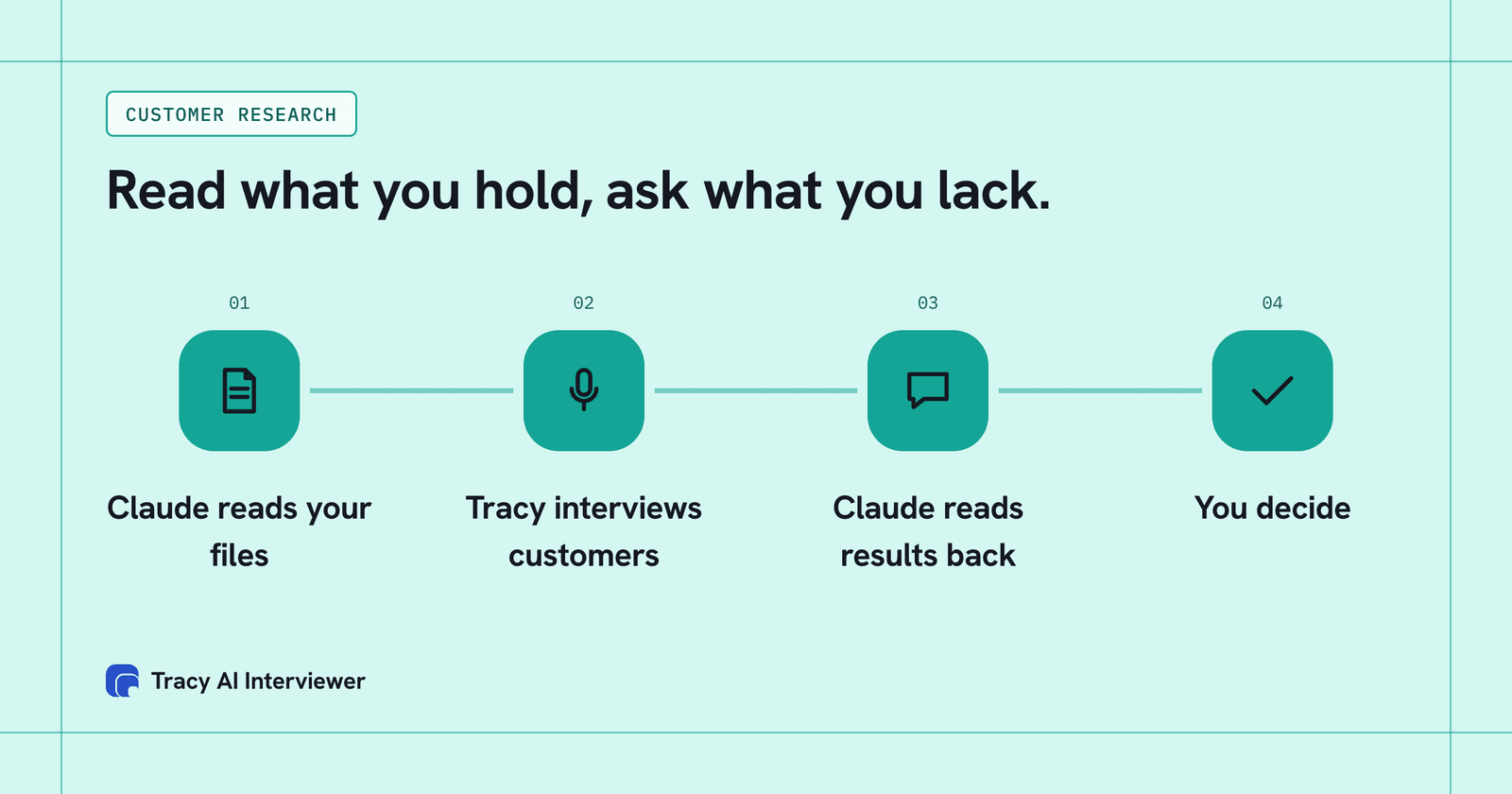
Claude reads what you hold, Tracy asks what you lack, you decide.
What does existing feedback not tell you?
Existing feedback holds only what was asked. Tickets and notes record what customers chose to say, and a vague line stays vague however well Claude summarizes it. "I could not find it" does not say where the person looked.
In the invented sample below, a user wanted to change a delivery date and looked under Orders first. The follow-up asks where they expected to find it, and the transcript now holds a navigation fix: the date lives somewhere the user did not look.
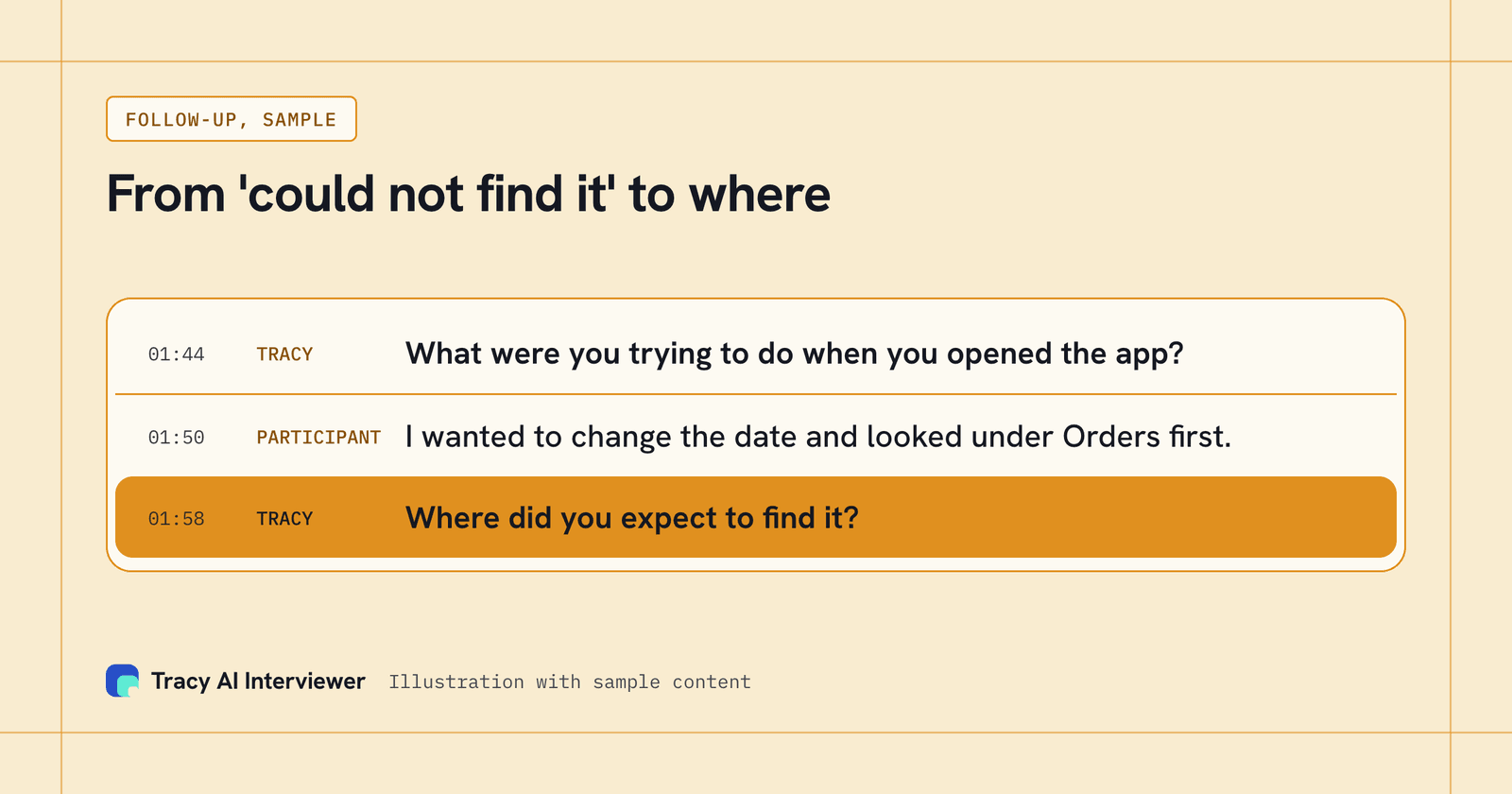
The follow-up turns a complaint into the place the user expected to find the feature.
How do you interview customers from Claude?
To connect Tracy AI Interviewer, open Customize, then Connectors, Add, Add custom connector, and paste https://tracyinterview.ai/mcp and sign in to Tracy when asked. Anthropic lists custom connectors on the Free, Pro, Max, Ultra, Team and Enterprise plans, with one allowed on Free, and an owner adds it first on Team and Enterprise. The setup guide for Claude walks through every screen. When it is connected, type:
Build a 15-minute Tracy AI Interviewer interview for users who signed up in the last 30 days and have not finished setup. I want to learn what they were trying to do first and where they got stuck. I will read the draft first; create nothing until I say so.
Claude asks for your approval before it creates the interview and again before it sends invitations. Each new interview comes with its public link already on, so anyone holding it can join, up to 20 people within 14 days, and nobody is invited yet. You can turn the link off or invite customers by email instead. Customers need only a browser and the link, with no account, and the join screen tells them the conversation is recorded and transcribed. Afterwards, put these questions to Claude: who has finished, which reasons recur, and which two quotes support each. Open the transcript before any quote goes into a deck.
Has Anthropic built something similar?
Anthropic runs the same pattern in its own research tool, Anthropic Interviewer, where Claude drafts the guide, interviews with follow-ups and proposes themes that researchers validate. The connector gives you that shape for your own customers and your own questions.
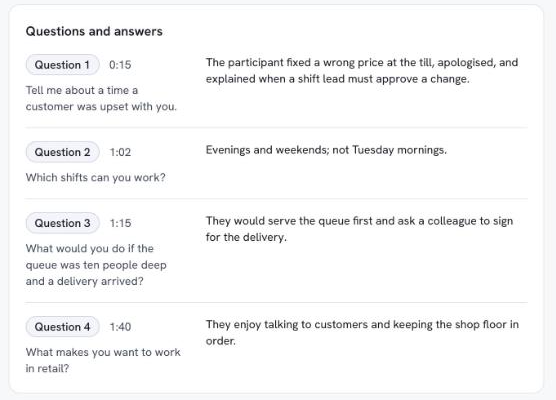
Each question sits beside what the customer said to it, with the time it was asked.
What does Tracy add to Claude customer research?
- Reach each customer you invite whenever it suits them, with no scheduling. One link replaces a calendar of bookings.
- Ask the next question. Tracy follows what the customer said in their own field and waits for the answer, so "too complicated" becomes which step and when.
- Keep the evidence. Every result has its recording and a transcript with timestamps behind it, so you can check a theme at the source.
Tracy has completed 100K+ interviews. The report is a link, so the product manager and the support lead can open the same result.
What do you still own?
- Who to ask and what to learn. Tracy invites the people you supply, and your guide decides what each is asked.
- The reading. Claude proposes themes; you confirm each against a quote and decide what it means for the product.
- Conversations you cannot afford to lose. A key account is still best held by a person.
Tracy bills $1 a credit, and every started 20 minutes uses one, so ten 15-minute interviews come to $10, with the first 3 results free.
Related reading
- Setting up the connector: Claude user interviews.
- Researcher end to end: Claude for UX research.
- Consultant on client work: Claude for consultants.
- The method behind the questions: how to run customer interviews.
- Cost first: the pricing page.
Common questions
How do I use Claude for customer research?
Can Claude analyze user interviews?
Is Claude good for user feedback analysis?
Can Claude interview customers itself?
Can I share the interview and the report with others?
Interview your customers from Claude
Add Tracy to Claude, ChatGPT, Gemini or Copilot Studio, and put to customers what your files cannot answer. The first 3 results are free.
Try it free (opens in a new tab) Book a demo (opens in a new tab)
Your first 3 results are free. No card needed.
Sources
- Add Tracy AI Interviewer to Claude (public guide), retrieved 9 Nov 2026.
- Tracy AI Interviewer customer research use case, retrieved 9 Nov 2026.
- Anthropic: What are projects?, retrieved 14 Nov 2026.
- Anthropic: What kinds of documents can I upload to Claude?, retrieved 14 Nov 2026.
- Anthropic: Using Research on Claude, retrieved 22 Nov 2026.
- About Anthropic Interviewer, retrieved 14 Nov 2026.
- Anthropic: Get started with custom connectors using remote MCP, retrieved 14 Nov 2026.