In short
Tracy AI Interviewer connects to Claude, so the job description you write there can become a video interview in the same chat: Tracy drafts questions from the post, you edit them, and each applicant gets follow-ups in their own field. Claude writes a usable post when the prompt carries the outcomes of the role, the must-haves and a sample of your voice. Two prompts to copy are below, one to write the post and one to check it. Nothing is created until you approve a preview, and a person reads the results and decides.
Claude will write a job description from a two-line request, and it will read like every other job description. What changes the result is what you hand over: what the person will own in the first six months, the three things they must already be able to do, the pay and location, and a paragraph of your own writing to copy the voice from. The prompt below asks for all of that in a fixed structure.
Two more steps follow. A second prompt checks the draft for padding and for requirements you cannot defend. Then a third request, sent to Claude with Tracy connected as a connector, turns the finished job description into a video interview, so the must-haves you wrote become the starting point for the questions every applicant is asked.
What should a Claude job description prompt include?
Six things: the role and level, the outcomes it owns, the must-haves, the facts Claude must not invent, a limit on length and sections, and a sample of your voice. Anthropic's guide tells you to be specific about the output format and constraints, and to explain the reason behind an instruction so Claude can aim at your goal.
- The title and level, so the scope is clear.
- Three outcomes the person owns, not a list of tasks.
- Three must-haves, and no more, so the post does not turn into a wish list.
- Pay, location, stack and hiring steps, written by you.
- The sections you want and a word limit.
- A paragraph of your own writing as the voice sample.
The same guide says XML tags help Claude tell instructions from inputs when a prompt mixes them, which is why the template below wraps each input in its own tag.
The Claude job description prompt to copy
Fill the brackets from your hiring brief, not from an old job post. Old posts carry requirements nobody checked.
You are helping a hiring manager write a job description that candidates can act on.

<role>
Title: [job title]
Level: [junior, mid, senior or lead]
Team and what it does: [two sentences]
</role>

<outcomes>
What this person will own in the first six months:
1. [outcome]
2. [outcome]
3. [outcome]
</outcomes>

<must_have>
Three things they can already do on day one:
- [skill or experience]
- [skill or experience]
- [skill or experience]
</must_have>

<nice_to_have>
[no more than three items]
</nice_to_have>

<facts>
Location and working pattern: [text]
Pay range: [text]
Stack or tools: [text]
Hiring steps: [text]
</facts>

<voice_sample>
[paste a paragraph from your careers page or your best past job post]
</voice_sample>

Write the job description in these sections: a two-sentence summary of the role, what you will do (five bullets, each starting with a verb and ending with the result), what you bring (the must-haves only), nice to have, what we offer, how we hire.
Keep it under 450 words and write in the voice of the sample. Use only the facts above. Where a fact is missing, write [TO CONFIRM] in its place. Describe duties as outcomes.
What does the output look like?
Below is a sample we wrote by hand for a fictional company, not a captured Claude run. It shows how the brackets and the outcomes turn into a post.
Backend Engineer, Payments (mid-level)
You will own the service that retries failed card payments and cut the share that end in a manual refund. You join a team of six that ships to production every day.
What you will do
- Run the retry service end to end, so fewer customers see a failed payment.
- Add monitoring to every payment state change, so the team hears about a stuck payment before a customer does.
- Review pull requests, so the service stays readable.
- Trace failed payments with support, so fixes follow real cases.
- Write a short design note before each large change, so decisions are easy to revisit.
What you bring
- Three or more years running a Python or Go service in production
- A failure you debugged across two services
- Clear written English
Nice to have: payments or ledger experience.
What we offer: [TO CONFIRM: pay range], remote within [TO CONFIRM: time zones].
In a post like this, a [TO CONFIRM] marker stands where the brief gave no fact, so you can search for it before the post goes out and catch a missing pay range or time zone.
How do you keep the voice the same across roles?
Put two or three of your best job descriptions in a Claude project's knowledge base and the voice sample in the prompt becomes unnecessary. Anthropic describes projects as workspaces with their own chat histories and knowledge bases, with project instructions you set once. Paste the prompt above into the instructions and each new role needs only the brackets.
Skills are a different tool. Anthropic describes them as task-specific folders of instructions that load only when relevant, while a project holds background that stays in its chats. For a prompt you use a few times a quarter, a project is enough. There are more recruiting prompts in Claude prompts for recruiters.
How do you check the draft before you post it?
Ask Claude to read the post as the candidate would, in a fresh message so it is not defending its own draft.
Read the job description below as a candidate who would be a good fit but has never heard of us.

<job_description>
[paste the draft]
</job_description>

Give me four lists, in this order:
1. Requirements that are really nice-to-haves, with a suggested change.
2. Phrases a candidate cannot check ("fast-paced", "rockstar"), each with a plain replacement.
3. Requirements that may put off qualified people, such as years of experience for a tool that is younger than that.
4. Anything stated as a fact that was not in my brief.
Then give a revised version and keep every [TO CONFIRM] marker.
Claude flags and you decide. Pay range and equal opportunity wording still go past your HR or legal contact before the post goes live.
What comes after the job description?
The post tells people what you want. The screen is where you find out who can do it, and the must-haves you just wrote are already its outline. With Tracy AI Interviewer added to Claude as a connector, the next message in the same chat is:
Use Tracy AI Interviewer to set up a video screening interview for this role. Draft the questions from the job description above and show me the preview.
Claude asks for your approval before it uses Tracy, and the interview it drafts is shown as a preview first. Nothing is created until you approve it. A new interview starts with its public link on (anyone with the link can join, up to 20 people for 14 days) and nobody invited, and you can turn the link off.
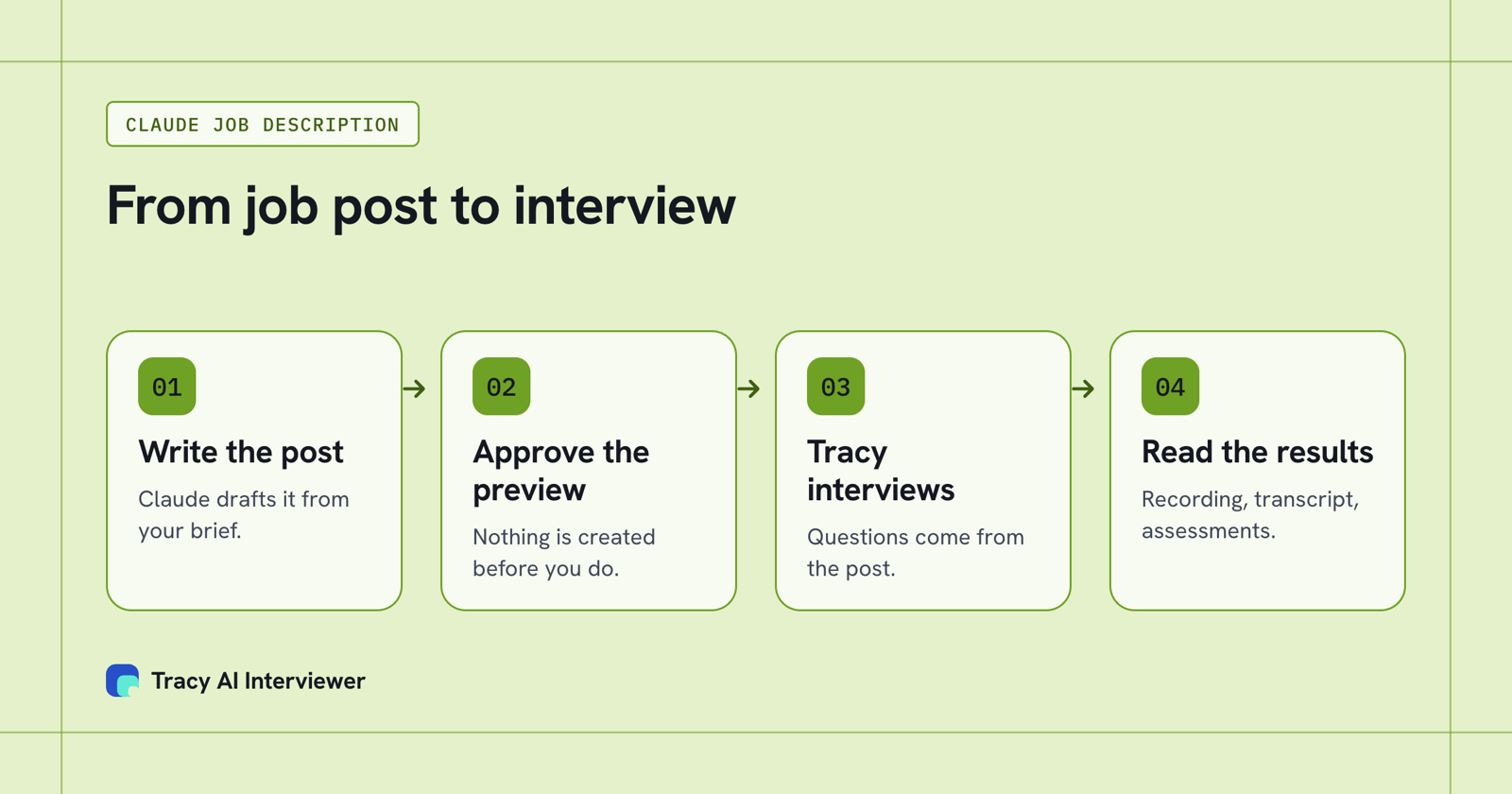
The job description becomes the brief for a Tracy interview, with a preview to approve before anything exists.
What does Tracy do with the job description?
Tracy drafts the questions from the job description, and you edit them or replace them with your own. You set the skills Tracy covers for the role. Each applicant then joins from one link in a browser, at any hour, with no calendar. Tracy asks follow-ups in the person's own field and waits for the end of the thought before the next question.
Behind every result sit a recording of both sides, a timestamped transcript and a written assessment for each question. Tracy does not score, rank or reject anyone. Ask Claude for the results and it returns what each person said to each question, the result fields and a note for your applicant tracking system. A person reads them and decides; the transcript analysis guide covers reading a transcript for evidence. If one post covers thirty openings, the same interview goes out on one link to everyone, which keeps it a structured interview. The hiring at volume use case shows how teams run that.
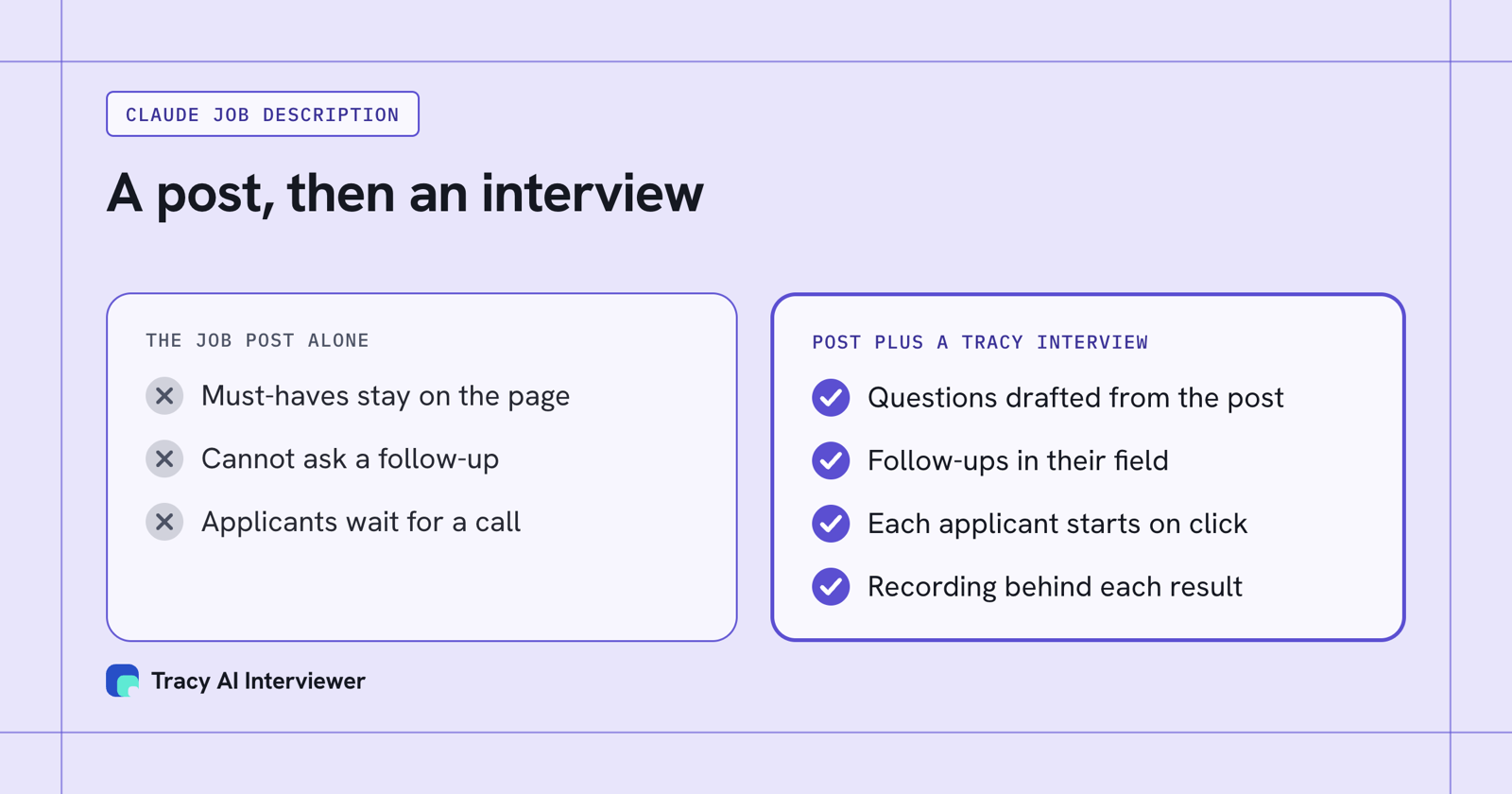
A job post states the must-haves; an interview drafted from it asks about each one.
Where does a Claude job description go wrong?
- Claude fills a missing pay range or perk with something plausible unless you give it the facts or tell it to leave a [TO CONFIRM] marker.
- A brief with ten must-haves produces a post with ten, so cut to three before you prompt.
- Without a sample, the voice comes out generic. Add the paragraph, or keep your best posts in a project.
- A list of tasks says nothing about what good looks like. The template asks for outcomes instead.
- The draft is a first pass: read it against the role you actually have.
For what to ask once applicants arrive, see candidate screening questions and the interview guide template.
Common questions
Can Claude write a job description?
What is a good Claude prompt for a job description?
Is there a Claude job description skill?
How do I stop Claude inventing pay or benefits?
Can Claude turn the job description into interview questions?
Turn the job description into an interview
Paste the job description into Claude with Tracy connected, approve the preview and see the questions it drafts. The first 3 results are free.
Try it free (opens in a new tab) Book a demo (opens in a new tab)
Your first 3 results are free. No card needed.
Sources
- Anthropic: Prompting best practices, retrieved 14 Nov 2026.
- Claude Help Center: What are skills?, retrieved 14 Nov 2026.
- Claude Help Center: What are projects?, retrieved 14 Nov 2026.
- Add Tracy AI Interviewer to Claude (public guide), retrieved 9 Nov 2026.
- Tracy AI Interviewer product page, retrieved 14 Nov 2026.