In short
Claude fits most talent acquisition stages as a drafting and sorting assistant: briefs, job descriptions, search plans, outreach, debriefs, reporting. It does not interview your applicants. Tracy AI Interviewer connects to Claude and covers first-round screening: every applicant gets a video interview on click, at any hour, with follow-ups in their own field. Your reviewer reads a recording, a timestamped transcript and what each person said to each question. One customer cut its average time to hire from 44 days to 7, and Tracy did the work of 53 full-time recruiters in one month.
Who owns the prompts your team writes in Claude, and who screens the first round when a role draws a pile of CVs?
Claude for talent acquisition pays off when you map it stage by stage and give the first round an interview. This guide does that for a TA leader: a funnel map, a setup that holds up, and the stage where Tracy AI Interviewer connects to Claude to interview every applicant. For the day-to-day work, see Claude for recruiting.
How should a TA team use Claude across the funnel?
Use it where the work is reading, writing and sorting, and keep people on the calls that need judgement. The map below pairs each stage with the Claude task and where it runs. The rows are our suggestions for a team starting out.
| Stage | Claude task | Where it runs |
|---|---|---|
| Intake | Turn the hiring manager's notes into a role brief | A Claude Project holding the notes |
| Job description | Draft it, then tighten the wording | A Claude chat |
| Sourcing | Search plan, Boolean strings, outreach drafts | Claude; the people search in your licensed tool |
| Pipeline | Answer questions about candidates in your ATS | An ATS connector, if your ATS offers one |
| First round | Draft the guide and set up the interview | Tracy AI Interviewer connector |
| Scheduling | Draft emails and check availability | Gmail and Google Calendar connectors |
| Debrief | Summarise notes your interviewers wrote | Claude, with notes you paste in |
| Reporting | Read an export for where candidates drop | A CSV uploaded to Claude |
A TA funnel map. Suggestions for a team starting out; the first-round row is where Tracy AI Interviewer connects.
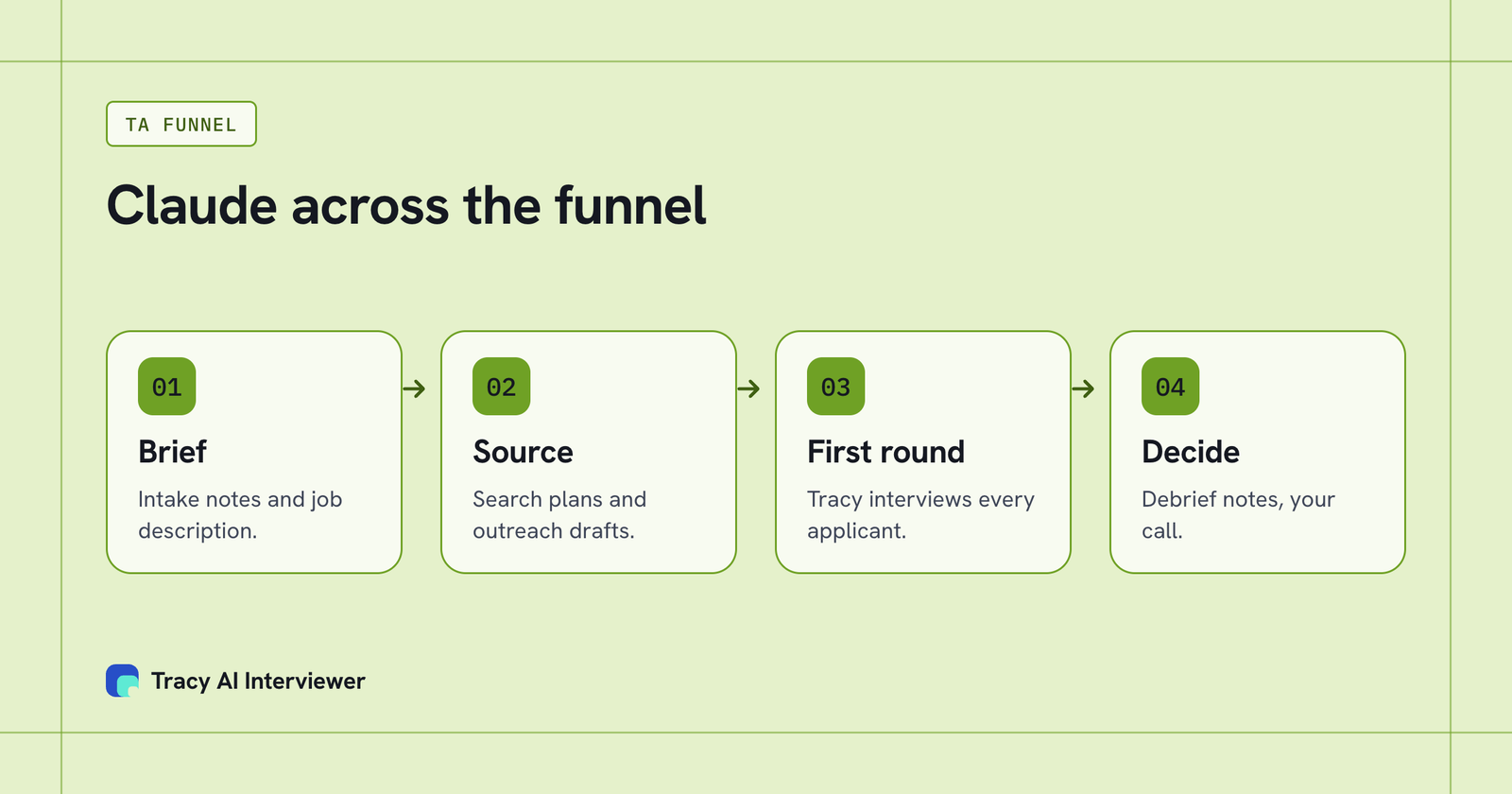
Claude covers the brief, the search and the debrief; Tracy covers the first-round interview.
What setup holds up for a TA team?
Four decisions, made before anyone writes a prompt.
- One Project per requisition family. A Project is a workspace with its own chat histories, a knowledge base and project instructions, so the role brief and your house style travel into every chat.
- Skills for routines you repeat. A skill gives Claude specialised knowledge and workflows, for example how your team writes a job description or runs an intake. Skills are on every plan and need code execution switched on. Name an owner for each, as you would for a template.
- Connectors with an owner. Connectors reach tools like Gmail and Calendar. On a Team plan only owners can add custom connectors, and Claude asks for approval on tool calls. Allow always is for tools you trust.
- A data rule. Decide which candidate data may enter a chat. Our suggestion is to start with the work that needs none: briefs, job descriptions, search plans and funnel reports.
The Claude skills for recruiting and Claude prompts for recruiters pages cover the routines. Day-to-day work is in the recruiter's guide to Claude.
Where do interviews at volume come in?
At the first round, where a queue of applicants meets a team that cannot call them all. Claude can sort CVs you paste in, but it does not run an interview.
Tracy AI Interviewer connects to Claude as a custom connector at tracyinterview.ai/mcp (setup; what an MCP server is). Ask Claude to set up an interview for the role, read the draft and approve it. Each applicant then starts on click, at any hour, in a browser with no account, and Tracy asks your questions and follows up in their own field. If you keep candidates in Workable or Breezy HR, Tracy sits next to the ATS's connector in the same chat; the Connect page has both guides, and other ATS options are a demo away. The results Claude reads back include a note for an applicant tracking system, though no write-back is stated.
Asked in Claude, the results come back as what each applicant said to each question, the result fields and an ATS note. In Tracy the reviewer also gets a recording of both sides, a timestamped transcript and a written assessment per question, and decides. Tracy does not score, rank or reject applicants. See AI screening interviews, what a report looks like and the volume hiring use case.
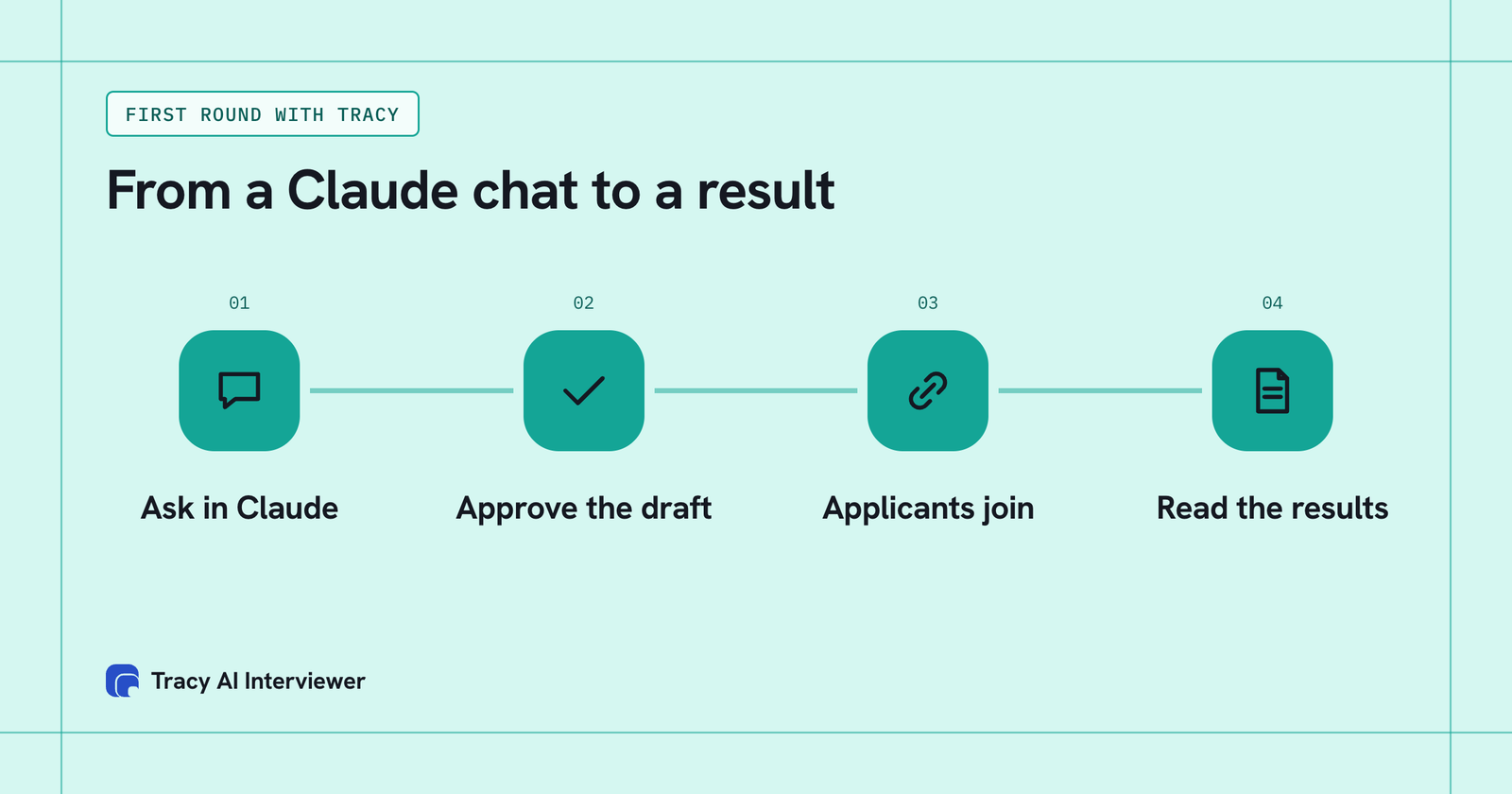
The first round runs from a Claude chat: ask, approve the draft, applicants join from a link, you read the results.
How do you pilot it in 30 days?
Pick one requisition family with real applicant volume and a named owner. Week one: the Project, the brief and the guide. Weeks two and three: run the role, read every result in the first batch, and adjust the questions. Week four: compare against the way you screened before. Stop and rethink if reviewers cannot read results faster than they screened before.
Measure five things: time from application to first interview, the share of applicants who finish, reviewer minutes per result, how many shortlisted people the hiring manager accepts, and where applicants drop.
Cost stays visible: $1 per credit, one credit per started 20 minutes, no seats, and the first 3 results are free. The pricing page has the worked examples.
What stays with people?
- Who is hired: Claude drafts and sorts. Tracy reports what each applicant said. A person decides.
- The questions are yours, or a draft you edit. Candidate screening questions is a starting set.
- The data rule and the approvals are yours to set and enforce.
- The calls that need a human: senior hires, sensitive roles, the offer.
Common questions
How can TA teams use Claude?
What Claude skills help talent acquisition?
Can Claude screen candidates?
Does Tracy work with my ATS?
Does Tracy replace our recruiters?
Interview every first-round applicant
Add the Tracy connector to Claude and approve a draft for one open role. Share the link and read the first interviews.
Try it free (opens in a new tab) Book a demo (opens in a new tab)
Your first 3 results are free. No card needed.
Sources
- Anthropic: What are projects?, retrieved 14 Nov 2026.
- Anthropic: Using Skills in Claude, retrieved 14 Nov 2026.
- Anthropic: Custom connectors using remote MCP, retrieved 14 Nov 2026.
- Anthropic: Using Research on Claude, retrieved 14 Nov 2026.
- Tracy AI Interviewer: Claude guide, retrieved 14 Nov 2026.
- Tracy AI Interviewer: Connect, retrieved 11 Nov 2026.
- Tracy AI Interviewer: Pricing, retrieved 11 Nov 2026.