In short
Claude Cowork works through multi-step tasks on your files and tools. For a recruiter it can read the job description, draft outreach and keep notes, but it cannot interview applicants. Tracy AI Interviewer adds that as a connector. Cowork drafts the interview from your brief, you approve a preview, and Tracy interviews every applicant on video with follow-ups in their own field. Each starts on click, with no scheduling. One customer cut its average time to hire from 44 days to 7, and Tracy did the work of 53 full-time recruiters in one month.
What is Claude Cowork?
Anthropic describes Cowork as using "the same agentic architecture that powers Claude Code, with no terminal required", built for multi-step work beyond coding. It is on paid plans (Pro, Max, Ultra, Team and Enterprise) and runs in Claude Desktop for macOS, Windows and Linux (beta), with web and mobile availability depending on plan. On desktop, Claude can read and write your local files without manual uploads or downloads, and scheduled tasks run in the cloud with no device online. Anthropic changes Cowork often, so check its pages before you roll it out.
For recruiting, that means Cowork can work from a folder of job descriptions and rubrics. Talking to applicants takes a connector, and how a remote MCP connector works is a short read.
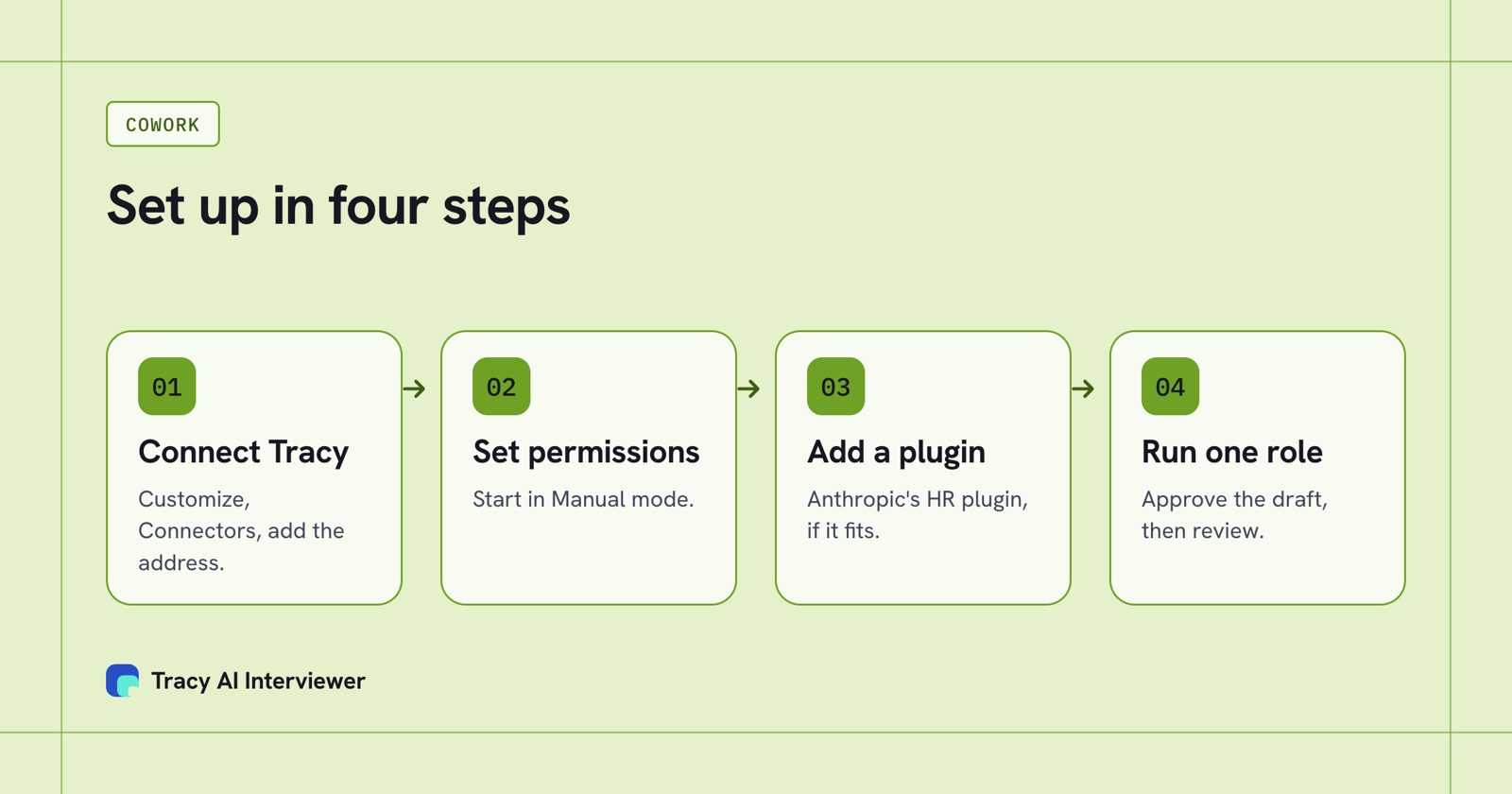
Four set-up steps take a recruiter from install to a first interview.
How do you set up Cowork for recruiting?
Work through these in order. Each takes a few minutes.
- Check your plan and install Claude Desktop. Cowork needs a paid plan.
- Add the Tracy connector. Open Customize, then Connectors, click Add, choose Add custom connector, name it Tracy AI Interviewer and paste
https://tracyinterview.ai/mcp. Click Connect, sign in if asked, and click Allow. On Team and Enterprise an owner adds it under Organization settings first. Anthropic says custom remote connectors are available in Cowork on every plan, with one allowed on Free. Even in Cowork the connection comes from Anthropic's cloud, so the server must be reachable over the public internet, which Tracy's is. - Choose a permission mode. Anthropic lists Manual (asks for each action), Auto and Skip (no approval prompts). Start in Manual until you have watched a few runs.
- Add a plugin. In the Cowork tab, open Customize, then Plugins, then Discover. Anthropic's Human Resources plugin includes a
recruiting-pipelineskill and aninterview-prepskill, and plugins are on all paid plans. - Give it a folder. Put one role's job description and your screening rubric in a folder and let Cowork read it.
- Run one role. Ask: "Read the job description in this folder, then use Tracy AI Interviewer to draft a screening interview and show me the preview."
The connector steps match the dialog in the Claude connector setup guide.
What happens after you ask?
Claude asks before it uses Tracy. In Manual mode you approve each action. For a new interview, Tracy returns a draft with the title, the questions and the result fields, and nothing is created until you approve it. A new interview starts with its public link on (anyone with the link, up to 20 people for 14 days) and nobody invited; you can turn the link off in the chat. You can edit the questions, bring your own, or describe the role and let Tracy draft them. Inviting people is previewed the same way and goes out only after your yes.
Then Tracy takes over. Each applicant opens a link in a browser, with no account, and starts when ready, at any hour. They are told on the join screen that the conversation is recorded and transcribed. Tracy listens, waits for the end of the thought and asks for the missing detail, and reads the CV when the CV check is on. A dropped applicant can rejoin within 10 minutes. Nobody waits for a calendar slot. Our phone screening script shows what those calls cover, and hiring at volume shows what the applicant meets.
Back in Cowork, ask for results in plain words. Tracy returns into the chat what each participant said to each question, the result fields and a note for an applicant tracking system. The recording, timestamped transcript and written assessment per question stay in your Tracy account, and integrity signals are shown for a person to review as evidence, never proof. Tracy does not score, rank or reject anyone, so Cowork can summarise what was said and a recruiter decides who moves on.
| Job | What Cowork does | What Tracy does |
|---|---|---|
| Read a brief | Reads it from your folder | Drafts the questions from the job description, which you edit |
| Draft interview | Asks Tracy; in Manual mode you approve each action | Returns a draft with the title, questions and result fields |
| Interview applicants | Nothing | Interviews each on video, with follow-ups |
| Invite people | Requests it; in Manual mode you approve each action | Emails the invitation after approval |
| Summarise results | Writes the summary you ask for | Returns what each person said, with a recording and transcript |
| Final call | Nothing | Nothing; a recruiter decides |
Who does what in a Cowork recruiting setup. A neutral two-tool table, from Anthropic's Cowork help and Tracy's Connect page.
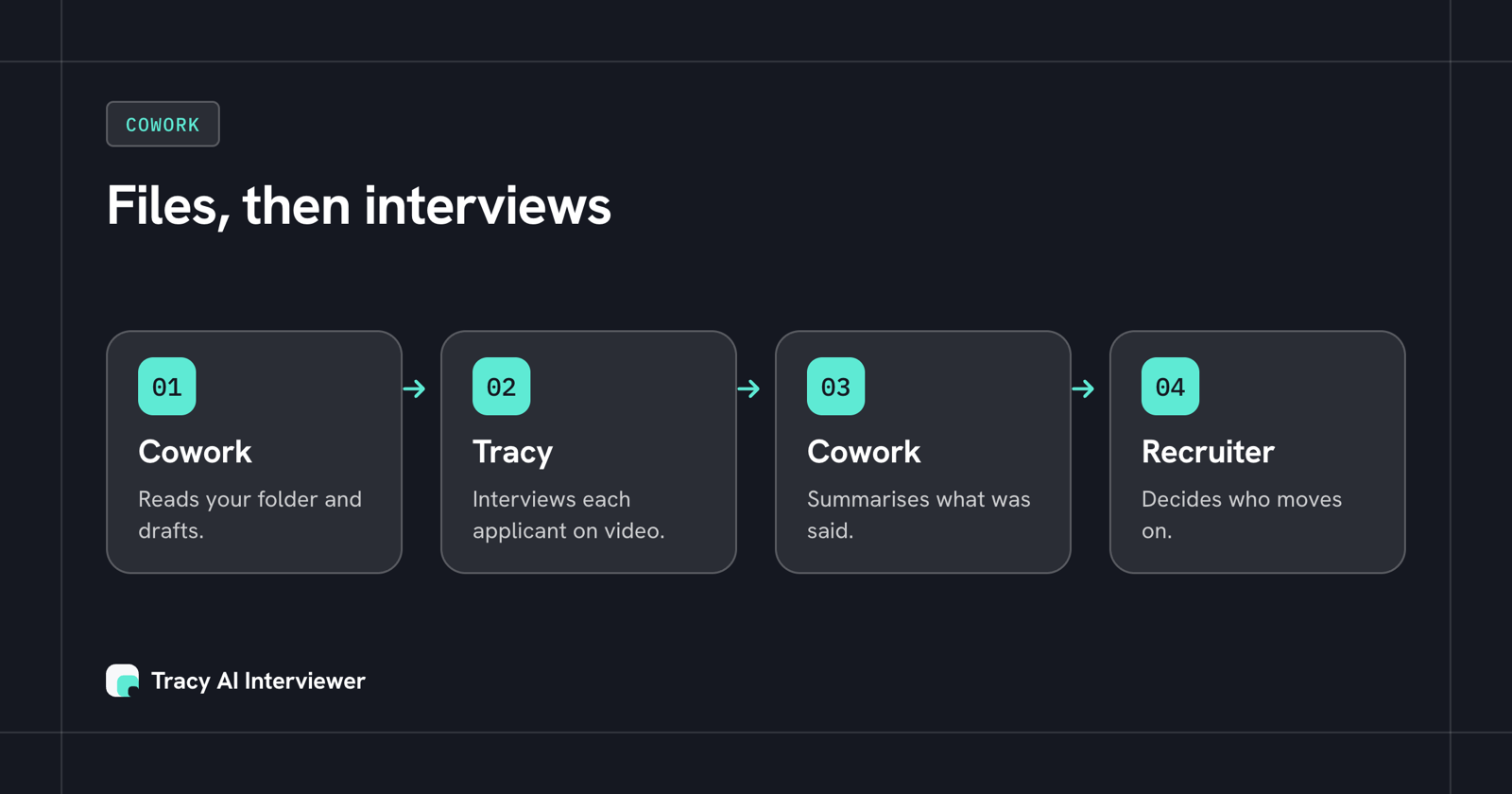
Cowork handles the files and drafting, Tracy handles the interview, and a recruiter decides.
Can Cowork run on a schedule?
Yes, with a limit. Anthropic says scheduled tasks run in the cloud with no device online, set with /schedule or from the Scheduled sidebar. Keep a scheduled task to reading: a morning prompt that asks Tracy for new results and writes a short summary. Creating an interview, inviting people and enabling a public link each need your approval of a preview, so keep those as tasks you start yourself.
Cost is two separate things. Anthropic notes that multi-step Cowork tasks use more of your plan usage than a quick question, and suggests checking usage in Settings. Tracy's Pay as you go includes MCP access at $1 per credit, one credit per started 20 minutes, with the first 3 results free and no seats.
What should recruiters watch for?
Anthropic warns that "Cowork has unique risks due to its agentic nature and internet access." It asks explicit permission before permanently deleting files, and says isolation protects your computer but does not change what Claude can read or do through the access you have granted. So give it a folder for the role, not your whole drive, and keep candidate files out of any skill or plugin you did not write. Anthropic does not verify custom connectors, so connect only servers you trust, and read any plugin you download.
Turn the same care into a rule for your team: Cowork drafts and summarises, Tracy interviews, a person decides. If you want to write your own instructions for that, Claude skills for recruiting and the hiring manager skill show how.
Which path fits you
- Recruiters in Claude chat rather than Cowork: Claude for everyday recruiting work and Claude prompts for recruiters.
- Staffing teams submitting the same day: speed to submit.
- Teams comparing tools first: best AI tools for recruiters.
- Anyone who wants the connector steps in detail: the connector steps for Claude.
Common questions
What is Claude Cowork?
Can Claude Cowork screen candidates?
How do I connect Tracy to Cowork?
Does Cowork need a paid plan?
Can Cowork send interview invitations by itself?
Is there an extra charge for the connector?
Draft one screening interview in Cowork
Add the connector, then ask Cowork to draft one screening interview for a real role; you approve before anything is created.
Try it free (opens in a new tab) Book a demo (opens in a new tab)
Your first 3 results are free. No card needed.
Sources
- Anthropic help center: Get started with Claude Cowork, retrieved 14 Nov 2026.
- Anthropic help center: Use plugins in Claude Cowork, retrieved 14 Nov 2026.
- Anthropic help center: Custom connectors using remote MCP, retrieved 14 Nov 2026.
- Anthropic knowledge-work plugins: human-resources, retrieved 14 Nov 2026.
- Add Tracy AI Interviewer to Claude (public guide), retrieved 14 Nov 2026.