
In short
Put the sources for one market question in a notebook and ask one question at a time. NotebookLM, renamed Gemini Notebook in July 2026, answers from the sources you upload, so reports, competitor pages and your own notes stay in one place.
Sources only hold what someone wrote down. Tracy AI Interviewer, started from a Gemini, Claude, ChatGPT or Copilot Studio chat, interviews customers on video with follow-ups and reads back what each person said to each question.
Paste those quotes into the notebook as one more source and read them beside the desk research.
To use NotebookLM for market research, put the sources for one market question into a notebook, ask narrow questions, and open the source behind every figure before it reaches a slide. Google announced on 16 Jul 2026 that it is renaming NotebookLM to Gemini Notebook and said the product "remains a standalone product focused on being your premier research tool". This guide says NotebookLM because that is still the name most people type.
A notebook is strong on what has been written down. It is silent on what your customers think and have never written. Tracy AI Interviewer covers that part. It drafts an interview guide from what you want to learn, runs each conversation with follow-ups, and keeps every finding tied to the words behind it. Once the interviews are done, the quotes go back into the notebook.
How to use NotebookLM for market research
Work in six steps.
- Write the decision first. For example, "Should we launch a refill subscription for ground coffee?" A notebook without a decision collects everything and answers nothing.
- Choose the sources for one question. Gemini Notebook Help lists audio files, pasted text, Google Docs, Slides, Sheets, images, PDF and Word documents, web URLs and YouTube URLs. A market report saved as a PDF, rivals' pricing pages as web URLs and earnings calls as YouTube links all fit. Free users can add up to 50 sources per notebook, so keep one notebook per question.
- Ask narrow questions. Market size by year, how rivals charge, what buyers ask for. One question per prompt gives you an answer you can check.
- Check the source behind each answer. Google's FAQ says answers are based on the information in your uploaded sources, which makes the source the thing to open. For very short sources, Gemini Notebook Help says the product references the whole document without citing individual text, so read those in full.
- List what the sources cannot answer. These are the questions for customers.
- Interview the customers, then add what they said as a source. Pasted text is on the supported list, so the quotes can sit beside the reports.
Steps 2 to 5 happen in the notebook. Step 6 happens in conversations with customers.
NotebookLM prompts for market research
Copy these and replace the brackets. They are starting points to adapt, not tested recipes.
- Market size: "Using only these sources, what does each one say about the size of [segment] in [region]? Give the year and what is being measured."
- Pricing: "Make a table of how [vendor A], [vendor B] and [vendor C] charge: unit, minimum, and what is free."
- Buyer language: "Which complaints about [category] appear in more than one source? Quote the line and name the source."
- Disagreement: "Where do these sources contradict each other on [topic]?"
- Gaps: "What would a buyer have to tell us that none of these sources covers? Write each as an interview question."
Take the coffee example. Prompts 1 and 2 return price points and promotion calendars for six supermarket brands. Prompt 5 returns "How does a shopper choose between the brand on offer and a brand they know?" No report answers it, so it becomes the first question put to shoppers.
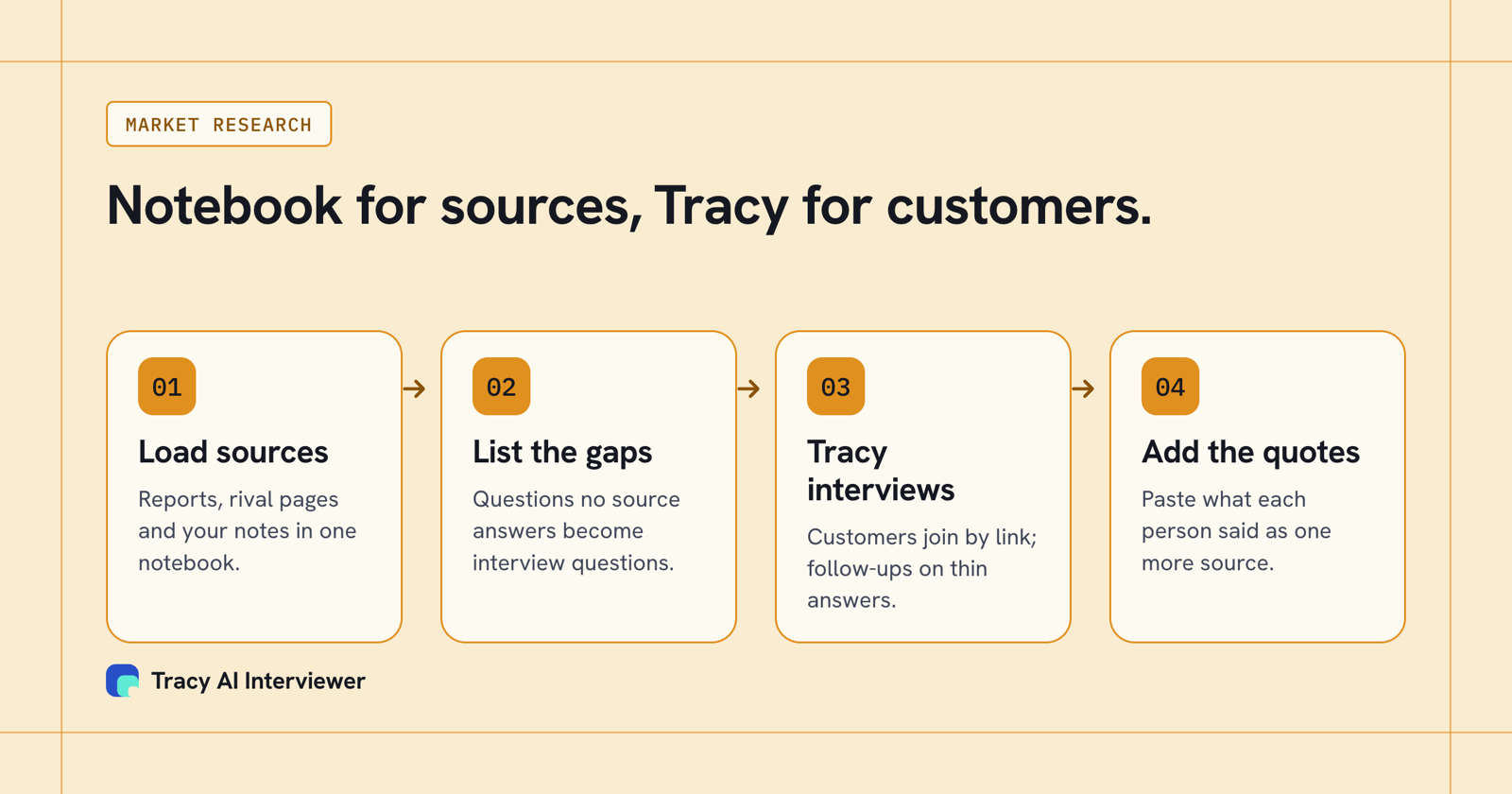
The notebook handles the sources you have, and Tracy gathers the answers you lack.
Where does NotebookLM stop for market research?
It stops at the edge of your sources. Google's FAQ says it answers from the information in the sources you upload, so a question about why shoppers chose one brand, or what made a buyer cancel, gets an answer only if someone has already written it down.
A pricing table can show that three rivals charge per seat, but not why a four-person team never considered the smaller plan. If the decision depends on a reason like that, plan interviews. How to run customer interviews covers the method.
Add customer interviews to the notebook
Tracy can run a discovery round, a concept test or a win-loss study. State what you want to learn, or bring your own guide, and Tracy proposes questions you can edit. Each customer opens a browser link when it suits them, with no account and no calendar, and the join screen tells them the conversation is recorded and transcribed. When an answer is thin, the next question asks for the example or the reason.
Start in a chat. Tracy runs as an MCP server, so a chat in Gemini, Claude, ChatGPT or Copilot Studio can set up the interview, invite customers by email and read results back. Creating and inviting need your approval of a preview first. Connecting Tracy to Gemini takes a few minutes, and connecting it to Claude is the same idea.
When results come back, ask the chat for what each customer said to each question, with the result fields beside it. Tracy reports what people said and does not score or rank them, so what it means is your team's call. Copy the quotes you want and paste them into the notebook as a text source, with the question as the heading.
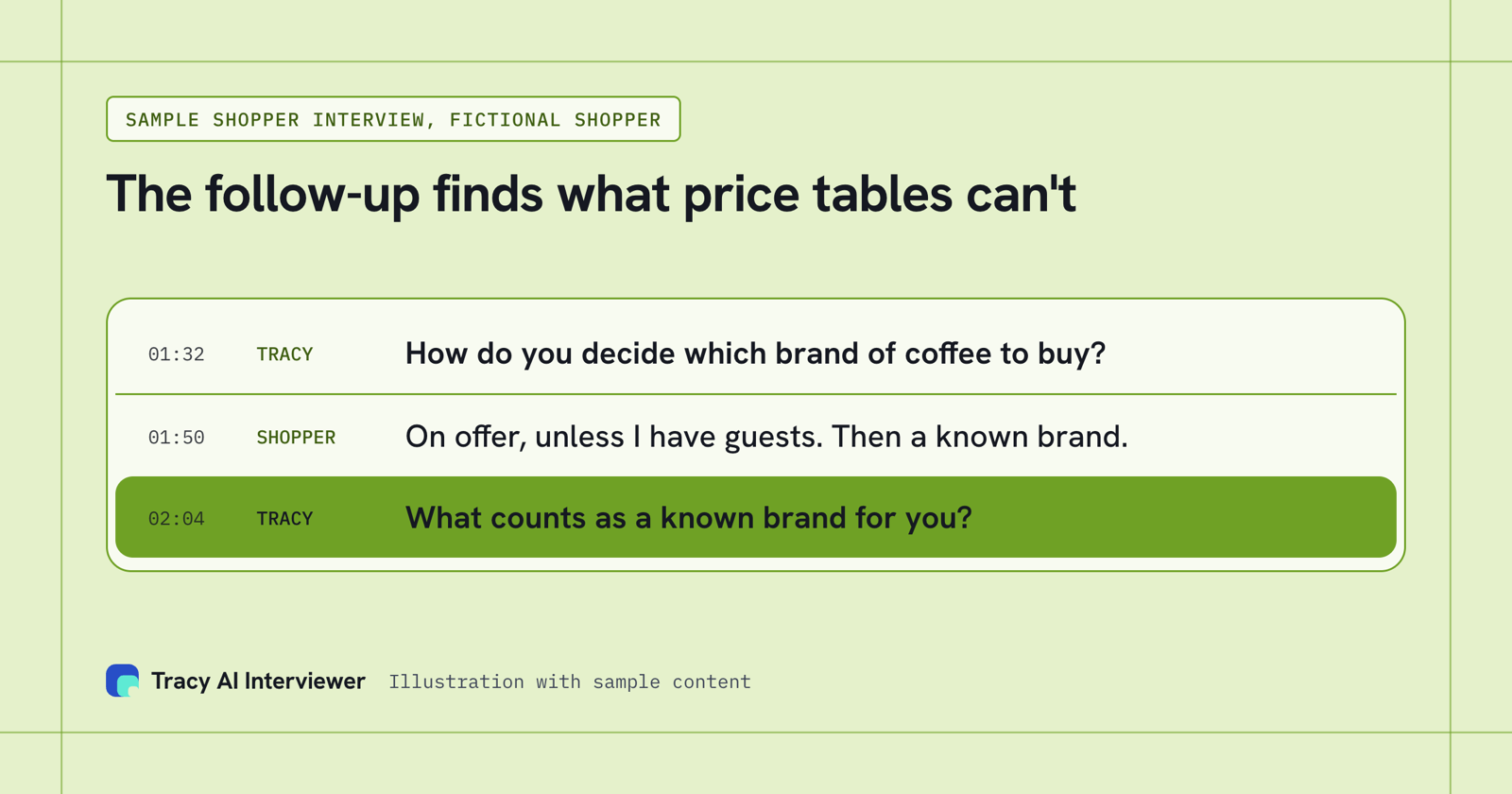
One follow-up turns a habit into a rule you can test: known brand when guests come.
What you read after the interviews
In the sample, the reviewer sees two fields with the evidence behind them: Purchase driver (promotion; known brand for guests, Q1 at 01:50) and Last switch (three months ago, by recommendation, Q2 at 04:00). The desk research showed which brands were discounted. The shopper explained when the discount stops mattering.
With twenty shoppers, ask the chat to read back every answer to one question and put them in the notebook together. Then ask the notebook where the shoppers' stated reasons agree or split, and open the original quote before you count anything. For synthesis work in other assistants, Claude for market research and Perplexity for market research follow the same hand-off.
Which path fits you?
- Choosing between assistants for desk work: Claude vs Gemini for research.
- Writing the interview questions first: customer discovery question list.
- Reading what customers said with an assistant: Claude for qualitative research.
- Comparing interview tools before you commit: best AI-moderated interview platforms.
For the full flow in one place, see the customer research use case.
Common mistakes
- Loading every file you own into one notebook, so no question has a clean set of sources.
- Quoting a market figure without opening the page it came from.
- Skipping the short sources, where Gemini Notebook Help says individual text is not cited.
- Writing the interview questions from the sources alone, so they confirm what you already read.
- Keeping the interview quotes in a different place from the reports, so they never meet.
Common questions
How to use NotebookLM for market research?
Is NotebookLM the same as Gemini Notebook?
How many sources can a notebook hold?
Can NotebookLM replace customer interviews?
Can I add Tracy's results to a notebook?
Start an interview from your AI chat
Open a Gemini, Claude, ChatGPT or Copilot Studio chat, connect Tracy and ask your first customer question. First 3 results free.
Try it free (opens in a new tab) Book a demo (opens in a new tab)
Your first 3 results are free. No card needed.
Sources
- Google: NotebookLM is now Gemini Notebook (16 Jul 2026), retrieved 23 Nov 2026.
- Gemini Notebook Help: Add or discover new sources for your notebook, retrieved 23 Nov 2026.
- Gemini Notebook Help: Frequently asked questions, retrieved 23 Nov 2026.
- Tracy AI Interviewer: Connect, retrieved 22 Nov 2026.