In short
A recruiter copilot is an AI assistant inside the tools a recruiter already has open. With Microsoft Copilot that means drafts in Outlook and Word, recaps in Teams, pipeline analysis in Excel, and Copilot Studio agents for the steps around an interview.
Copilot helps before and after the call. Tracy AI Interviewer runs the interview itself when a Copilot Studio agent has its MCP server: each person starts on click and gets follow-up questions in their own field.
You read what each person said to each question, with the recording and a timestamped transcript, and a person decides. The first 3 Tracy results are free.
A recruiter copilot is an AI assistant that works inside the tools a recruiter already has open, such as email, documents and meetings, and takes on the writing, summarising and tracking around a hire. At Microsoft the copilot is Microsoft Copilot: a chat, assistants inside Outlook, Word, Teams and Excel, and agents built in Copilot Studio. What you can use depends on your licence, which Copilot for HR explains in full. This page follows one search from the intake call to the debrief and marks where Copilot stops.
How can recruiters use Microsoft Copilot across a search?
Pair each stage of a search with the app where that work already happens. Microsoft's overview page, last dated 17 November 2026, lists the in-app features below.
| Stage | Where | What Microsoft says it does |
|---|---|---|
| Intake call | Teams | Summarises up to 30 days of meetings, transcribes them and captures action items |
| Outreach | Outlook | Drafts emails, summarises threads, coaches on clarity, sentiment and tone |
| Job ad and screening questions | Word | Drafts, rewrites and summarises documents |
| Pipeline tracker | Excel | Analyses data, generates insights, creates formulas and visuals |
| Candidate survey | Forms | Drafts questions for surveys and polls |
Microsoft lists these under Microsoft 365 Copilot (Basic). Copilot Chat on its own, per the same page, mainly uses web data and has limited use of organisational content, so a recruiter pastes in the material the prompt refers to. Candidate details are personal data: paste only what your company's policy allows into any assistant.
Copilot prompts for recruiters you can copy
These three are written for this page, so run each on a search you know and read the output against the source before you use it. Replace the brackets with your own material.
Here are my notes from the intake call: [paste]. List the must-haves, the nice-to-haves and anything the hiring manager said that conflicts with something else. Write "not stated" for anything nobody said.
Draft a short note to a [role] who has not replied to my first message. Use only these facts about the role: [paste]. Keep it under 90 words and end with one question they can answer in a line.
Here is the job description: [paste]. Write six screening questions about the work itself, each with what a specific answer would include. Do not add requirements the description does not contain.
The first prompt works in a Teams recap or in Copilot Chat once the notes are pasted in. The third returns questions you can edit, which is also how Tracy begins an interview: it drafts from the role and you change what you like.
What are Copilot agents for recruitment?
Agents are Microsoft's name for focused versions of Copilot that can run a business process. Microsoft's own recruiting example is the recruitment assistant agent in its Adoption Library, marked "Available with: Copilot Studio". It lists six steps: job requirement evaluation, internal talent search, external talent search, candidate pipeline generation, renege probability prediction and automated candidate engagement, which sends interview reminders and follow-ups. The page says its content is "for demonstration purposes only" and tells organisations to check fit with their own processes and regulatory requirements.
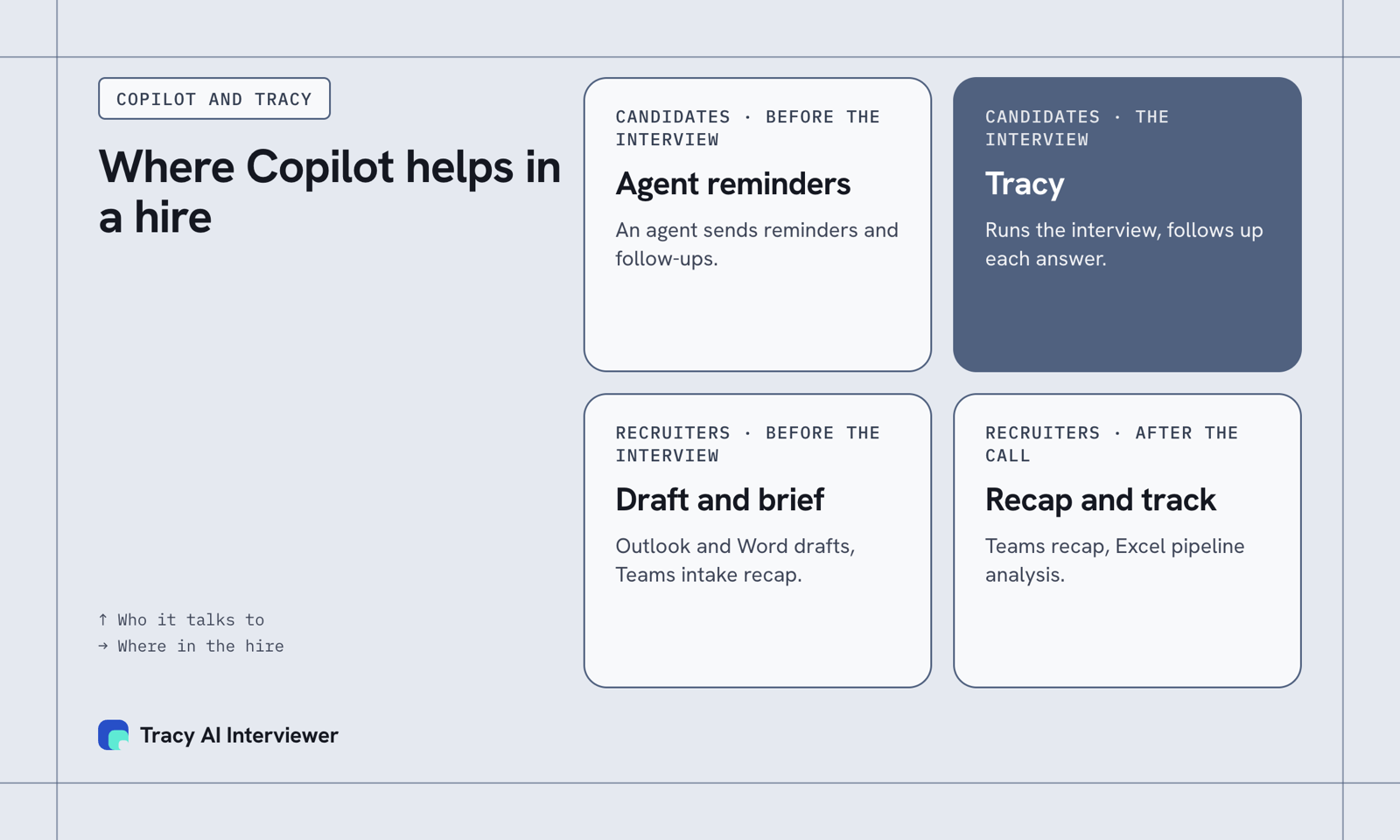
Copilot covers the work around the interview; Tracy covers the interview.
Which Copilot agents fit recruitment best?
Microsoft's recruiting scenario is a design you build in Copilot Studio, and its page does not say it can be installed ready-made. Custom agents also carry a cost. Microsoft says declarative agents grounded in instructions and public websites come with Copilot Chat, and that access to custom or other agents is pay-as-you-go only.
So judge an agent by the step it covers. A talent-search agent finds people, an engagement agent chases replies and reminds people of slots, and an interview agent talks to each applicant. The Microsoft scenario ranks candidates and predicts who may withdraw; whichever agent you build or buy, keep a person deciding who moves forward and check the rules that apply where you hire.
Where the interview starts
A drafted question list still needs someone to hold the conversation with each person, and a recruiter's calendar caps how many of those there can be. Tracy AI Interviewer holds it on video. Each person opens a link in a browser at any hour, with no account and no calendar, and Tracy asks follow-ups in the person's own field.
It connects to a Copilot Studio agent through its MCP server. Microsoft's Copilot Studio page says an agent can take tools from an MCP server and tells users to connect only to servers they trust. Once the server is added, a recruiter can ask the agent:
Set up a first-round interview for a customer support lead. Draft the questions from this job description: [paste]. Show me the preview before you create it.
Creating an interview and inviting people wait for your approval of a preview. A new interview starts with its public link on (anyone with the link, up to 20 people for 14 days) and nobody invited, so turn the link off if you invite by email. The setup steps are in Tracy in Copilot Studio and adding an MCP server in Copilot Studio.
What the recruiter reads afterwards
Ask the agent for the results and it returns what each person said to each question, the result fields and a note for your applicant tracking system. The report keeps the recording and a timestamped transcript behind each answer. Tracy does not score, rank or reject anyone, so your team reads what was said and decides.
One Tracy customer cut its average time to hire from 44 days to 7, and Tracy did the work of 53 full-time recruiters in one month.
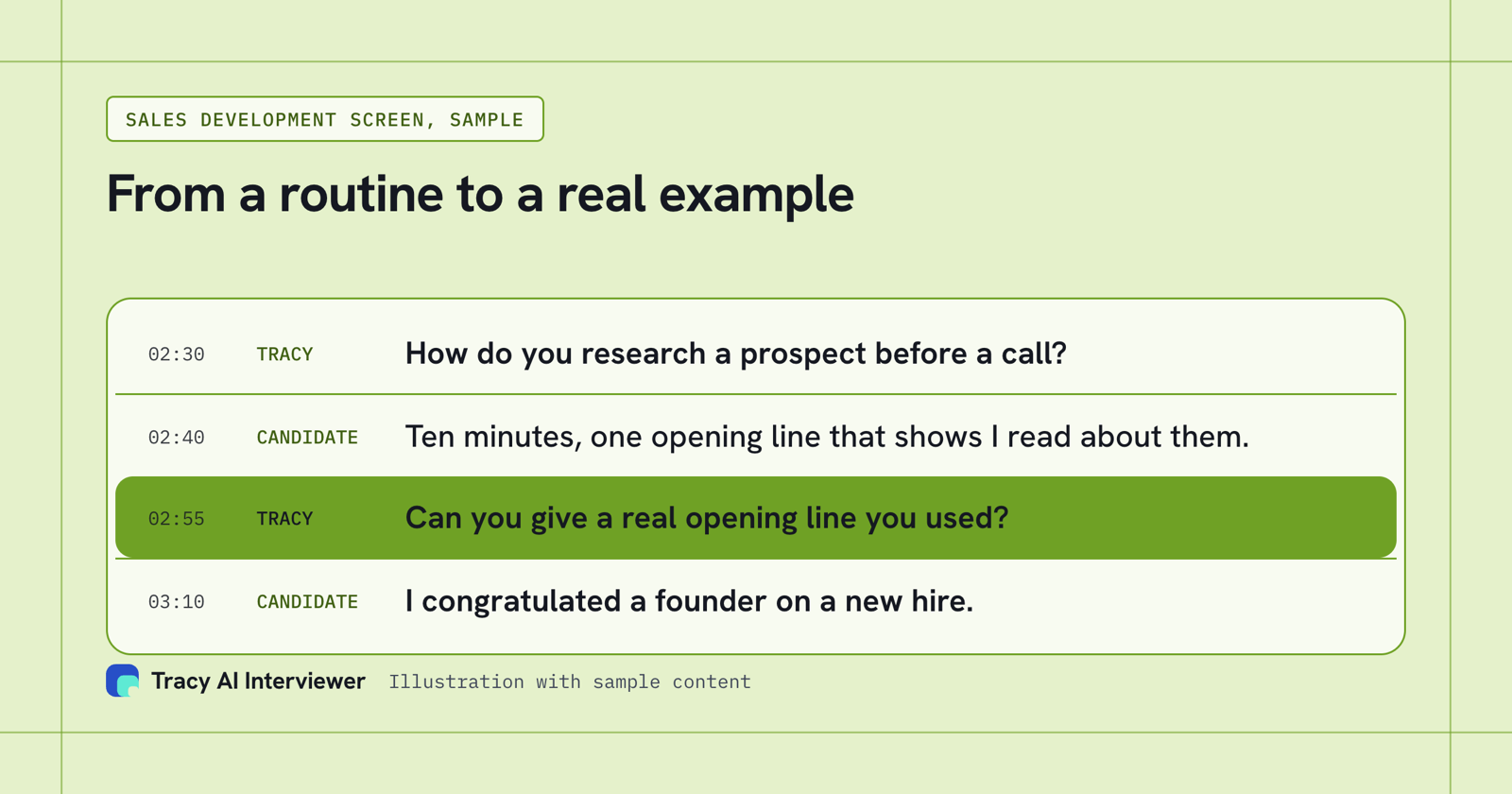
A routine answer gets a follow-up that asks for one real example.
Which path fits you?
- You have Copilot Chat only: use the three prompts above and paste in only what policy allows.
- You want the same prompts in another assistant: ChatGPT prompts for recruiters and Claude for recruiting cover them.
- You run a lot of first rounds: read high-volume recruitment or the volume hiring page.
- You want to see the report first: AI interview reports shows what lands in the chat.
Common questions
What is a recruiter copilot?
What is the Microsoft Copilot recruitment assistant agent?
What are the best AI copilots for recruiters?
Can Copilot interview candidates?
Start an interview from your Copilot agent
Connect Tracy to your Copilot Studio agent, ask for one screening interview and read what each person said. First 3 results free.
Try it free (opens in a new tab) Book a demo (opens in a new tab)
Your first 3 results are free. No card needed.
Sources
- Microsoft Learn: What is Microsoft Copilot? (ms.date 17 Nov 2026), retrieved 23 Nov 2026.
- Microsoft Adoption Library: recruitment assistant agent, retrieved 23 Nov 2026.
- Microsoft Learn: Extend your agent with MCP, retrieved 23 Nov 2026.
- Add Tracy AI Interviewer to Copilot Studio (public guide), retrieved 23 Nov 2026.