In short
To add a Copilot Studio MCP server, open the agent's Tools page, choose Add a tool, New tool, Model Context Protocol, then enter a name, a description and the server URL.
Pick the sign-in type your server supports. Dynamic discovery is the shortest, and Tracy AI Interviewer supports it, so the agent can draft interviews from a job description, invite people and read back what each person said.
Each answer comes back with the time of the words behind it, so a reviewer can jump to the recording.
To connect a Copilot Studio MCP server, you add it as a tool on the agent. Microsoft recommends its MCP onboarding wizard for a server that already exists, and the worked example below uses the Tracy AI Interviewer server at https://tracyinterview.ai/mcp, an address you can paste.
Tracy suits a hiring team that wants interview setup inside an agent. It connects through MCP and an API to the stack you already run, drafts questions from a job description for you to edit or replace, and runs each interview itself with follow-ups in the person's own field. If the protocol is new to you, start with an MCP primer.
What MCP does in Copilot Studio
MCP, the Model Context Protocol, is a standard way for an agent to call tools that live on another server. In Copilot Studio, an MCP server shows up as a tool on the agent's Tools page. The agent's orchestrator reads the server description to decide whether to call it at runtime, so Microsoft asks for "a brief, but clear description of what your MCP server does."
Copilot Studio supports the Streamable transport. SSE is deprecated in the MCP specification, and Copilot Studio no longer supports it for MCP after August 2025. A server that only speaks SSE needs a Streamable endpoint before it can be added.
How to add an MCP server to a Copilot Studio agent
These are the wizard steps from Microsoft's guide.
- Open your agent and go to its Tools page.
- Select Add a tool, then New tool.
- Under Create new, select Model Context Protocol. The MCP onboarding wizard opens.
- Fill in Server name, Server description and Server URL.
- Choose the authentication type: None, API key or OAuth 2.0.
- Select Create. On the Add tool dialog, select Create a new connection, or use an existing one.
- Select Add to agent.
For Tracy AI Interviewer, name the server Tracy AI Interviewer and use https://tracyinterview.ai/mcp as the URL. For the description, something like this works: "Runs AI video interviews to screen candidates, research customers and users, and check in with employees." Choose OAuth 2.0 with Dynamic discovery, then sign in on the Tracy page and approve. The sign-in asks for one permission, named tracy, and acts only on your own account. The full Tracy walk-through, with its checks, is in the Copilot Studio HR agent guide.
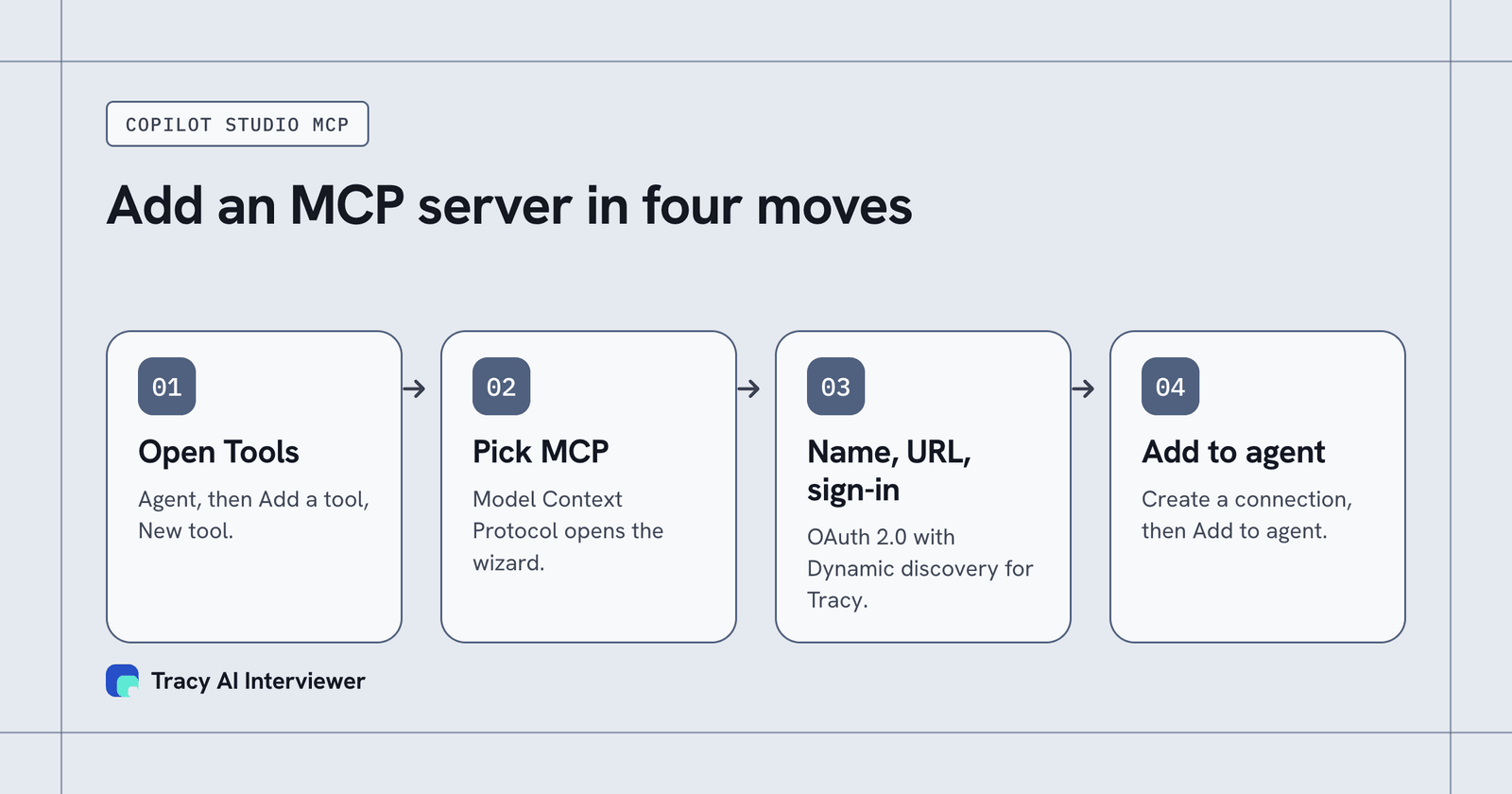
Adding an MCP server to a Copilot Studio agent is four screens in one wizard.
Which sign-in type should you choose?
Pick the sign-in type your server publishes. Copilot Studio offers three choices, None, API key and OAuth 2.0, and OAuth 2.0 comes in three types of its own.
- None, for an open server.
- API key, when the server wants a key. The user of the agent supplies it, sent either in a header or as a query parameter.
- OAuth 2.0, which has three types:
- Dynamic discovery, when the server supports dynamic client registration with discovery. Microsoft calls it the simplest method, and with it you select Create and the client finds the endpoints and registers itself.
- Dynamic, when the server supports registration but not discovery. You enter the Authorization URL and the Token URL template.
- Manual, when you hold a client ID and secret. You also enter the authorization, token and refresh URLs, optional scopes, and copy the callback URL into the app registration.
Tracy registers clients and publishes its sign-in endpoints, so Dynamic discovery needs no client ID or secret. The OAuth flow behind these options is worth a read if you need to explain it to your security team.
When the wizard does not fit: custom connector and Agent 365
Microsoft's second route is a custom connector in Power Apps. You need an OpenAPI schema file in YAML that describes the server, with x-ms-agentic-protocol: mcp-streamable-1.0 on the MCP path. From the agent's Tools page, choose Add a tool, New tool, Custom connector, then New custom connector and Import OpenAPI file.
A third route is in preview. A developer registers an existing server with Microsoft Agent 365 through its CLI, an admin approves it in the Microsoft 365 admin center, and the server can take up to 30 minutes to appear in your Copilot Studio environments. Use it when your organization wants admins to approve every MCP server.
In short, use the wizard unless your server needs a schema you control, which points to the custom connector, or your organization wants an admin to approve every server, which points to Agent 365.
Data policies and trust
Copilot Studio reaches an MCP server through Power Platform connectors. A data policy that regulates connectors therefore regulates the MCP server and its tools for your agent. When a policy blocks a server, the tool shows as disabled in the Add tool panel; select the information icon beside it to see which restriction applies, then ask the person who manages your data policies.
Microsoft also says to connect only servers you trust: review the tools and resources a server exposes, confirm who operates it, and make sure changes to it are controlled. Tracy holds SOC 2 Type II attestation, and the report is available at hello@tracyinterview.ai. You can cut access at any time under Connected AI apps in your Tracy account, and it stops at once.
Run a first interview from the agent
With the tool added, start a chat with the agent and ask for a draft. Try: "Use Tracy AI Interviewer to draft a cloud engineer screen from this job description, then show me the questions." Tracy answers with the title, the questions and the result fields. The agent shows a preview before it creates the interview or invites anyone, so read the draft and ask for changes first. You can also bring your own questions.
A new interview starts with its public link on, so anyone with the link can join, up to 20 people for 14 days, and nobody is invited until you approve it. The host can turn the link off. The people you invite never touch Copilot Studio. They open a browser link, need no account, and see on the join screen that the conversation is recorded and transcribed. A thin answer gets a follow-up in the person's own field.
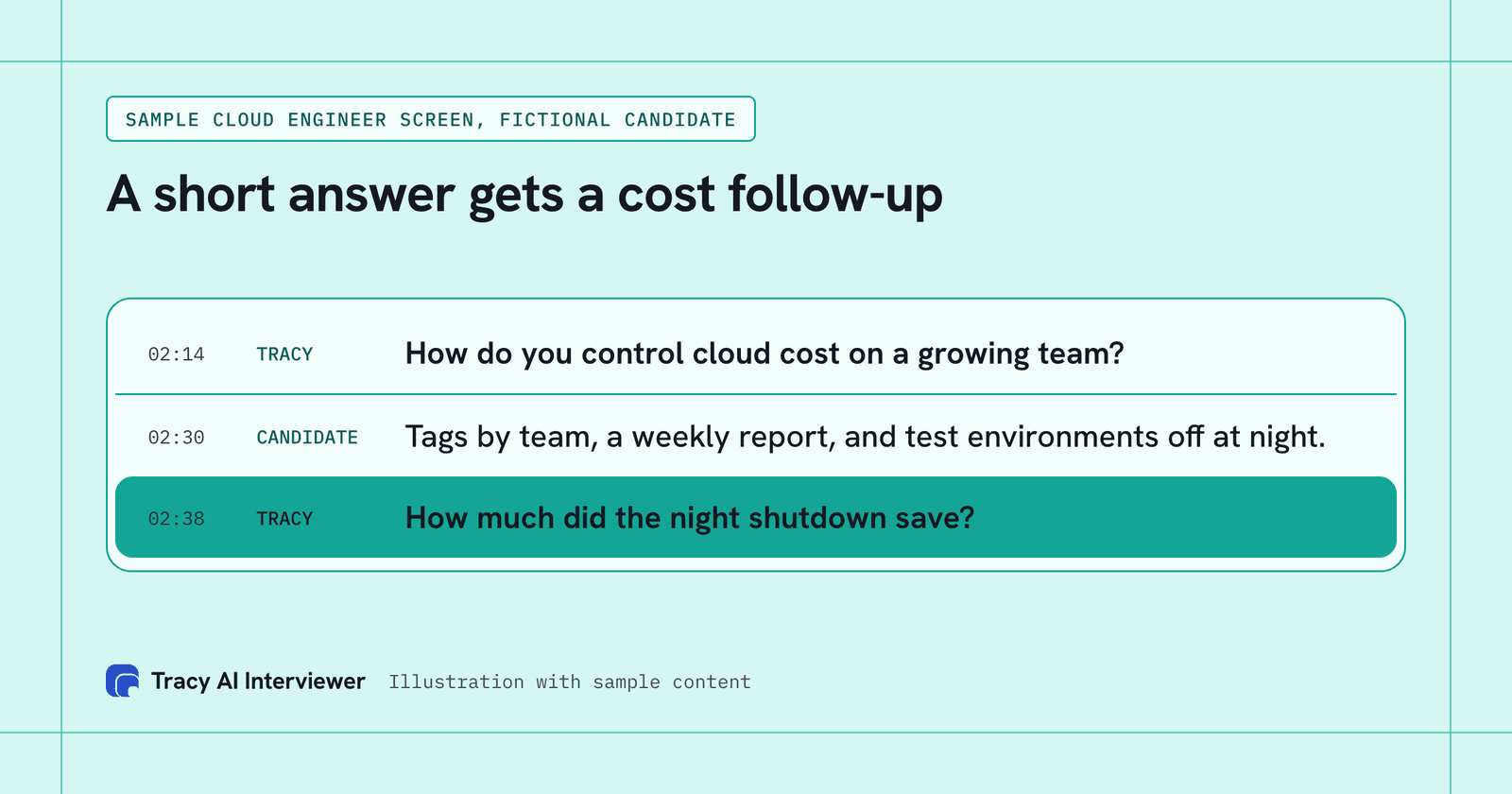
A short answer gets a specific follow-up, and the reviewer reads both with their times.
What the reviewer reads afterwards
The agent can read the results back in the chat: what each person said to each question, the result fields, and a note for an applicant tracking system. In the sample above, the fields read Cost control practice (tags, a weekly report, night shutdown; Q1, 02:30) and Least privilege roles (yes; Q2, 06:20). Each answer carries the time of the words behind it, so a reviewer can jump to the recording.
Video interviews run integrity signals unless you turn them off: a full-screen window, a face on camera and a pop-up if the face leaves the frame. A signal goes to the reviewer as a prompt to look, never as proof. Your team decides who moves on, since Tracy does not score, rank or reject anyone. The same server address works elsewhere, so see how to add it to Claude or ChatGPT, and what else an MCP connection can reach in a hiring stack.
If the tool does not show up or the agent ignores it
- Not on the Tools page: run the wizard again and finish with Add to agent.
- Disabled in the Add tool panel: a data policy blocks it. Ask your administrator.
- Sign-in not finished: on Add tool, select Create a new connection and sign in again. In Tracy, the app should then appear under Connected AI apps.
- The agent never calls it: open the tool, turn Enabled on and select Save. Under Details, select Allow agent to decide dynamically when to use the tool.
- Access revoked: create a new connection and sign in again.
- The server only speaks SSE: ask its owner for a Streamable endpoint, because Copilot Studio no longer supports SSE for MCP after August 2025.
Common questions
How do I add an MCP server to Copilot Studio?
What is MCP in Copilot Studio?
How do I connect a vendor MCP to Copilot Studio?
Does Copilot Studio support SSE MCP servers?
Can a data policy block an MCP server in Copilot Studio?
Add Tracy to your Copilot agent
Connect the server in the wizard, ask the agent for a draft interview and run your first one. First 3 results free.
Try it free (opens in a new tab) Book a demo (opens in a new tab)
Your first 3 results are free. No card needed.
Sources
- Microsoft Learn: Connect your agent to an existing Model Context Protocol (MCP) server, retrieved 22 Nov 2026.
- Tracy AI Interviewer: Add Tracy AI Interviewer to Microsoft Copilot Studio, retrieved 9 Nov 2026.
- Tracy AI Interviewer: Pricing, retrieved 11 Nov 2026.