In short
ChatGPT handles the message-heavy parts of recruiting well: intake notes, boolean strings, outreach, replies and client updates. Tracy AI Interviewer adds the part a chat cannot do: every applicant starts a video interview on click, vague answers get follow-ups, and you keep a recording and transcript. Prompts 27 to 30 connect the two from ChatGPT. Your team reviews every result and decides.
What ChatGPT prompts for recruiters do well
These ChatGPT prompts for recruiters follow a working day: the intake call in the morning, sourcing and messages through the middle, screening and client updates after lunch. Each is short enough to paste, with [brackets] to fill.
ChatGPT will write your fortieth outreach message as well as your first. It cannot sit through the interviews, so the last four prompts hand that job to Tracy AI Interviewer.
Set ChatGPT up once
Put your standing context in a ChatGPT Project so it applies to every prompt below: who you recruit for, the tone you use, the phrases you never write, and the rule that candidate details stay out unless your policy allows them. ChatGPT's pricing page lists Projects on Free, Go, Plus and Pro. Then follow OpenAI's prompt engineering guide, which says to give the model "any additional information it might need to generate a response".
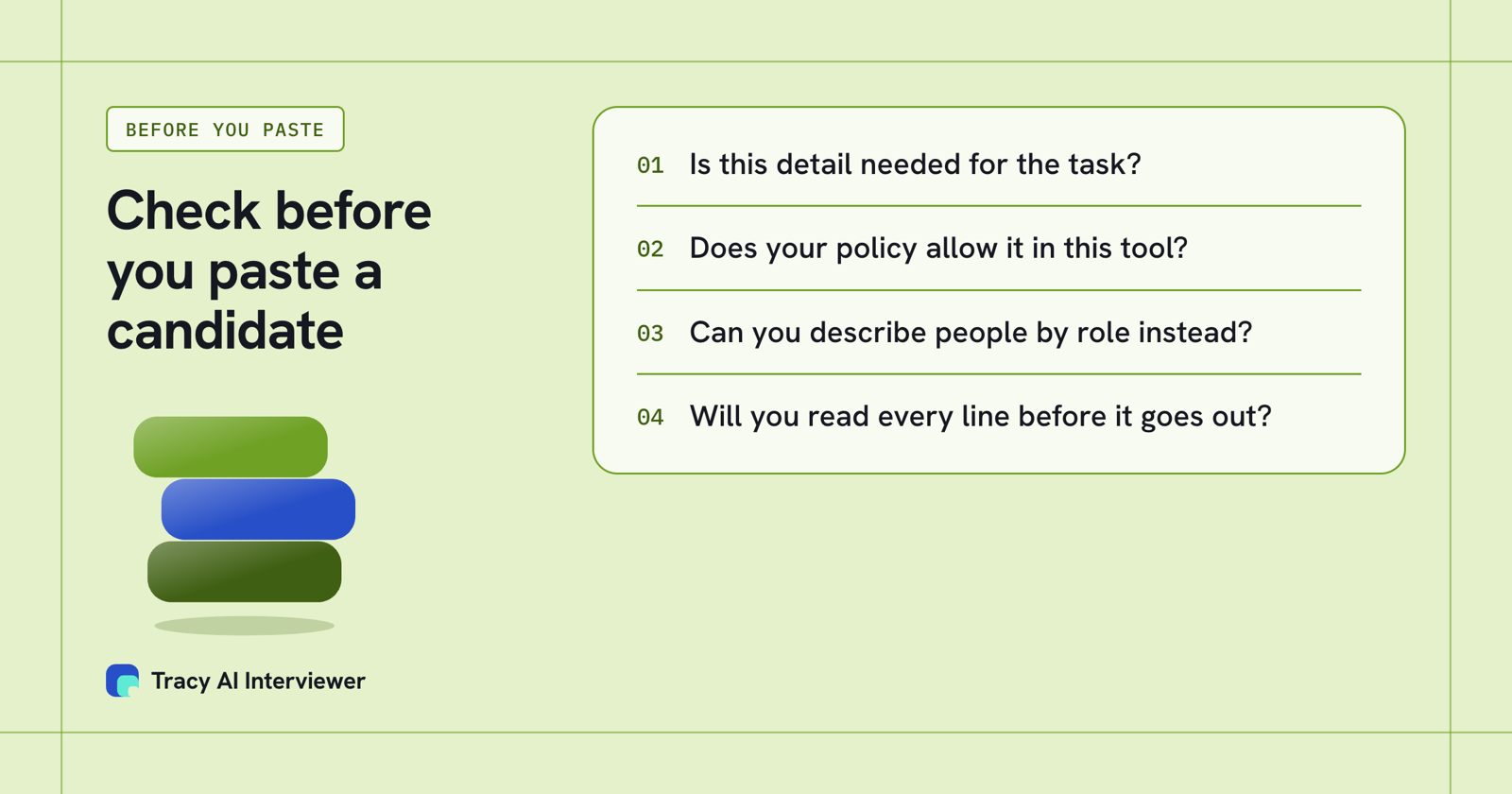
Four checks before candidate details go into any chat tool.
Intake and job posts (1 to 4)
1. Intake call notes to a brief
Turn these notes into a role brief: the business problem, 3 must-haves, 3 nice-to-haves, deal-breakers, interview stages and the pay range if stated. Label anything missing "unknown". Notes: [paste]
2. Push back on a vague request
A hiring manager says "we need someone senior who can hit the ground running." Write 6 questions that turn that into concrete requirements, with an example of a good answer for each.
3. Job post that fits a screen
Write a job post for [role] from this brief in under 300 words. Put must-haves in the first half, and only list requirements an interview could actually check. Brief: [paste]
4. Two versions of the same post
Rewrite this job post twice: once for active job seekers, once for passive candidates. Keep every fact identical. List what you changed. Post: [paste]
Sourcing (5 to 9)
5. Boolean strings
Write 3 boolean strings for [platform] for a [role]: one exact, one broad, one built on skills. Explain in a line what each one will miss.
6. Title variants
Give me 12 titles used for [role] across [industry] and [region], and flag the five most common.
7. Where they gather
Where do [role] people talk shop online and in person? Suggest 8 communities, events or tools, and say what a recruiter should look for in each. Mark anything I need to verify.
8. Reading a profile
Here is a public profile: [paste]. List what it shows about [must-have 1], [must-have 2] and [must-have 3], quoting the profile. Say "not shown" for the rest.
9. A company list angle
Which kinds of companies employ people with experience in [skill]? List 10 company types, not names, and the reason for each.
Outreach and replies (10 to 15)
10. Cold message
Write a message under 90 words to [name], [title], about a [role]. Mention [specific detail]. One sentence on the role. End with a one-word-answer question.
11. Second message
No reply after 4 days. Write a follow-up under 40 words with one new fact and an easy way to decline.
12. Message for a referral
Write a note to [name] asking who they would recommend for [role]. Keep it to two sentences.
13. Reply to "what is the salary?"
A candidate asks the pay range before anything else. Write a direct reply that gives the range [range] and one line on how it is set.
14. Reply to "not now"
They said the timing is wrong. Write a reply that thanks them, asks when to check back, and does not push.
15. Re-engage a past candidate
Write a message to someone I spoke to [months] ago about [role]. Mention what we discussed: [detail]. Say what is new.
Screening (16 to 20)
16. CV against must-haves
Compare this CV with these must-haves: [paste]. For each must-have write "shown", "partly shown" or "not shown" and quote the line. Do not give a score and do not recommend rejecting anyone.
17. Gaps to ask about
From that comparison, write 5 questions that check what the CV leaves open. Each should ask for a specific project.
18. Knockout questions
Suggest 4 yes or no questions for an application form for [role], limited to legal or practical requirements such as work authorisation and location. Leave out anything that could screen out people unfairly.
19. A phone screen
Write a 15-minute phone screen for [role]: opening, 5 questions, close. Add a line for what to write down after each answer.
20. Tidy my notes
Turn my call notes into: what they said about each must-have, open questions, and next step. Use only my notes. Notes: [paste]
Candidate communication (21 to 23)
21. Interview invitation
Write an invitation for [stage] with [date options], who they will meet, how long it takes and what to prepare. Under 120 words.
22. Decline after screening
Write a respectful decline for someone who did not move forward after [stage]. No false promises of future roles. I will read and send it myself.
23. Answer a candidate's question
A candidate asked: "[question]". Draft a clear reply from these facts only: [facts].
Hiring managers and clients (24 to 26)
24. Weekly update
Turn this pipeline summary into a 5-line update for a hiring manager: where we are, what is blocked, what I need from them. Summary: [paste]
25. Feedback chase
Write a short message asking for interview feedback by [day], and say what the next step needs from them.
26. Shortlist note
Write a three-line note introducing [name] to the client from these facts: [facts]. Say what is not confirmed yet.
Hand the interview to Tracy (27 to 30)
These need the Tracy connector added in ChatGPT. Open the Tracy AI Interviewer plugin, install it, finish the sign-in, then start a chat, type @ and select Tracy. Custom connectors follow your workspace's permissions, and OpenAI's help page names ChatGPT Business and Enterprise/Edu on the web for custom MCP servers, so check your plan first. If you do not see the option to add a custom MCP server, check your plan and your ChatGPT settings for Developer mode. ChatGPT shows the interview as a preview and creates nothing until you approve it, and an invitation is previewed and not sent until you approve that too. A new interview starts with its public link on (anyone with the link, up to 20 people for 14 days) and nobody invited; you can turn the link off. Tracy's ChatGPT guide has the steps.
27. Draft the interview
@Tracy AI Interviewer set up a screening interview for [role] candidates from this brief: [paste]. Show me the draft first.
28. Edit before approving
Change the draft to 6 questions. Add one about [skill], keep my question "[your question]" exactly, and show me the preview again.
29. Invite a shortlist
Invite [email addresses] to the interview. Preview the invitation and wait for my approval.
30. Read the results
Who has finished? For each, summarise what they said about [must-have] with the timestamp. Do not score or rank anyone; I will review them.
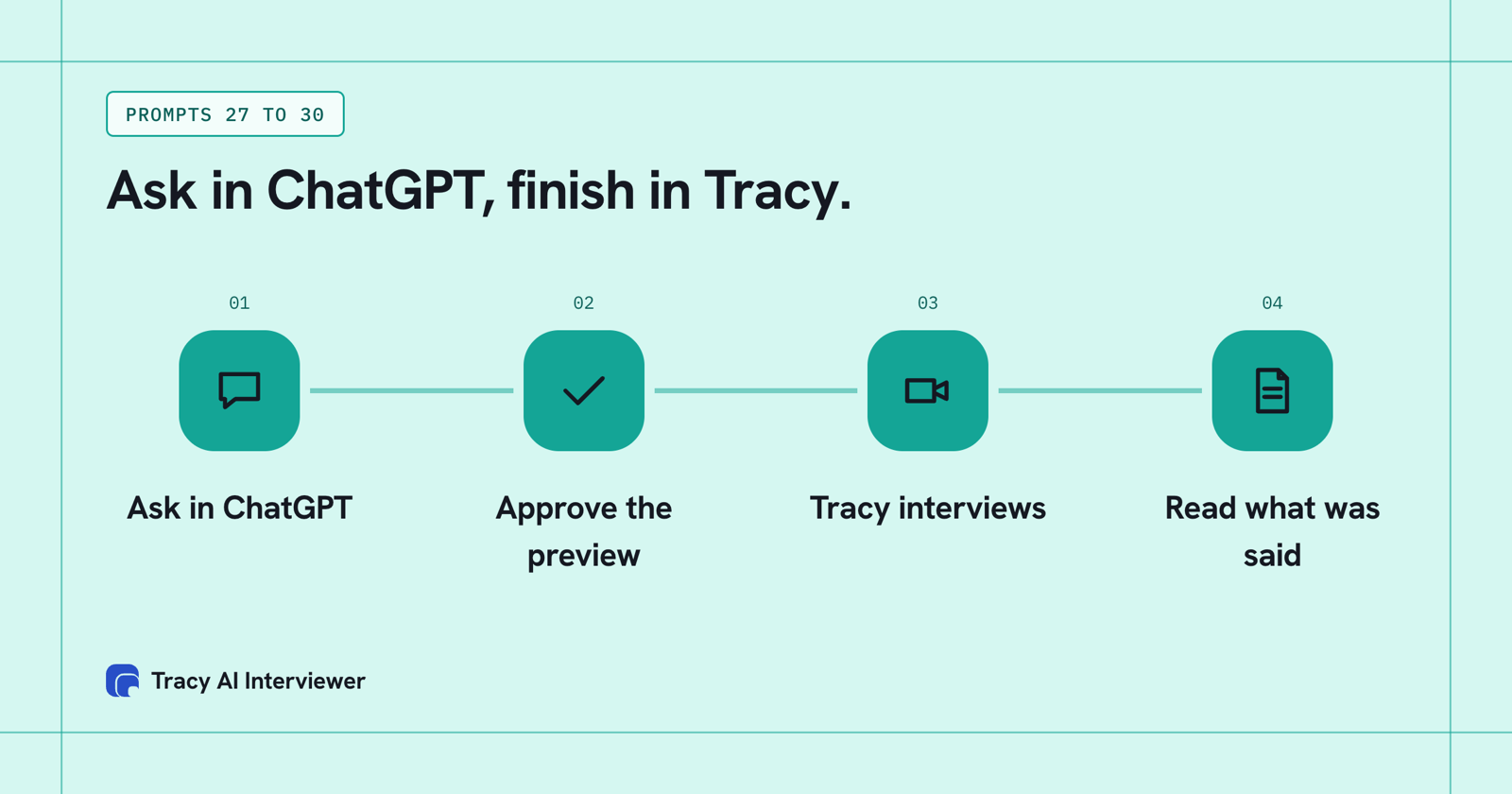
ChatGPT drafts and previews; nothing is created or sent until you approve.
What Tracy adds to ChatGPT prompts for recruiters
Three things change when the interview moves from you to Tracy.
01
Reach every applicant
Each applicant can start on click, at any hour, with no scheduling and no recruiter on the call. The same first round reaches the whole list.
02
Ask the next question
Tracy follows the answer in the person's own field and waits for the end of the thought. A polished headline has to survive a specific follow-up.
03
Keep the evidence
Every result has a recording, a timestamped transcript and a written assessment per question with its reasoning. Your reviewer decides what it means.
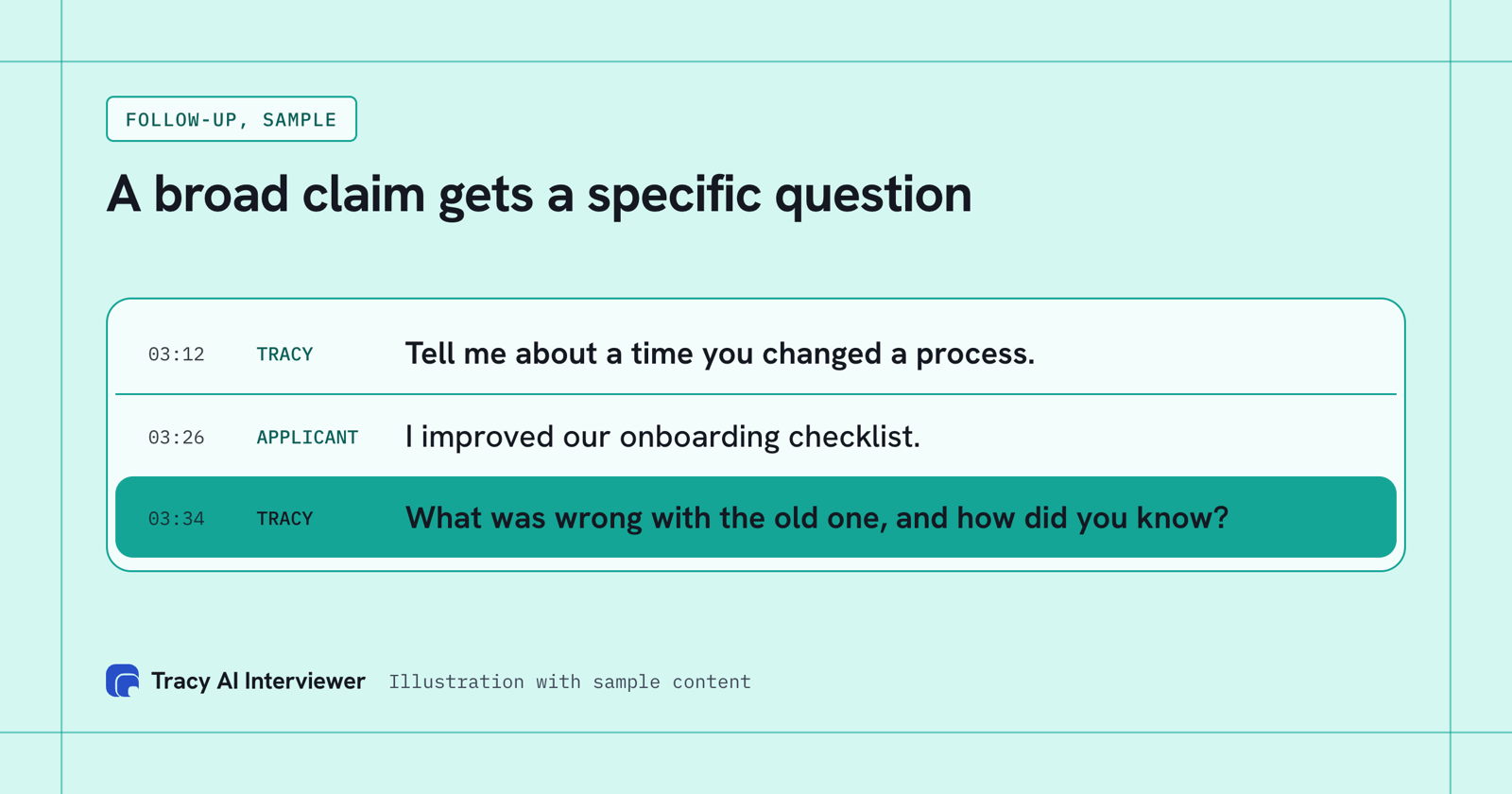
A broad claim gets the question that tests it.
Why a phone screen stops at the few people you have time for
Prompts 1 to 26 make you faster at reading and writing. A phone screen reaches only the people you have hours for. Say a role draws 100 applicants and each first call runs 20 minutes: that is about 33 hours of live calls, and about 333 hours at 1,000 applicants. With Tracy each applicant starts on click, at any hour, and your hours go to reading what people said. In a customer's case, average time to hire went from 44 days to 7, and Tracy did the work of 53 full-time recruiters in one month. See hiring at volume and the guide on ChatGPT for recruiting.
Which path fits you
- Prompts for the Claude chat app: Claude prompts for recruiters.
- Writing the post first: ChatGPT job description prompt.
- A first call before the interview: the phone screening script.
Common questions
What are the best ChatGPT prompts for recruiters?
Can recruiters use ChatGPT for recruiting?
Can ChatGPT run the candidate interview?
Can I add Tracy on any ChatGPT plan?
Does Tracy rank candidates?
Run prompt 27 from ChatGPT
Draft one interview from your role brief, then approve the preview. The first 3 results are free.
Try it free (opens in a new tab) Book a demo (opens in a new tab)
Your first 3 results are free. No card needed.
Sources
- Add Tracy AI Interviewer to ChatGPT (public guide), retrieved 14 Nov 2026.
- ChatGPT plans and features, retrieved 14 Nov 2026.
- Tracy AI Interviewer home page, retrieved 11 Nov 2026.
- OpenAI, prompt engineering guide, retrieved 14 Nov 2026.
- OpenAI help, connecting custom MCP servers in ChatGPT, retrieved 14 Nov 2026.