In short
A Claude connector is Claude's name for a connection to an MCP server, and Claude adds a directory, review labels and per-tool permissions that make it manageable for a business. Tracy AI Interviewer is the worked example: one MCP server that Claude shows as a connector, so a chat can draft an interview, invite applicants and read results back while Tracy interviews them on video. You approve each create and invite.
Claude connectors vs MCP is mostly a question of vocabulary, because the two are the same thing seen from two sides. Anthropic's docs say each connector is a connection to an MCP server that the service runs. When a developer builds an MCP server and someone adds it to Claude, that person sees a connector. Once Tracy's connector is on, your chat can set up and read an interview, while the applicant talks to Tracy in a browser and never inside Claude.
What the connector model does well
One standard means a service builds a single MCP server and many apps can reach it. In Claude that server appears as a connector you can see, switch on for one chat and limit tool by tool. That is why a business can approve a connection without reading code.
Are Claude connectors and MCP servers the same thing?
Yes, with one extension of meaning. A connector is Claude's name for the connection, and the MCP server is the program on the service's side. Even a local connector is an MCP server: Anthropic describes a desktop extension as a local MCP server packaged with MCPB that runs on your device inside Claude Desktop.
MCP is the standard, and a connector is how you meet it in Claude. What an MCP server is covers the standard itself.
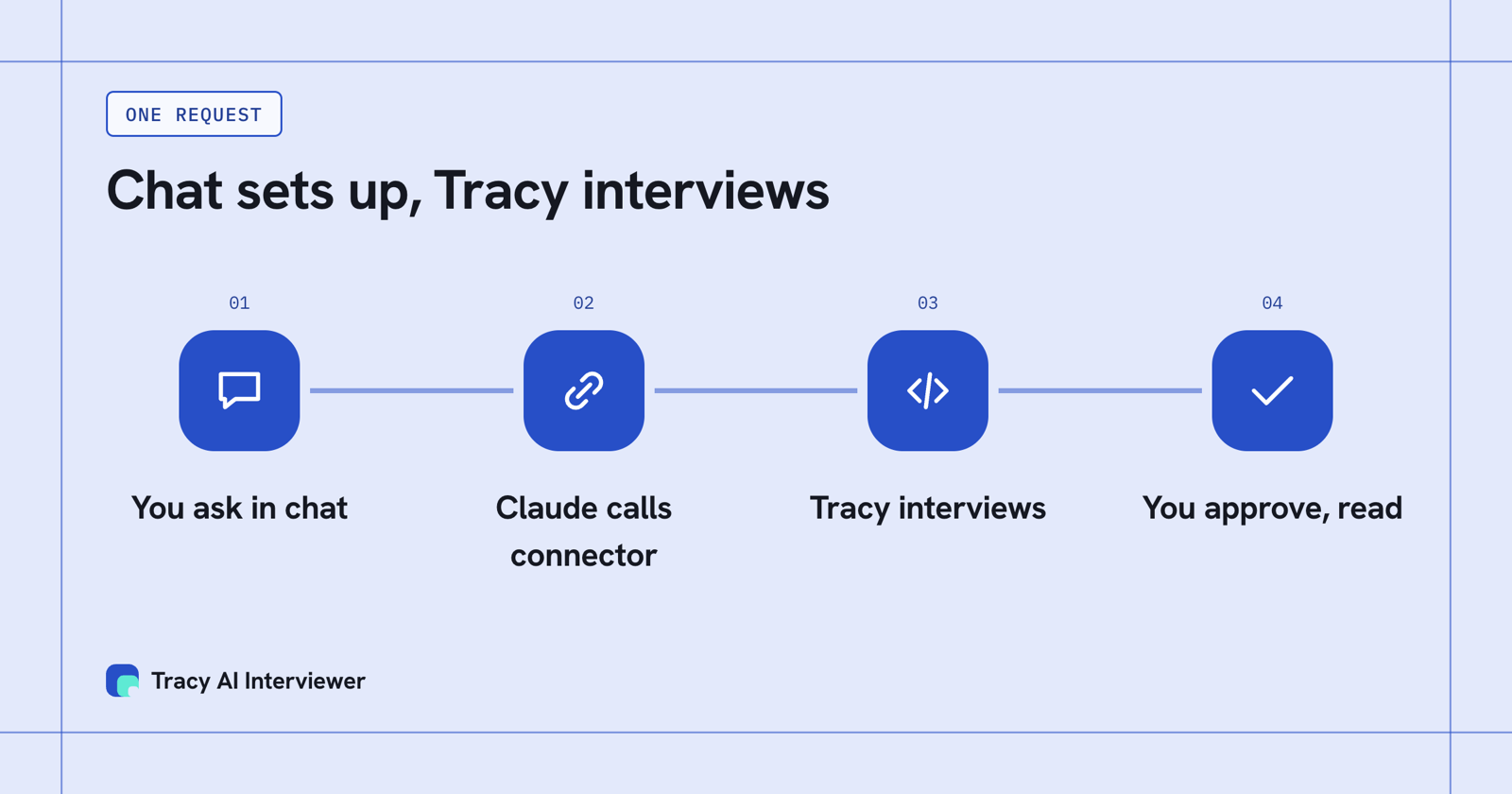
You ask in chat, Claude calls a connector, and the connector reaches the MCP server.
Claude connectors vs MCP: what Claude adds around the server
The server stays the same. Claude wraps it with the things a business needs to manage it.
- A directory with labels. The Connectors Directory is a catalog of MCP servers that work across Claude's products. Each listing is Verified or Community, and Anthropic says verification is not a security audit.
- A Custom label. A connector you add yourself by its address shows as Custom, and Anthropic has not reviewed it.
- Per-tool permissions. For each group of tools, or one tool, you choose Always allow, Needs approval or Blocked. Claude can also ask before each use.
- A switch per chat. Under the + button, Connectors lists what is on for this conversation.
- Owner control on Team and Enterprise. An Owner adds a connector for the organization, and members connect with their own account. A member without permission sees a Request button on directory connectors.
- Declared tool hints. Every MCP tool must declare whether it only reads data or can change it, so Claude and you can see what a tool can do.
Connector, MCP server, skill, plugin: how they fit
Four words cover most of what you will see in Claude's settings.
What each term means in Claude and where you meet it.
| Term | What it is | Where you see it |
|---|---|---|
| MCP server | The program a service runs so an AI app can reach it | The address you paste to add a custom connector |
| Connector | Claude's connection to an MCP server | Customize > Connectors |
| Skill | Written instructions Claude loads when a task matches | Customize > Skills |
| Plugin | One install that can hold skills, connectors, commands and agents | Customize > Plugins |
Connectors give Claude access, and skills teach it how you do a task. MCP vs skills goes through that split with a decision table.
Three ways to add an MCP server to Claude
- From the directory. Open Customize > Connectors, choose Discover, find the service and connect. On Team and Enterprise an Owner adds it first.
- By its address. If you have the URL of a remote MCP server, add it as a custom connector. This works on Free, Pro, Max, Ultra, Team and Enterprise plans, and Free allows one custom connector. A connector in the directory and a custom one use the same technology.
- As a desktop extension. For tools that must run on your own computer, install a local MCP server packaged as a .mcpb file in Claude Desktop.
A local server runs in the Claude desktop app; Claude on the web and ChatGPT connect to remote servers by their public address.
Anthropic warns that custom connectors allow connections to unverified services, so connect only to servers you trust and click Always allow only for ones you do.
Tracy as the worked example
Tracy AI Interviewer runs an MCP server at tracyinterview.ai/mcp. In Claude you add it as a custom connector by that address, name it Tracy AI Interviewer, sign in to Tracy and allow it. Tracy's Claude guide walks through the five steps.
Once it is connected, the same controls apply. Claude's connector page lists Tracy's tools in two groups, 7 read-only tools and 6 write/delete tools, each group set to Needs approval. You ask for an interview in plain language and Claude comes back with a draft. Creating the interview and inviting people wait for your approval of a preview. A new interview starts with its public link on (anyone with the link, up to 20 people for 14 days) and nobody invited; the host can turn it off.
The interview is not run by Claude. Tracy interviews each person on video in their browser, asks follow-ups in their own field, and gives you a recording and a timestamped transcript. Reading results in the chat returns what the participant said to each question, the result fields and a note for an applicant tracking system. Tracy does not score, rank or reject anyone; a person decides from the evidence.
Tracy's server also works in ChatGPT, Mistral, Gemini and Copilot Studio, because it is a standard MCP server. The ChatGPT guide shows the same server added through ChatGPT's own settings.
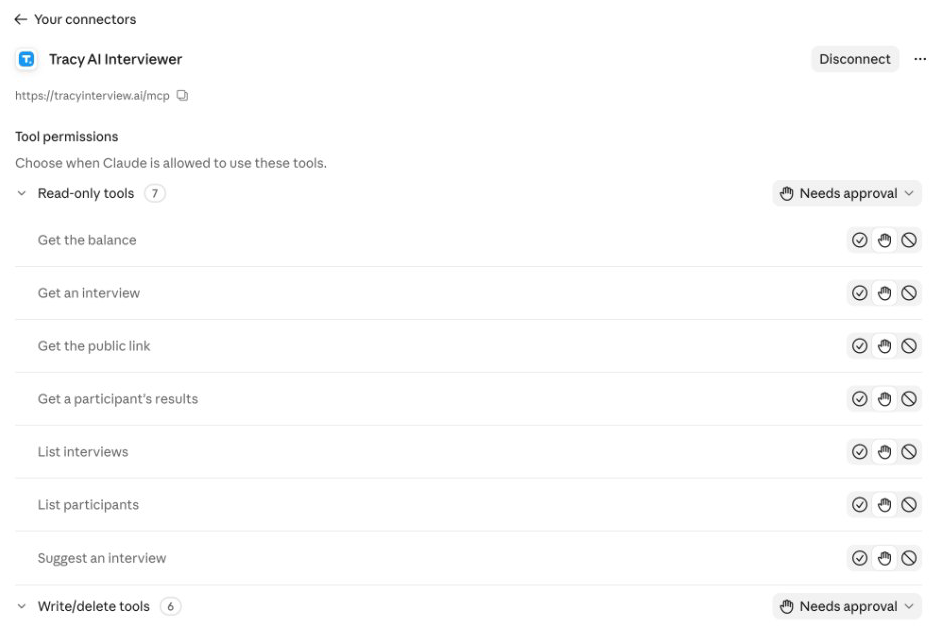
Claude lists Tracy's tools in two groups and asks before each runs.
What Tracy adds to a Claude connector
01 Reach every applicant. Each applicant can start on click, at any hour, with no scheduling and no recruiter on the call. From the chat you invite people, and each one starts in a browser link without a Claude account.
02 Ask the next question. Tracy asks in the applicant's own field, follows what they said and waits for the answer. The owner never writes the follow-ups by hand.
03 Keep the evidence. Every result holds a recording, a timestamped transcript and a written assessment per question with its reasoning. What comes back into the chat is what each person said to each question.
What the connection lets the owner do, and where the candidate interviews
A connector gives Claude access, and it does not give you an interviewer. Say you ask Claude for a 20-minute first-round interview. Claude drafts it through Tracy's tools, and you approve a preview before anything is created or sent. Those tools come in two groups, 7 read-only and 6 write/delete, each set to Needs approval, so every create and invite waits for you. The candidate then opens a browser link and meets Tracy on video. The owner stays in Claude to set up and read; the interview happens outside it.
Which word should you use?
Say connector when you are working inside Claude, because that is the word on the screen. Say MCP server when you build one, when you talk to a developer, or when the same server is used in more than one app. Say skill when you mean instructions, and plugin when you mean the package.
If you are choosing tools for a team, the best Claude connectors for business shortlists what is worth adding first, and interactive connectors explains the MCP Apps that show a live interface in the chat.
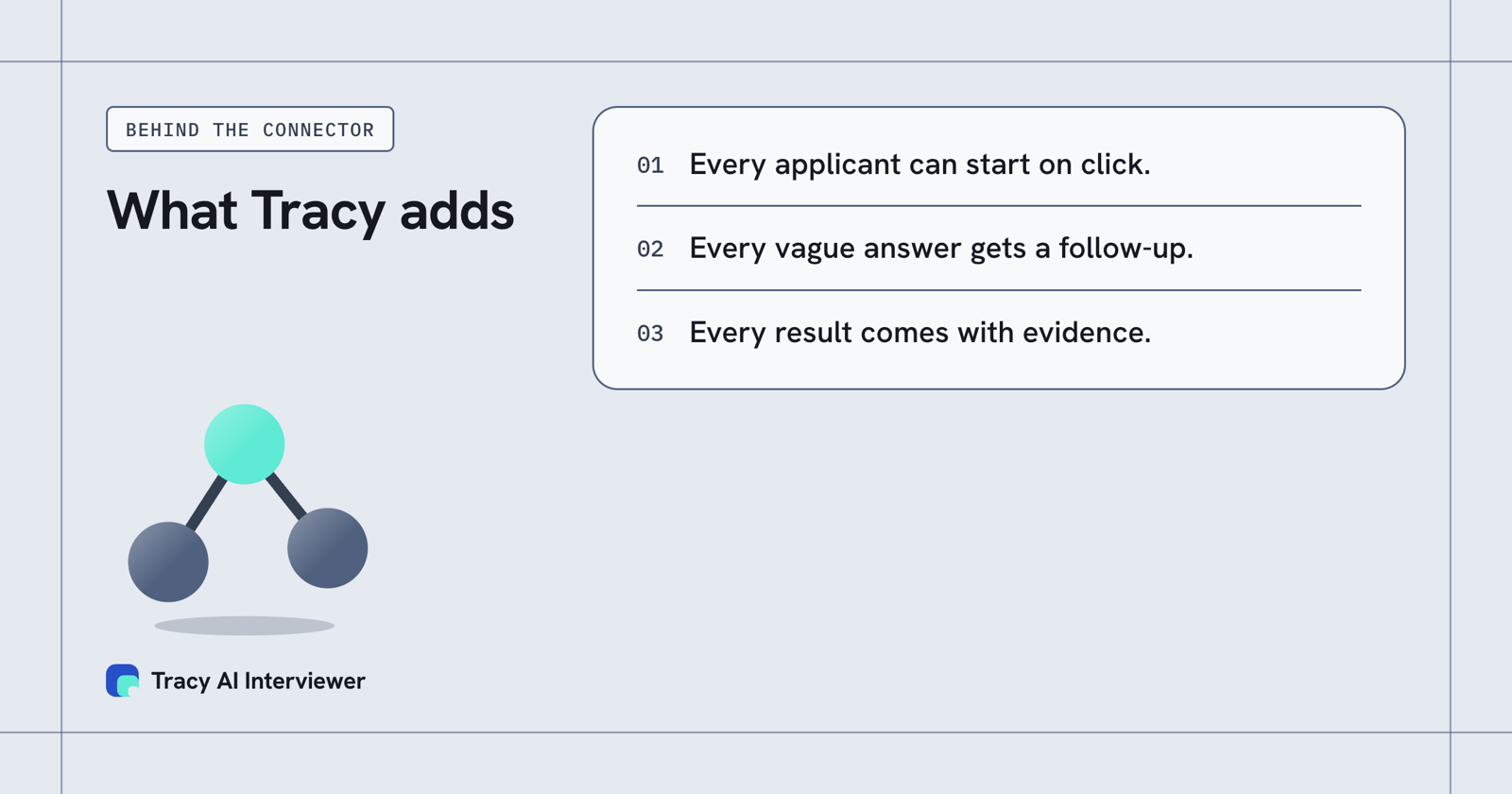
Every applicant can start on click. Every vague answer gets a follow-up. Every result comes with evidence.
Common questions
Are Claude connectors the same as MCP servers?
Do all Claude connectors use MCP?
What does the Custom label mean?
Is a skill the same as a connector?
Can I use the same MCP server in ChatGPT?
Does the Tracy connector cost extra?
Run one interview from Claude
Add the connector, draft one interview in Claude and approve the preview. Applicants start on click. The first 3 results are free.
Try it free (opens in a new tab) Book a demo (opens in a new tab)
Your first 3 results are free. No card needed.
Sources
- Anthropic, Connectors, skills, and plugins, retrieved 14 Nov 2026.
- Anthropic, Model Context Protocol (MCP), retrieved 14 Nov 2026.
- Anthropic, Connectors directory, retrieved 14 Nov 2026.
- Anthropic, Connector verification, retrieved 14 Nov 2026.
- Anthropic, Add a connector that isn't in the directory, retrieved 14 Nov 2026.
- Anthropic, Get started with connectors, retrieved 14 Nov 2026.
- OpenAI Help Center, Connecting custom MCP servers in ChatGPT, retrieved 14 Nov 2026.
- Tracy AI Interviewer, Claude guide, retrieved 9 Nov 2026.
- Tracy AI Interviewer, Connect, retrieved 10 Nov 2026.