In short
Tracy AI Interviewer goes first, for teams that interview people: no other connector here runs an interview. The other ten follow by how many teams the job covers, from files and mail to chat, project tools and design. From a Claude chat, Tracy drafts the interview, invites people and reads results back. Each person interviews on video, and you get a recording, a timestamped transcript and a written assessment per question. You approve each create or invite. Tracy's first 3 results are free, then $1 per credit, with no seats.
Add a connector for each job you hand to Claude, and nothing more, because every connector is access you have to manage.
The list below has 11 connectors on one rule. Tracy goes first, for teams that interview people, because it is the only entry that runs an interview. The other ten run from files to mail to calendar to suites to chat to project tools to design, by how many teams the job covers. If connectors are new to you, how MCP servers work explains what sits behind each one, and Tracy's Claude guide shows how an interview starts from chat.
What a business team needs from a connector
- It sits where the work is. A connector earns its place when your files, mail or tickets are already in that service.
- An admin can control it. On Team and Enterprise plans an Owner adds a connector for the organization and members connect with their own account. Members without permission see a Request button on directory connectors.
- Actions need approval. You can set each group of tools, or one tool, to Always allow, Needs approval or Blocked, and Claude can ask before each use.
- Read the review label. Directory connectors are Verified or Community, and Anthropic says verification is not a security audit. A connector you add yourself is Custom and unreviewed.
- Some show a live interface. Interactive connectors open dashboards, task boards or design tools in the chat, and the named launch list was Amplitude, Asana, Box, Canva, Clay, Figma, Hex, monday.com and Slack.
| Connector | Best for | What it does in Claude | Interactive (Jan 2026 launch list) |
|---|---|---|---|
| Tracy AI Interviewer | Running interviews | Draft, invite and read results; you approve previews | Not on the launch list |
| Google Drive | Files and documents | Search, read and upload files | Not on the launch list |
| Gmail | Draft replies, summarize threads, search inbox | Not on the launch list | |
| Google Calendar | Scheduling | Manage schedule, coordinate meetings | Not on the launch list |
| Microsoft 365 | Microsoft shops | SharePoint, OneDrive, Outlook, Teams | Not on the launch list |
| Slack | Team chat | Send messages, create canvases, fetch data | Yes |
| Notion | Plans and notes | Search, update and power workflows | Not on the launch list |
| Atlassian | Delivery teams | Search and update Jira, Confluence, Bitbucket | Not on the launch list |
| Asana | Task coordination | Tasks, projects and goals | Yes |
| Linear | Issue tracking | Manage issues, projects, workflows | Not on the launch list |
| Canva | Design and decks | Search, create, autofill, export designs | Yes |
Scroll the table sideways to see all 4 columns.
What each connector does in Claude, from Anthropic's connectors listing and its January 2026 list of interactive connectors, and from Tracy's Claude guide.
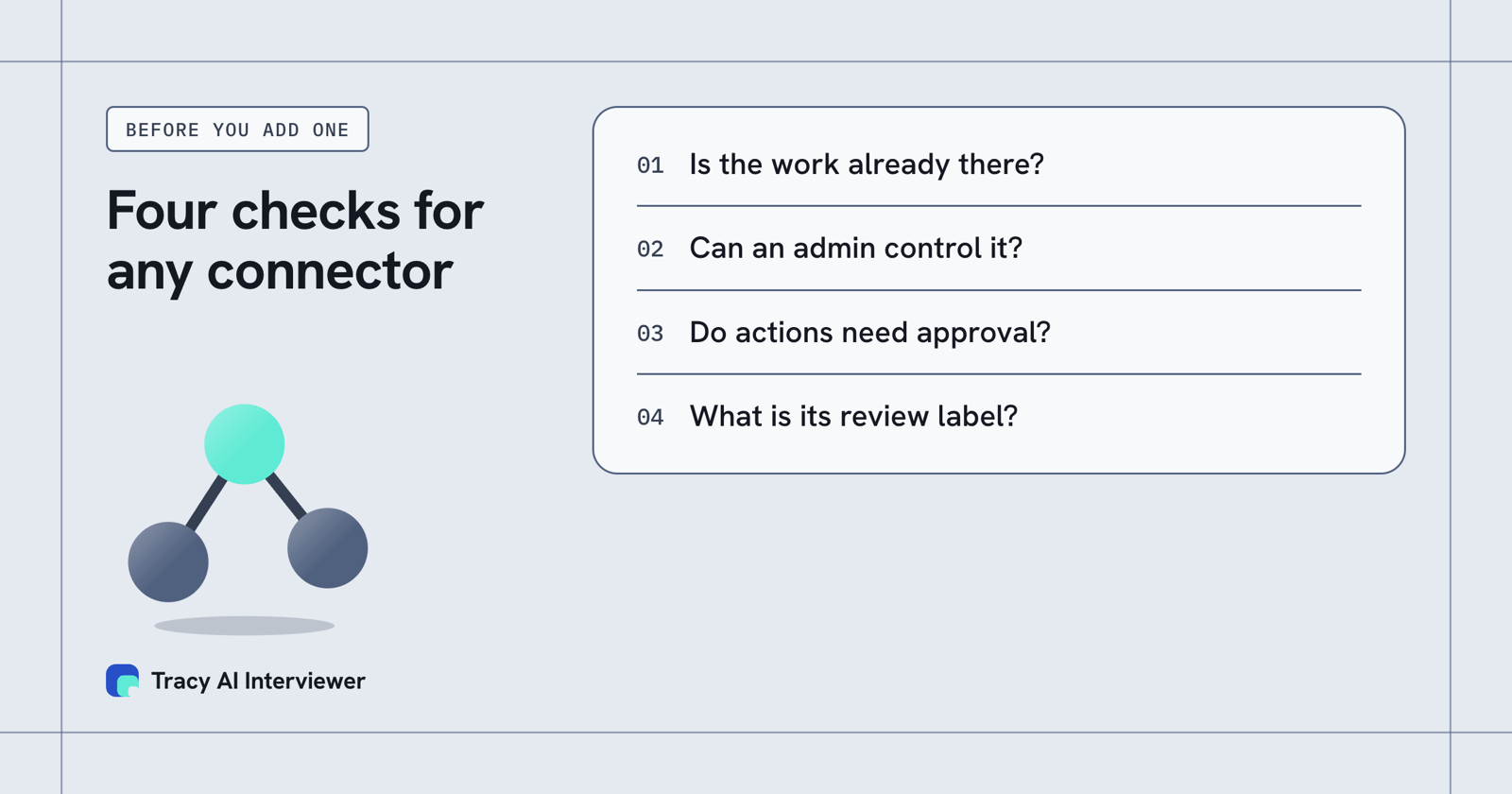
Four checks decide which connector to add first.
The shortlist, in order
Price: Anthropic's pages state no price for these connectors, and the service behind one may need its own account or plan. Only Tracy's price is given below.
1. Tracy AI Interviewer (for interviews)
Verdict: Runs the interview itself on video and gives you a recording, a transcript and what each person said to each question, from a Claude chat. It is first because no other entry here runs an interview. Best for: Teams that interview candidates, customers or employees and want to start from chat. Trade-off: In Tracy's guide it is added by its address as a custom connector, so Anthropic has not reviewed it, and it covers interviews only. Price: First 3 results free, then $1 per credit, no seats.
2. Google Drive
Verdict: Add this first: documents are where most context sits. Anthropic lists it as search, read and upload files. Best for: Any team with files in Drive. Trade-off: Upload changes your files, so keep write tools on Needs approval until you trust the prompts.
3. Gmail
Verdict: Second, for people who answer mail all day. Anthropic lists it as draft replies, summarize threads and search the inbox. Best for: Sales, support and recruiting inboxes. Trade-off: It reads private mail, so review the permission scopes at sign-in.
4. Google Calendar
Verdict: A small first step for scheduling. Anthropic lists it as manage your schedule and coordinate meetings. Best for: Managers and coordinators. Trade-off: Changing a calendar is an action; leave it on Needs approval.
5. Microsoft 365
Verdict: The pick for Microsoft shops: Anthropic lists SharePoint, OneDrive, Outlook and Teams. Best for: Organizations that live in Microsoft 365. Trade-off: One connector spans several services, so there is more access to review.
6. Slack
Verdict: The team-chat pick. Anthropic lists send messages, create canvases and fetch data, and it was an interactive connector at launch. Best for: Teams that decide in chat. Trade-off: Sending is an action; review a drafted message before it posts.
7. Notion
Verdict: Seventh, because it serves teams that keep plans and notes in a workspace, a narrower group than files, mail or chat. Anthropic lists it as search, update and power workflows. Best for: Product, ops and knowledge teams. Trade-off: Updates change shared pages; approve them.
8. Atlassian
Verdict: Eighth, because it serves delivery teams, a narrower group again. Anthropic lists it as search and update Jira, Confluence and Bitbucket. Best for: Engineering and project teams. Trade-off: Broad reach across three tools; limit scopes.
9. Asana
Verdict: Ninth: task coordination, where most teams already use one of the trackers above or below it. It covers projects, tasks and goals. It turns chats into projects, tasks and timelines, and was interactive at launch. Best for: Project and marketing teams. Trade-off: Overlaps with Atlassian and Linear, so pick the one your team uses.
10. Linear
Verdict: Tenth, because it helps only teams that track issues in Linear. Anthropic lists it as manage issues, projects and team workflows. Best for: Product and engineering teams on Linear. Trade-off: Useful only if Linear is your tracker.
11. Canva
Verdict: Last on the coverage rule: design is a narrower job than the ones above. Anthropic lists it as search, create, autofill and export designs. It creates presentation outlines and lets you adjust branding, and was interactive at launch. Best for: Marketing and sales teams that make decks and graphics. Trade-off: Creative output needs a human eye before it goes out.
Where Tracy fits in a business team's Claude
The other ten connectors give Claude access to information and tools you already have. Tracy AI Interviewer gives Claude a way to run a conversation with people outside your team. Ask for an interview in plain language and Claude drafts it for you to read. Creating it and inviting people wait for your approval of a preview.
Then Tracy takes over. Each person interviews on video in a browser, with follow-ups in their own field, and you get a recording and a timestamped transcript. Reading results in the chat returns what the participant said to each question, the result fields and a note for an applicant tracking system. Tracy does not score, rank or reject anyone; your reviewer reads the evidence and decides. The five setup steps for Claude are in Tracy's guide, and Claude for recruiting shows where interviews sit in a hiring workflow.
How to add a Claude connector
- Open Customize > Connectors in claude.ai or the desktop app.
- Choose Discover, search for the service and select Connect to Claude. On Team and Enterprise an Owner adds it first.
- Sign in to the service and approve the access it asks for.
- In a chat, select + and Connectors and switch the connector on for that conversation.
- Under the connector's page, set Tool permissions: Always allow, Needs approval or Blocked.
For a service not in the directory, add it as a custom connector by its address (see what an MCP server is); the Free plan allows one. Anthropic's advice is to click Always allow only for servers you trust. For work that needs a method rather than access, see Claude skills for recruiting.
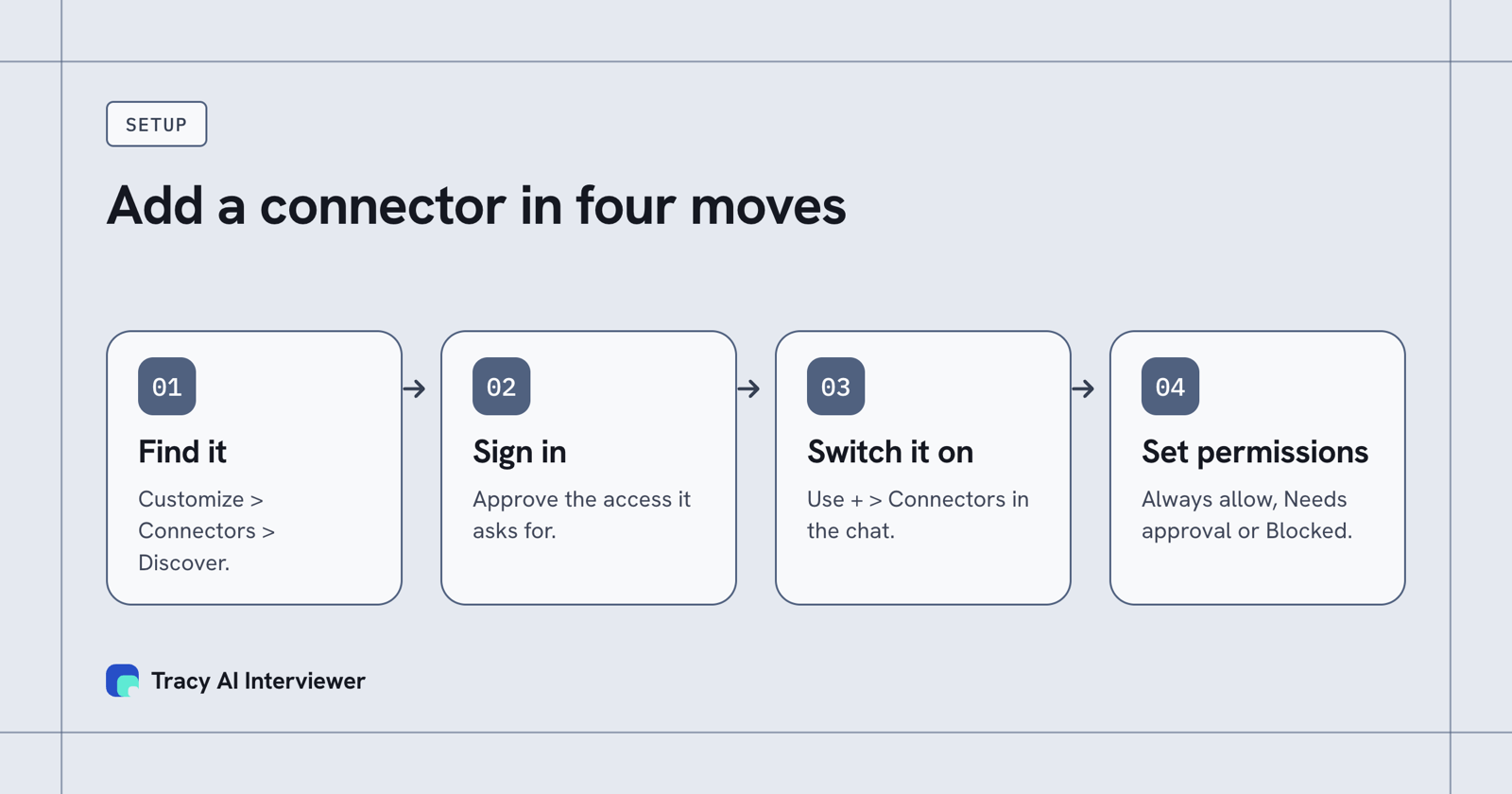
Connect, sign in, switch it on in the chat, then set tool permissions.
Common questions
Which Claude connectors are best for business?
What are the best Claude connectors for research?
Are Claude connectors free?
Who can add a connector on a Team plan?
Is a Verified connector safe?
Is Tracy in Claude's directory?
Run one interview from your Claude chat
Connect Tracy, ask for an interview and compare the follow-ups and report with how you interview today.
Book a demo (opens in a new tab) Try it free (opens in a new tab)
Your first 3 results are free. No card needed.
Sources
- Anthropic, Claude connectors listing, retrieved 14 Nov 2026.
- Anthropic, Your favorite work tools are now interactive connectors inside Claude (26 Jan 2026), retrieved 14 Nov 2026.
- Anthropic, Get started with connectors, retrieved 14 Nov 2026.
- Anthropic, Connectors directory, retrieved 14 Nov 2026.
- Anthropic, Connector verification, retrieved 14 Nov 2026.
- Anthropic, Add a connector that isn't in the directory, retrieved 14 Nov 2026.
- Tracy AI Interviewer, Claude guide, retrieved 9 Nov 2026.
- Tracy AI Interviewer, Connect, retrieved 10 Nov 2026.