In short
OpenAI's help pages now call ChatGPT's connectors apps, managed under Settings > Plugins, with plugins packaging apps and skills and MCP as the standard behind a custom app. Tracy AI Interviewer is the worked example: add its server, create it as a plugin, then ask for interviews in the chat. Tracy runs each interview on video and returns the evidence, you approve every preview, and a person decides. Custom MCP needs a plan that allows it, so check yours first.
ChatGPT apps vs connectors is mostly a naming change. As of 15 November 2026, OpenAI's help article at the old connectors address is titled Connected apps in ChatGPT, and it describes apps that connect ChatGPT to services such as Google Drive or Slack. The article shows only "Updated: 3 days ago", so OpenAI gives no rename date. Where you manage them is Settings > Plugins.
Apps are useful because ChatGPT can read information from services such as Google Drive and Slack and take supported actions there. An app does not hold an interview with a candidate, though. Applicants do not interview inside your ChatGPT chat: they open a browser link, and Tracy runs the conversation there. OpenAI's pages use four words: connector, app, plugin and MCP server. The table below sorts them, and Tracy AI Interviewer shows what adding a custom one looks like.
What is the difference between ChatGPT apps, connectors and MCP?
A connector was the earlier name for a link between ChatGPT and a service. An app is the name OpenAI's pages use now for the same kind of link, and some apps also give an interactive experience such as maps or cards. MCP, the Model Context Protocol, is the open standard a custom app is built on: ChatGPT connects to remote MCP servers.
What each term means in ChatGPT today, from OpenAI's help pages.
| Term | What it is today | Example |
|---|---|---|
| Connector | The older word for an app | Google Drive |
| App | A connection to a service: it can read information and take supported actions | Slack |
| Plugin | A package that can hold one or more apps, skills, or both | A workflow with apps and skills |
| MCP server | The server behind a custom app; ChatGPT connects to remote ones | Tracy at tracyinterview.ai/mcp |
| MCP app | MCP tools with an interactive interface added | A card or chart in the chat |
MCP apps covers the interface part, and what an MCP server is covers the standard.
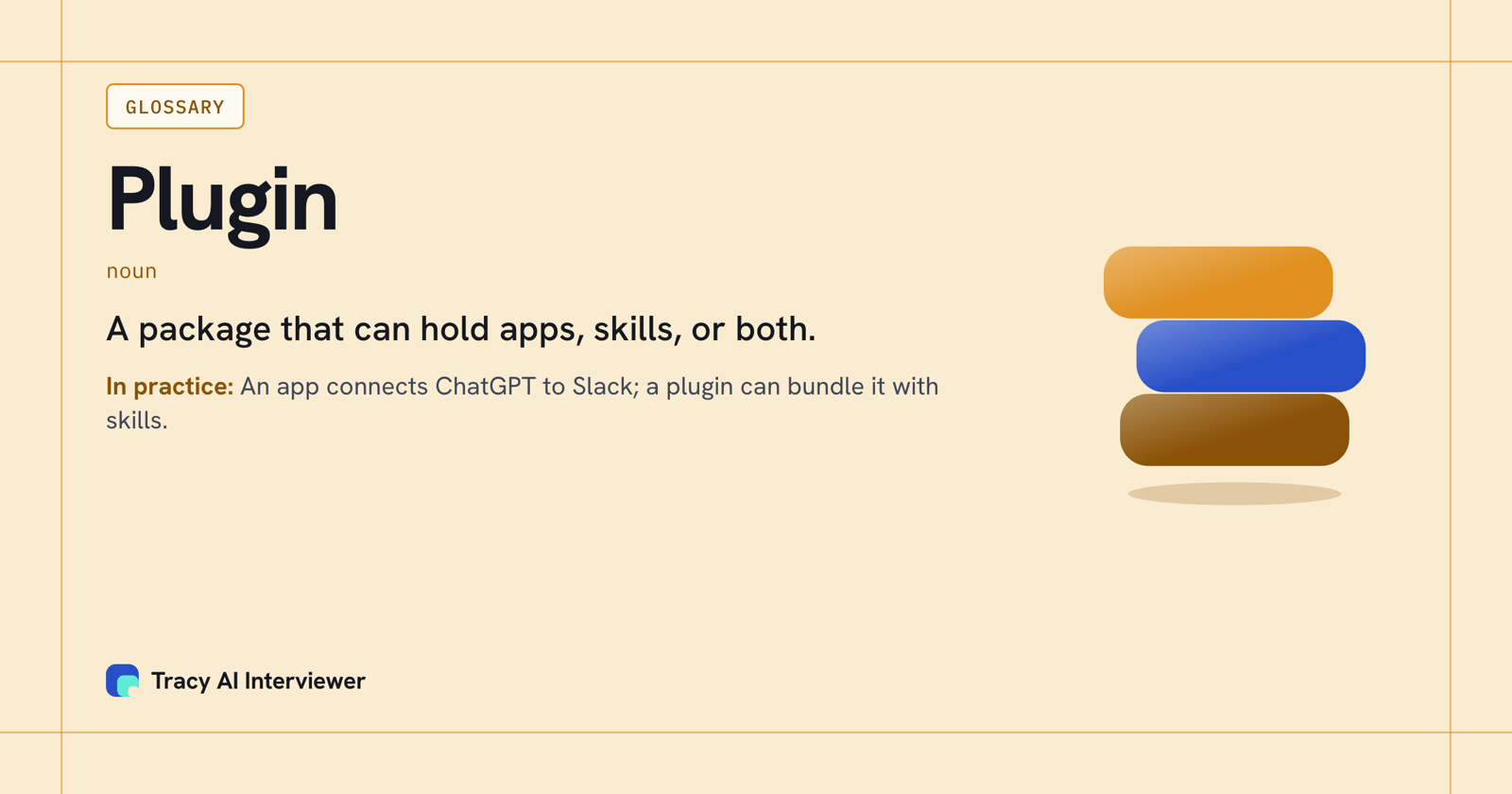
A plugin packages apps and skills for a workflow; an app connects ChatGPT to a service.
ChatGPT apps vs connectors: what changed
Four changes show up on OpenAI's pages.
- The name. The connectors article is now Connected apps in ChatGPT. Very old versions of the iOS and Android apps may still show Apps instead of Plugins.
- The home. Apps are found and managed under Settings > Plugins. The plugin directory is available across ChatGPT plans, and some plugins carry an OpenAI Verified badge.
- The package. A plugin can include skills that give instructions and workflow guidance, and connected apps that link external accounts. ChatGPT uses installed plugins automatically when they fit a request.
- Custom MCP. The article once titled around developer mode is now Connecting custom MCP servers in ChatGPT, and it says you do not need to turn on Developer Mode first. Add the server directly from Plugins.
Who can add a custom MCP server?
Custom MCP server connections and full MCP support are listed for ChatGPT Business and Enterprise/Edu on the web. On a Business workspace only admins and owners can create and publish plugins for custom MCP servers. Pro users can connect custom MCP servers with read and fetch permissions. Mobile is not supported: the page says web only.
After an admin first approves a server, ChatGPT uses a frozen snapshot of its tools and inputs, so later changes by the developer wait for an admin to review them. And deep research can use custom apps for read and fetch actions only, not write actions. Plus is not named on that page, so check the page for your plan.
Tracy as an app reached through MCP
Tracy AI Interviewer is a remote MCP server at tracyinterview.ai/mcp, so it fits the custom route. To add it:
- Open Plugins, select the plus button, then Add custom MCP server.
- Enter a name, such as Tracy AI Interviewer, and the server address under Connection.
- Review the risk warning and tick I understand and want to continue.
- Select Create as a plugin, review the discovered tools and install it.
- Start a new conversation, finish the Tracy sign-in if ChatGPT opens one, then type @ and the name in the prompt box.
Ask for an interview and ChatGPT shows it as a preview to review before anything is created. Approve the draft and the interview exists with nobody invited. A new interview starts with its public link on (anyone with the link, up to 20 people for 14 days), and the host can turn it off. An invitation is previewed too and is not sent until you approve it. Tracy's ChatGPT guide has screenshots, and how to add MCP to ChatGPT goes through the steps for any server.
Reading results in the chat returns what the participant said to each question, the result fields and a note for an applicant tracking system. Tracy does not score, rank or reject anyone, and a person decides from the evidence. If your team works in Claude too, the same server is added there as a connector.
What the connection gives you, and where the interview happens
Connecting an app lets ChatGPT send requests and read answers. It does not move the interview into the chat. Say you ask ChatGPT to draft a 20-minute first round from a job post: you read the preview, approve it, and Tracy invites only the addresses you approve. After that the work happens in browsers, on each applicant's time.
The arithmetic shows why that matters. 100 interviews of 20 minutes are about 33 hours of live calls, and 1,000 are about 333 hours. With the connection, your hours go to approving previews and reading results in the chat, while the conversations run without a recruiter on the call.
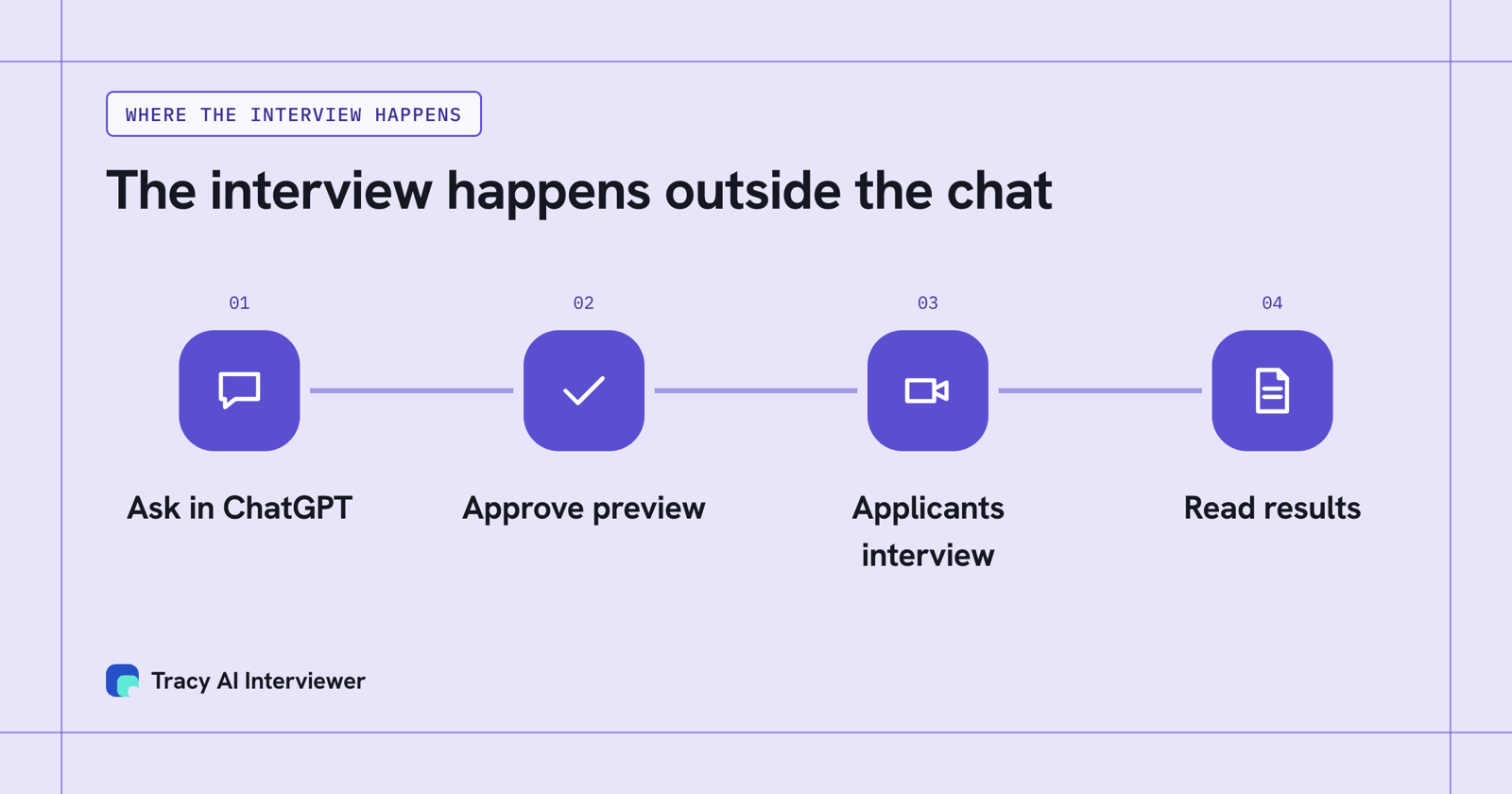
The chat sets up the interview and reads the results; applicants interview in a browser.
What Tracy adds to a ChatGPT app list
01
Reach every applicant
Each applicant can start on click in a browser, at any hour, with no scheduling and no recruiter on the call.
02
Ask the next question
Tracy runs the interview on video, asks in the person's own field, follows the answer and waits.
03
Keep the evidence
Every result includes a recording, a timestamped transcript and a written assessment per question with its reasoning.
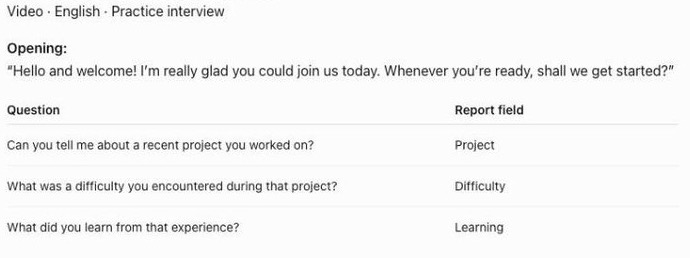
ChatGPT shows Tracy's draft as a preview you read before anything is created.
What to check before you connect an app
Availability depends on the app, your plan, region, workspace, role, model and the ChatGPT interface you use. Permission options may include Always ask, Allow read actions, Allow low-risk actions and, for an eligible app or account, Allow all actions. For Business, Enterprise and Edu customers, OpenAI says it does not use information accessed from apps to train models by default. The ChatGPT connectors list for work shows which apps OpenAI's pages name.
Common questions
Did ChatGPT rename connectors to apps?
What is the difference between a ChatGPT app and a plugin?
Are ChatGPT connectors the same as MCP?
Do I need Developer Mode to add an MCP server?
Can I add a custom MCP server on a phone?
Does Tracy cost extra in ChatGPT?
Add Tracy to ChatGPT, run one interview
Connect the server in Plugins, ask for one interview and read the preview before anything is created. The first 3 results are free.
Try it free (opens in a new tab) Book a demo (opens in a new tab)
Your first 3 results are free. No card needed.
Sources
- OpenAI Help Center, Connected apps in ChatGPT (page showed updated 3 days before 14 Nov 2026), retrieved 14 Nov 2026.
- OpenAI Help Center, Plugins in ChatGPT, retrieved 14 Nov 2026.
- OpenAI Help Center, Connecting custom MCP servers in ChatGPT, retrieved 14 Nov 2026.
- OpenAI Developers, Apps SDK, retrieved 14 Nov 2026.
- Tracy AI Interviewer, ChatGPT guide, retrieved 9 Nov 2026.
- Tracy AI Interviewer, Connect, retrieved 10 Nov 2026.