
In short
ChatGPT for transcripts is strong on the reading: summaries, quotes and themes from text you give it. Whether it transcribes your audio depends on your plan, model and region, so test one file first.
Tracy AI Interviewer runs the interview itself, from a ChatGPT chat, and asks the follow-up a vague answer needs. A recording and a timestamped transcript exist the moment each person finishes.
ChatGPT then reads across them and you open each quote at its timestamp before it goes in a report.
Can ChatGPT transcribe audio?
Sometimes, and you should test it on one file first. OpenAI's file upload help says audio files can be up to 512 MB and that paid plans can upload audio, but that transcription depends on the model, the workspace and the region. Separately, Record in the ChatGPT macOS app transcribes and summarizes audio recordings such as meetings and voice notes. It is available on Plus, Enterprise, Edu, Business and Pro workspaces, a meeting session is capped at 4 hours, and OpenAI tells users to get the right consents before recording others.
If a transcription step fails or looks wrong, fix it before anything else. Every summary, theme and quote that follows is built on that text. If the upload will not transcribe, paste a transcript from your recording tool instead. ChatGPT then works from text, which is the part it does well, and you decide how much of a long file to give it at once.
How do you summarize transcripts with ChatGPT?
Treat each transcript as evidence and ask for output that points back to it. Seven prompts, in order:
- Clean the labels: "Label each speaker as Interviewer or Participant. Keep the timestamps and change no words."
- Summarize one interview: "Summarize this transcript in five lines. Do not interpret yet."
- Pull quotes: "Give the five most useful quotes, word for word, each with its timestamp."
- Tag themes: "List up to six themes in this transcript, each with one quote and its timestamp."
- Compare: "Across these four transcripts, which themes appear in all of them and which in only one?"
- Find the exceptions: "Which participant disagrees with the rest, and where?"
- Plan the next round: "Which answers were too short to summarize, and what should I ask next time to get a specific example?"
Run them on one transcript at a time and compare across interviews only at prompt 5. OpenAI caps text and document files at 2 million tokens each, and long files can still lose detail, so split a very long recording by question rather than by size.
For summaries that a whole team can scan, see how AI interview summaries are laid out.
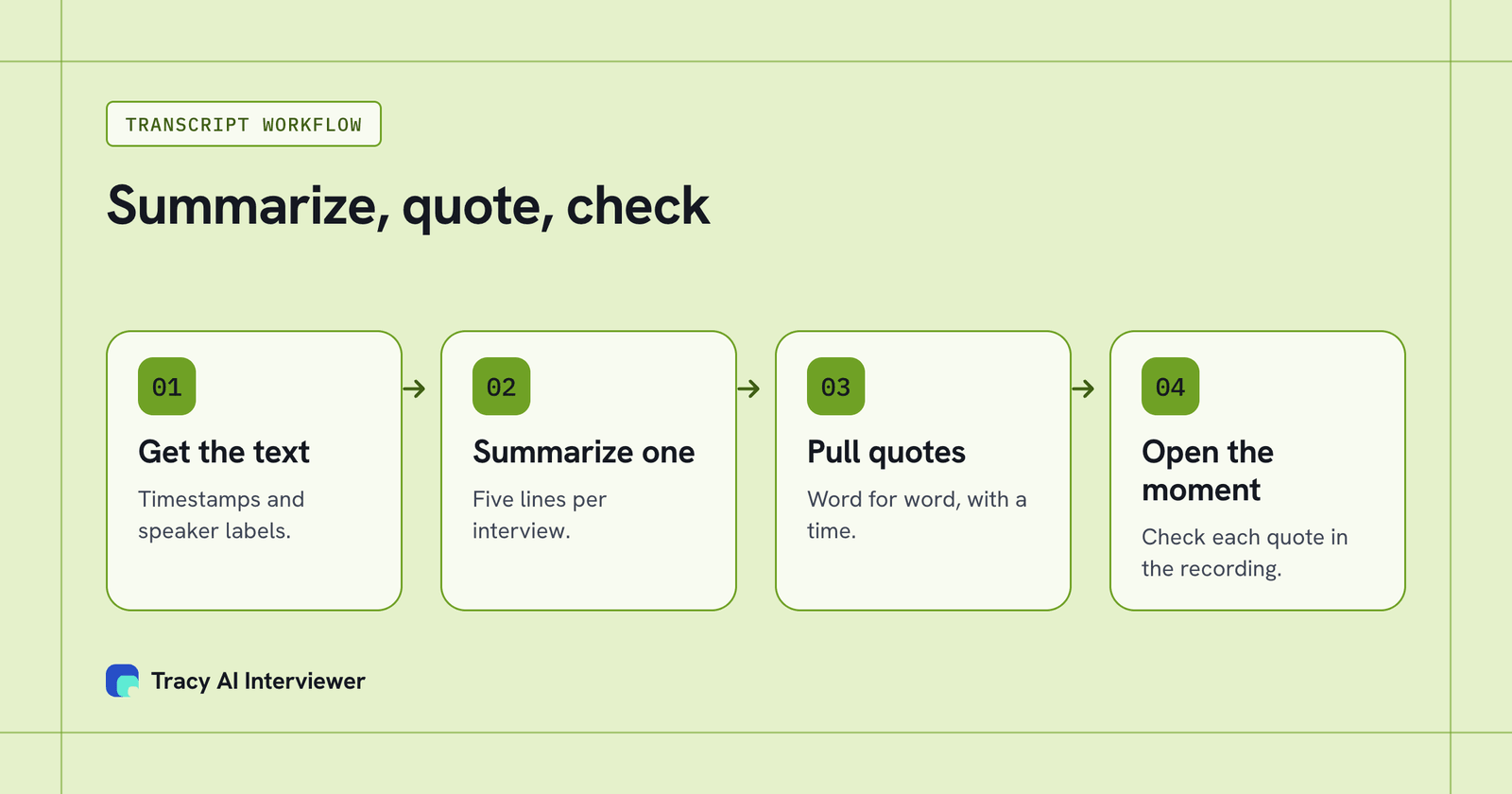
Summarize, quote, then open the recording: every quote is checked at its timestamp.
Where do ChatGPT transcript summaries go wrong?
In three places. A quote can be tidied into words nobody said, so ask for exact quotes with a timestamp and check each one. Speaker labels can swap in a long transcript, which turns an interviewer's leading question into a participant's opinion. And a summary flattens the odd remark that matters most, so ask for the exceptions as well as the themes.
Check the speaker labels on a real file before anything else: read the first and last two minutes and confirm the interviewer's questions are not filed under the participant. Then spot-check three quotes against the recording. Keep the summary, and keep the recording one click from every claim. Going from transcripts to themes walks through the checking in more detail.
What can a transcript not give you?
A transcript cannot hold a question nobody asked. It holds what was said, so an interview that stopped at a vague answer gives a vague transcript, and a better summary will not add the missing example.
In the invented sample below, the participant says a monthly report was wrong. The follow-up asks who needed to know first, and the answer becomes a specific moment: two days spent tracing a mismatch to a late upload.
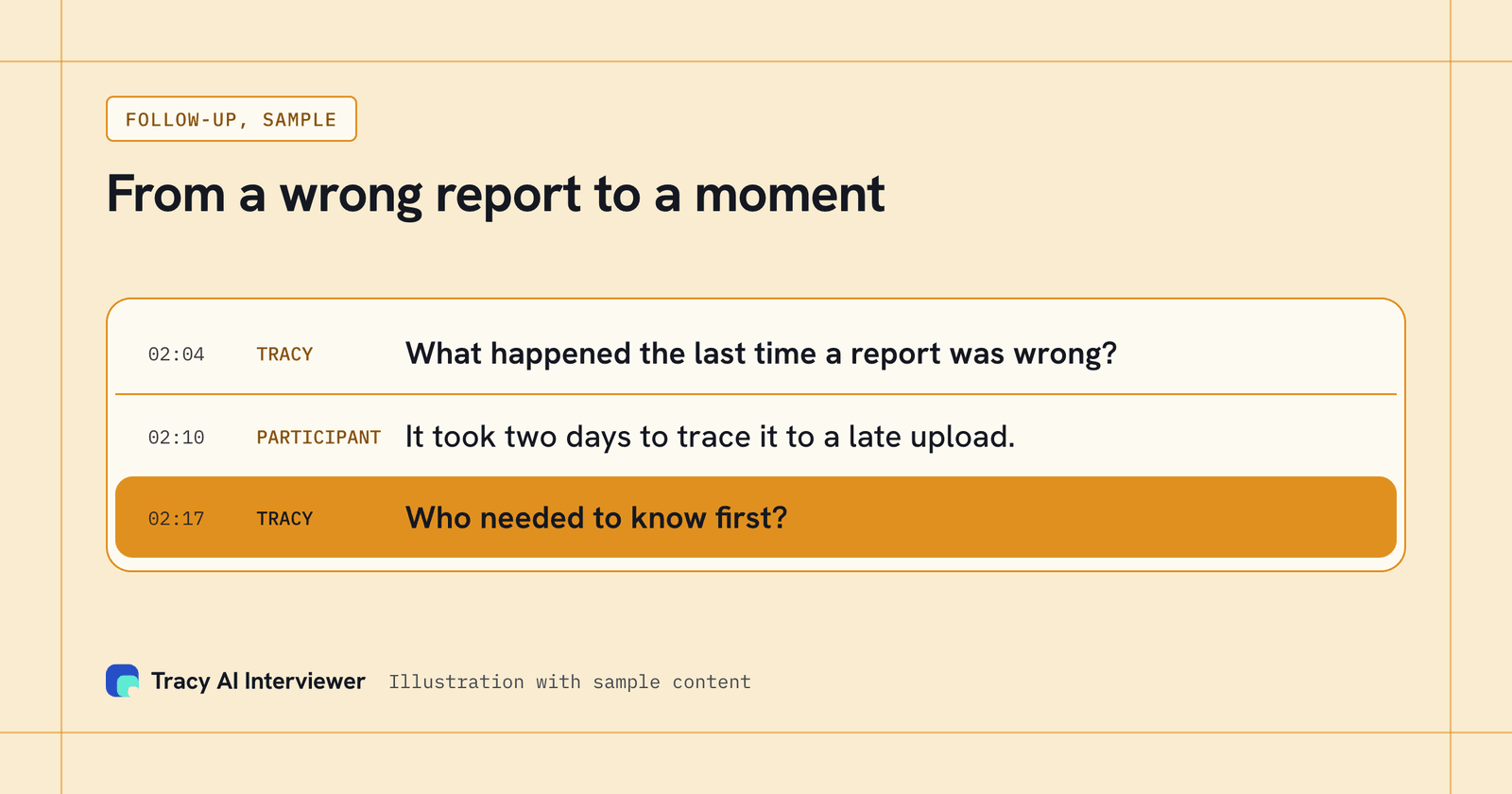
The follow-up is what gives the transcript something to summarize.
How do you get transcripts of every interview from ChatGPT?
Skip the transcription step by having Tracy AI Interviewer run the interview. Add it to ChatGPT with the setup guide. Where ChatGPT shows no option for a custom MCP server, look at whether Developer mode is switched on in your workspace. Then ask in a new chat after typing @ and picking Tracy:
Use Tracy AI Interviewer to set up a customer interview about the last time a monthly report was wrong. Keep it to about 15 minutes and show me the draft before you create anything.
ChatGPT shows a preview and creates nothing until you approve it, and an invitation is previewed too. A new interview starts with its public link on (anyone with the link, up to 20 people for 14 days) and nobody invited; you can turn the link off. Interviewees open the link in a browser without an account, and a join screen tells them the call is recorded and transcribed. When people finish, ask ChatGPT for the summaries and themes above.
Every result has a recording of both sides and a timestamped transcript, and the report is a link you can pass to a colleague. ChatGPT's reading of those results is a first read.
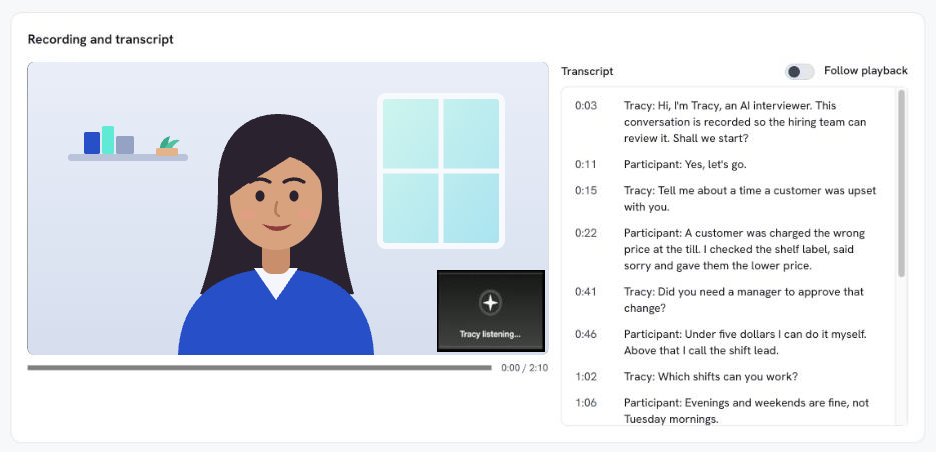
Recording and timestamped transcript sit together behind every result.
What do you still own?
- Consent. If you record people yourself, get it first, as OpenAI says. Tracy's join screen tells each person the conversation is recorded and transcribed.
- The questions. Your guide, or a draft you edit, decides what the transcripts contain.
- The reading. ChatGPT drafts the summaries and you decide which quote carries which claim.
- The archive. Keep each recording with its transcript, so any quote in a report can be traced to the moment it was said.
Interviews are billed at $1 a credit, one credit for each started 20 minutes, so a batch of ten 15-minute interviews comes to $10, with the first 3 results free.
Where to go next
- Turning transcripts into coded themes: ChatGPT for qualitative research.
- Prefer Claude: Claude for qualitative research.
- One-page write-ups for stakeholders: interview summaries.
- Survey exports next to interviews: ChatGPT for survey analysis.
- Cost first: the pricing page.
Common questions
Can ChatGPT transcribe audio?
How do I summarize transcripts with ChatGPT?
Can ChatGPT handle a long transcript?
Where do the transcripts come from when Tracy runs the interview?
Can I pass the interview and its results to others?
Get the transcripts from the chat
Connect Tracy to ChatGPT, Claude, Gemini or Copilot Studio and run interviews that arrive with transcripts. First 3 results free.
Try it free (opens in a new tab) Book a demo (opens in a new tab)
Your first 3 results are free. No card needed.
Sources
- Add Tracy AI Interviewer to ChatGPT (public guide), retrieved 14 Nov 2026.
- Tracy AI Interviewer customer research use case, retrieved 9 Nov 2026.
- OpenAI Help: ChatGPT Record, retrieved 22 Nov 2026.
- OpenAI Help: File uploads FAQ (audio files), retrieved 22 Nov 2026.
- OpenAI Help: File uploads FAQ (text and document files), retrieved 22 Nov 2026.