
In short
ChatGPT can analyse survey data: upload the export and it counts, cross-tabulates, charts and groups open-ended answers into themes. You check its counts and its coding.
It cannot tell you why someone picked an answer. Tracy AI Interviewer, connected to the same chat, interviews the respondents you choose on video and asks the follow-up a one-line answer needs.
Each result keeps a recording and a timestamped transcript, so a theme from the survey gets a quote you can open. Your team decides what it means.
Can ChatGPT analyse survey data?
Yes, for the counting and the first read. OpenAI's help page says you can upload a spreadsheet with qualitative and quantitative information to explore trends or create visualizations, and gives about 50 MB as the limit for CSV files and spreadsheets, depending on row size. That covers most survey exports. ChatGPT can count how many respondents gave each answer, split results by a column such as plan or region, draw a chart and propose themes for a free-text column.
It works from the file you give it, so it knows the answers people chose and nothing else. This page follows one example: an exit survey from a subscription app, where many cancelled customers picked "too expensive". If your input is interview transcripts instead of a survey export, coding them in ChatGPT uses the same steps.
How do you analyse open-ended survey responses with ChatGPT?
Work in small steps and keep the response ID on every row, so any theme traces back to a person. Six prompts, in order:
- Describe the file: "List the columns, the number of rows, the blank answers in each column and any duplicate response IDs. Change nothing."
- Count a closed question: "Give the count and percentage for each answer in Q4 and show the code you used."
- Split it: "Cross-tabulate Q4 against plan type. Mark any group with fewer than 20 respondents."
- Code the free text: "Read the 'Other, please say' column. Propose up to 8 themes with a one-line definition each. Assign every response to one theme, or to 'unclear', and keep the response ID."
- Test the coding: "Show 3 responses for each theme with their IDs. List responses that fit two themes."
- Draft the findings: "Write two sentences per theme using only the responses assigned to it."
Ask for the code or formula each time. A count you can reproduce in the spreadsheet is one you can trust; a count that only exists in the chat is not.
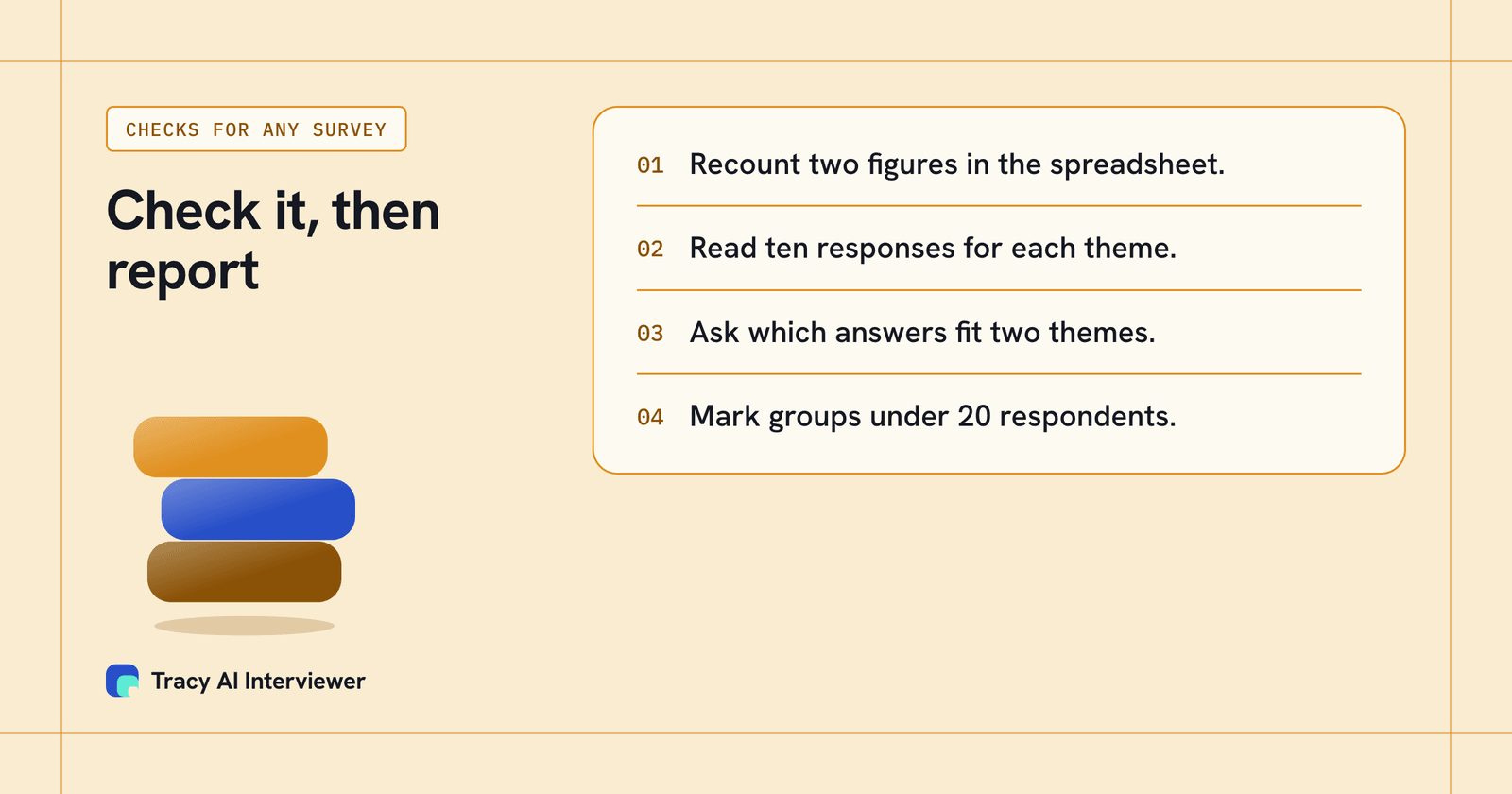
Four checks turn ChatGPT's survey pass into figures you can defend.
Is ChatGPT accurate for survey analysis?
Accurate enough for a first pass, if you check three places.
Counts come first. A language model can miscount, so recount two figures in the sheet or ask ChatGPT to show the code it ran. Coding comes second. It can file a response under a theme that sounds close but is not, so read ten responses per theme. Repeatability is third. Ask the same question twice and the themes may change: a 2024 JMIR viewpoint that tried ChatGPT on one podcast transcript says it may give different answers to the same questions. That was one transcript, not a measured rate. Write your theme definitions down and paste them back in whenever you add data.
Small groups need a warning of their own. A percentage from 12 respondents moves a lot with one answer, which is why prompt 3 asks ChatGPT to mark them.
What does a survey leave out?
A survey cannot give you the reason. "Too expensive" is a choice, and it can mean the price, the plan, a team that shrank or a reminder nobody sent. A chart of the choices cannot separate them, and a survey rarely allows a second question. In an interview the next question depends on the answer.
In the invented sample below, the survey said "too expensive". Asked what led to the cancellation, the customer said the team had gone from twelve people to four, and the follow-up found they never heard about the smaller plan.
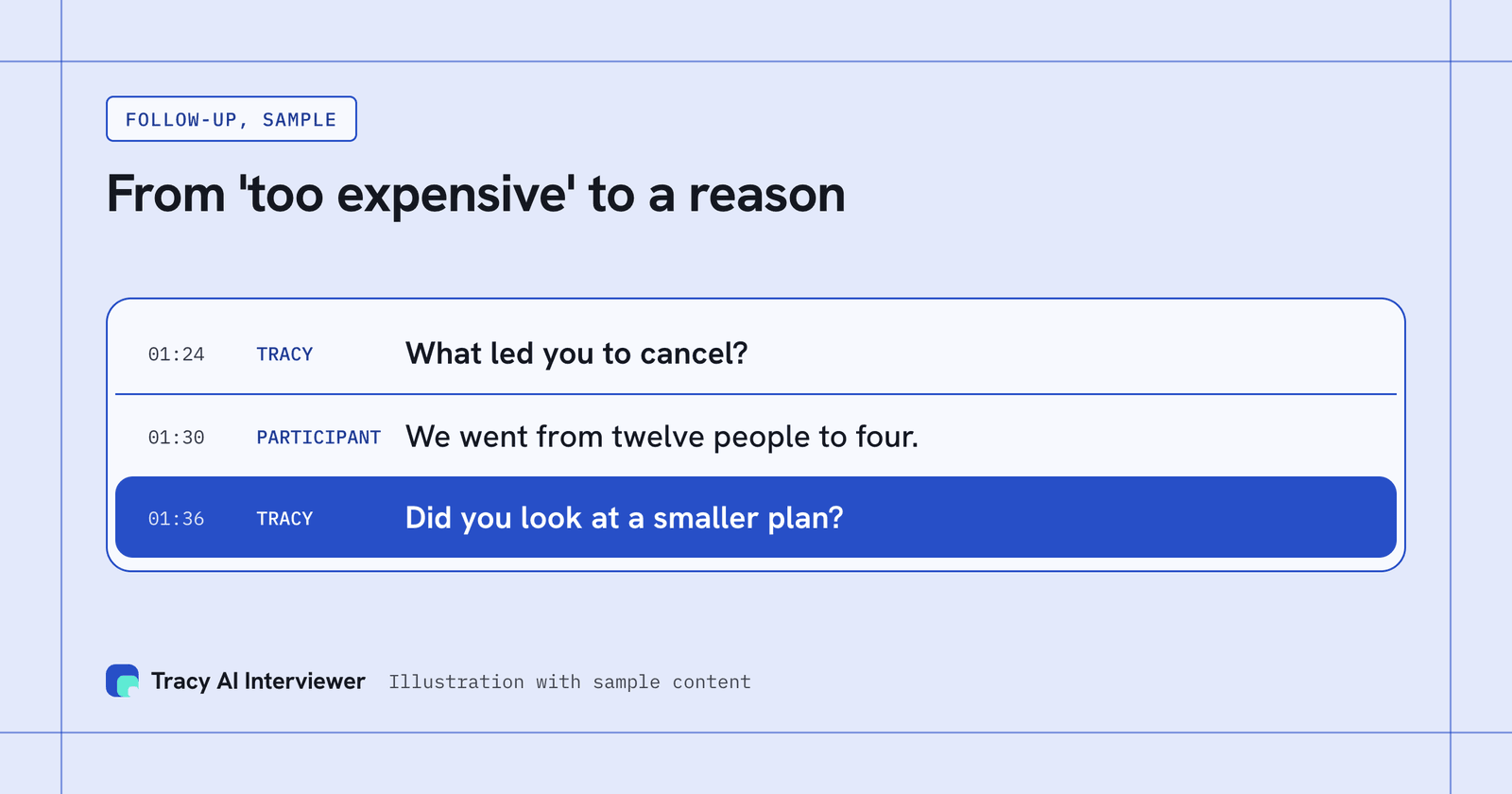
A survey choice becomes a reason once Tracy asks the next question.
How do you ask the respondents why, from the same ChatGPT chat?
Add Tracy AI Interviewer to ChatGPT once, using the step-by-step guide. If you do not see the option to add a custom MCP server, check whether Developer mode is on for your workspace. Then pick the respondents worth a second question: people who chose "too expensive", or whose free-text answer ChatGPT filed under "unclear". Use only people who agreed to be contacted. In a new chat, type @, pick Tracy AI Interviewer and ask:
Use Tracy AI Interviewer to set up a 10-minute interview for customers who cancelled and answered "too expensive" on the exit survey. I want to learn what they were comparing the price with and what would have changed their mind. Show me the draft before you create anything.
- Read the preview. ChatGPT shows the interview as a preview, and nobody is invited until you approve an invitation preview as well. A new interview starts with its public link on (anyone with the link, up to 20 people for 14 days) and nobody invited, and you can turn the link off.
- Give the emails. Tracy invites the people you supply; it does not look up addresses.
- Each person opens a link in a browser, with no account. The join screen says the conversation is recorded and transcribed.
- Ask ChatGPT who has finished, which reasons come up and for two quotes per reason.
ChatGPT reads back what Tracy returns, so treat its answer as a first read and open the transcript behind any quote before it goes into a deck.
What do you get back from each respondent?
Tracy listens, waits for the end of the thought and asks for the missing detail in the respondent's own field. Behind each result sit a recording, a timestamped transcript and what the person said to each question, so a theme from the survey gets a quote you can open at the exact moment. The report is a link, so a colleague can open the same result.
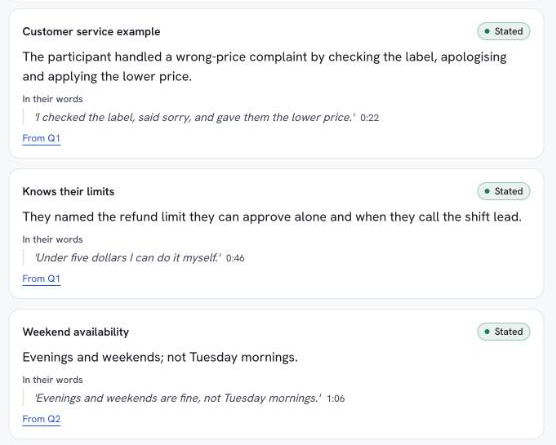
Each finding carries the respondent's words, a time and the question it came from.
What do you still decide?
- Who to ask. Choose respondents who agreed to be contacted, and decide how many a second round needs.
- The survey itself. Leading questions, sampling and weighting are settled before ChatGPT sees the file.
- What it means. ChatGPT groups answers into themes, Tracy returns what each person said, and you decide what the round says.
Start small: one question, one group of respondents, a first batch you read before you add more. To compare what several respondents said, read from transcripts to themes.
Where to go next
- Interview transcripts next to the survey: qualitative coding in ChatGPT.
- Prefer Claude: Claude for qualitative research.
- Planning a wider study: ChatGPT for market research.
- Interviews end to end: AI customer interviews.
- Cost first: the pricing page.
Common questions
Can ChatGPT analyse survey data?
How do I analyse open-ended responses with ChatGPT?
Is ChatGPT accurate for survey analysis?
Can ChatGPT tell me why respondents chose an answer?
What does it cost to follow up with respondents?
Ask your respondents why
Connect Tracy to ChatGPT, Claude, Gemini or Copilot Studio, then ask survey respondents why. First 3 results free.
Try it free (opens in a new tab) Book a demo (opens in a new tab)
Your first 3 results are free. No card needed.
Sources
- Add Tracy AI Interviewer to ChatGPT (public guide), retrieved 14 Nov 2026.
- Tracy AI Interviewer customer research use case, retrieved 9 Nov 2026.
- OpenAI Help: File uploads FAQ, retrieved 22 Nov 2026.
- Lee et al. (2024), Harnessing ChatGPT for Thematic Analysis: Are We Ready? JMIR (a viewpoint, one transcript), retrieved 14 Nov 2026.