In short
As of November 2026, Tracy AI Interviewer works inside Claude Cowork to interview your employees on video, for exit interviews, stay interviews and 30-day check-ins, while Cowork handles the folder of HR documents.
Anthropic's Human Resources plugin adds six commands, such as /policy-lookup and /people-report, for the document side of HR work.
You read what each person said, with a recording and a transcript behind it, and you decide. The first 3 results are free.
Claude Cowork for HR gives a people team an assistant that works on a folder of your files instead of one chat at a time. Handbooks, headcount sheets and review notes sit in the folder, and Cowork reads them, drafts from them and writes the result back. This guide covers what Anthropic's HR plugin does, how to set up the folder, which permissions to use with personnel files and where the work passes to people. Prompts for plain chat are in Claude for HR professionals.
What is the Claude Cowork HR plugin?
Anthropic's README describes it as a people operations plugin primarily designed for Cowork, though it also works in Claude Code. It works standalone with your input and does more when you connect your HRIS, ATS and other tools. It adds six commands:
| Command | What it does |
|---|---|
| /policy-lookup | Finds and explains company policies such as leave, benefits, expenses and remote work |
| /onboarding | Generates an onboarding checklist and first-week plan for a new hire |
| /performance-review | Structures a review: self-assessment prompts, manager template, calibration prep |
| /comp-analysis | Analyzes compensation data: benchmarking, band placement, equity refresh modeling |
| /draft-offer | Drafts an offer letter with pay, start date and terms |
| /people-report | Generates headcount, attrition, diversity or org health reports |
The six commands in Anthropic's Human Resources plugin, from its README read 22 November 2026.
The README also lists six skills, including employee-handbook, people-analytics and interview-prep. The connector categories it names are HRIS, ATS, compensation, chat, calendar and email. Claude plugins for HR goes through the skills and how plugins differ from skills and connectors.
How do I install the HR plugin?
- Open the Cowork tab in Claude Desktop, then Customize, then Plugins, and check Discover.
- Pick Human Resources and click Add. The plugin's page on claude.com also has an Install in Cowork button that opens the same screen.
- Type / in a chat to see the commands.
Plugins need a paid Claude plan, and Anthropic lists Pro, Max, Ultra, Team and Enterprise. The Claude Code route is in Claude plugins for HR.
Set up one folder for HR work
On desktop, Cowork can read from and write to your local files without uploads or downloads. Give it one folder for one job, such as this quarter's onboarding, and keep your whole drive out of it. Choose it with the folder picker and leave out any file the task does not need.
The plugin also reads a settings.local.json file for your preferences. In Cowork, save it in any folder you have shared and the plugin finds it automatically. Use it for the things you would otherwise repeat in each prompt, such as your company's tone and the countries you hire in.
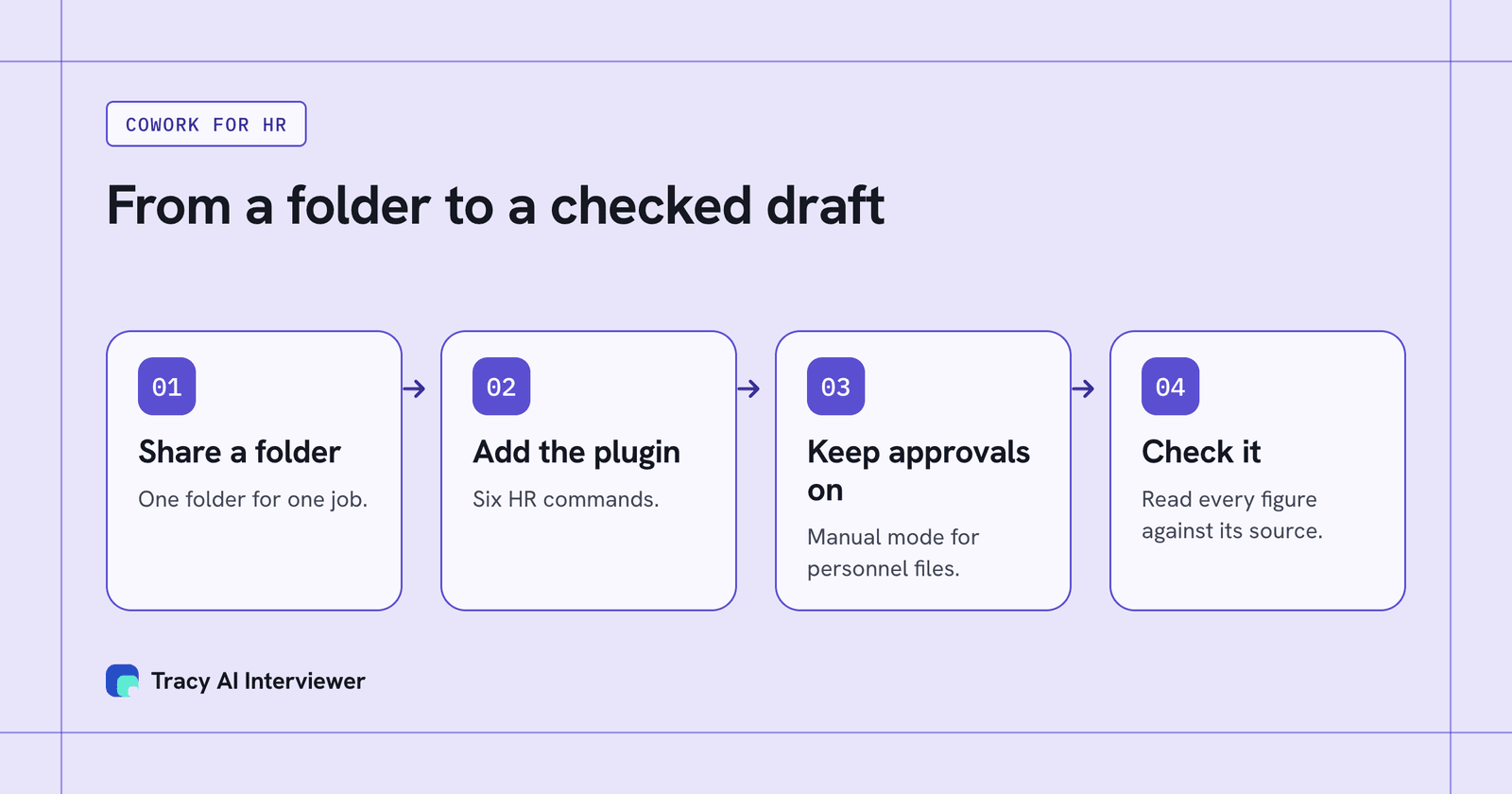
Share one folder, add the plugin, keep approvals on, check the output.
What can Claude do for HR in Cowork?
Cowork handles the repeatable document work. This is a sample week built from the plugin's commands. The tasks are our examples, not tested outputs.
| Task | Command | You check |
|---|---|---|
| Answer leave and expense questions from the handbook | /policy-lookup | The answer against the current policy |
| Plan a new hire's first week | /onboarding | Dates and who owns each step |
| Prepare review packs for managers | /performance-review | Each manager's own words |
| Summarize headcount and attrition | /people-report | The figures against your HR system |
| Compare an offer with pay bands | /comp-analysis | The numbers before anything goes out |
Sample HR week in Cowork. Examples to adapt to your own files.
Which permissions fit personnel files?
Anthropic's Cowork help lists three permission modes for connectors: Manual, which asks for each action, Auto, and Skip, which shows no approval prompts. For HR files use Manual until you know what a task does, and move a routine read-only task to Auto only after you have watched it run. Anthropic warns that "Cowork has unique risks due to its agentic nature and internet access" and says it asks explicit permission before permanently deleting files.
Multi-step tasks use more of your plan usage than a quick question. Scheduled tasks run in the cloud with no device online, so keep a scheduled HR task to reading, such as a Monday summary of open questions, and start anything that changes a record yourself.
What stays with people
Cowork drafts and a person decides. Three things stay with your team: decisions about a person, such as hiring, pay and ratings; legal and policy review before anything is sent; and conversations with employees. Strip names and ids the task does not need before a file goes in the folder, and check every figure against its source.
What Cowork cannot ask your employees
Exit interviews, stay interviews and 30-day check-ins need someone to ask the people. The plugin can write the questions and the onboarding plan, but it cannot ask 120 new hires how week one went and wait for each answer.
Tracy AI Interviewer covers that conversation, and it works in Cowork. Anthropic lists Cowork among the places connectors work and says custom connectors using remote MCP are available, so you add Tracy by its address. Go to Customize > Connectors, choose Add custom connector, enter https://tracyinterview.ai/mcp with the name Tracy AI Interviewer, then Connect and sign in. The steps are in the Claude setup guide. Tell Cowork which conversation you want, such as a 30-day check-in for new support hires. Tracy proposes the questions, you change what you like, and a preview waits for your approval before anything is created or sent.
Each person gets a link that opens in a browser with no account, and the first screen tells them their answers are recorded and transcribed before anything is asked. Tracy introduces itself and says what happens next. Because the interview starts on click, a new hire can answer on a quiet Friday afternoon or after a late shift. When an answer is vague, Tracy asks a kind, sharper question.
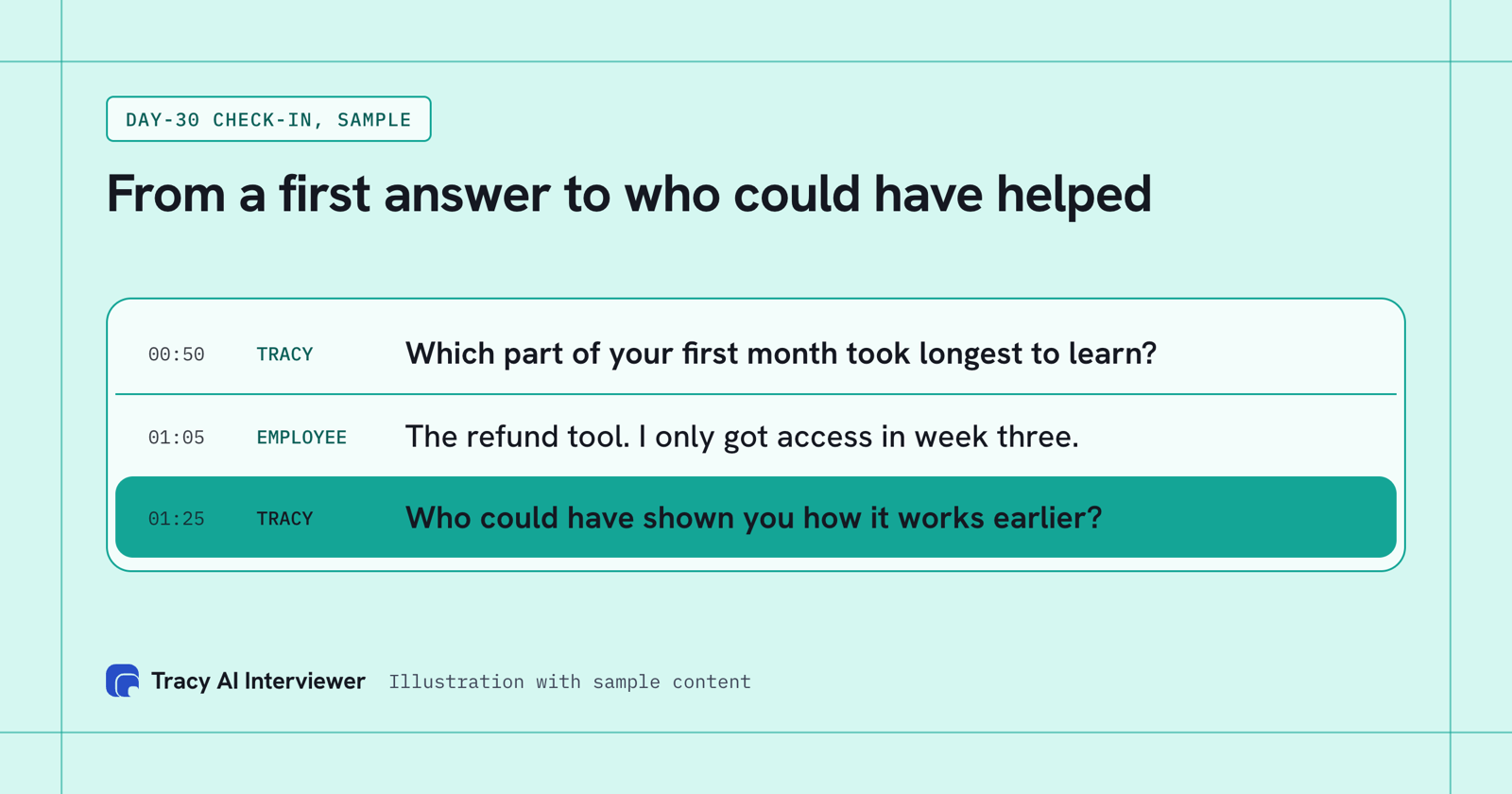
A short answer about a tool gets a sharper question.
What the day-30 results look like
Ask Cowork what the day-30 check-ins turned up, and the chat lists what each new hire said to each question, plus the result fields. Behind each result in Tracy sit the recording and a transcript with timestamps. What to do about a blocker is for you and the hire's manager, and nothing in the report scores anyone. This invented day-30 excerpt shows the shape:
| Result field | Answer | Evidence |
|---|---|---|
| Slowest to learn | Refund tool, access came in week three | Q1, at 01:05: "The refund tool. I only got access in week three." |
| Follow-up asked | Who could have shown you how it works earlier? | After Q1, at 01:25 |
| Open question | Who signs off on large refunds | Q2, at 02:40: "I am not sure who signs off on large refunds." |
Invented sample data.
Personnel conversations are sensitive, so ask Tracy for its SOC 2 Type II report before a pilot. Tracy is attested, and hello@tracyinterview.ai sends the report on request.
Which path fits you?
- Installing the plugin and comparing it with skills: Claude plugins for HR and Claude skills for HR.
- Talking to leavers and new hires: AI interviews for people teams, plus question lists for exit interviews and the first 90 days.
- Recruiting rather than HR: Claude Cowork for recruiters.
Common questions
What is the Claude Cowork HR plugin?
What can Claude do for HR?
How do I install the HR plugin?
Do I need a paid plan?
Can Cowork run exit interviews?
Interview your people from Cowork
Add Tracy to Cowork as a custom connector, describe the check-in you want, and approve the preview. First 3 results free.
Try it free (opens in a new tab) Book a demo (opens in a new tab)
Your first 3 results are free. No card needed.
Sources
- Anthropic, Human Resources plugin (knowledge-work-plugins), retrieved 22 Nov 2026.
- Anthropic, Human Resources plugin page, retrieved 22 Nov 2026.
- Anthropic, Get started with Claude Cowork, retrieved 14 Nov 2026.
- Anthropic, Use plugins in Claude Cowork, retrieved 14 Nov 2026.
- Anthropic, Get started with custom connectors using remote MCP, retrieved 14 Nov 2026.
- Tracy AI Interviewer, Connect, retrieved 15 Nov 2026.