In short
A Claude AI agent for HR does well on work that starts from documents and the tools you connect: drafting policies, searching, building spreadsheets and slides. It cannot hear from your people on its own. Tracy AI Interviewer adds an interviewer for exit, stay and check-in conversations, on video, with follow-ups. Claude plans and reads the results back, Tracy talks to each person, and your team decides what changes.
Claude is good at the parts of HR that live in documents and systems. The parts that depend on hearing from people need an interviewer, and decisions about people stay with a person.
Claude can draft the exit survey, but nothing in its toolkit asks a leaver why they left. A Claude agent that can also call Tracy can plan a retention study, have Tracy interview the leavers and read the results back, with you approving each step that creates or sends something.
What a Claude agent does well in HR
Anthropic describes Cowork as using the same agentic architecture as Claude Code, inside Claude Desktop. Claude works through multi-step tasks, can split them into sub-agent workstreams, works on local files and produces spreadsheets, slides and formatted documents. You extend it with connectors (which use MCP), skills and plugins from Customize. The Cowork page does not state which plans include it, and it describes Cowork as a workspace in Claude Desktop.
For HR that means:
- Documents: draft a leave policy, a job ad or a review template from your notes.
- Connected systems: query a people or hiring tool through its MCP server. See which HR tools have an MCP server.
- Reports: turn a set of notes into a spreadsheet or a slide deck for leadership.
- Interviews: call Tracy to draft, invite and read results.
Every item above starts from a document or a system. The interview is the one that starts from a person.
Can a Claude agent handle HR work end to end?
Not on its own. It can draft documents, search what you connect and act through connectors, and Anthropic's Cowork workspace is built for multi-step work: you describe an outcome and come back to finished work. It does not talk to your employees, and it does not make decisions about them. Pair it with an interviewer for the first and a person for the second.
The conversation a document cannot hold
An exit survey and a policy draft are documents. What a leaver would say about their manager is a conversation, and it exists only if someone asks and follows up. Say 100 people left in a year. An exit call of 20 minutes each is about 33 hours of calls, booked around people who have already moved on. Tracy interviews each person on video, at any hour, and asks the next question in their own words, so you can read what all 100 said and see the follow-up behind each answer. Claude can group the answers into themes if you ask, and your team decides what to change.
Claude plans, Tracy interviews
Here is one retention study as an agent flow.
- You give Claude the brief. A sample prompt we wrote: "Use Tracy AI Interviewer to set up an exit interview for people who left the support team in the last 30 days. I want to learn why they left and what would have made them stay. Show me the draft before you create anything."
- Tracy drafts the questions and result fields from that brief, and you edit them. Nothing is saved at this stage.
- Creating the interview and inviting people wait for your approval of a preview, and you supply the email addresses. A new interview starts with its public link on (anyone with the link, up to 20 people for 14 days) and nobody invited; you can turn the link off.
- Each person is interviewed on video, in their browser, with follow-ups in their own words.
- When people have finished, ask Claude who has and what they said. The chat lists each person's answers to each question, the result fields and a note for your applicant tracking system, and Claude can group the answers into themes if you ask. The recording and a timestamped transcript stay behind each result in Tracy.
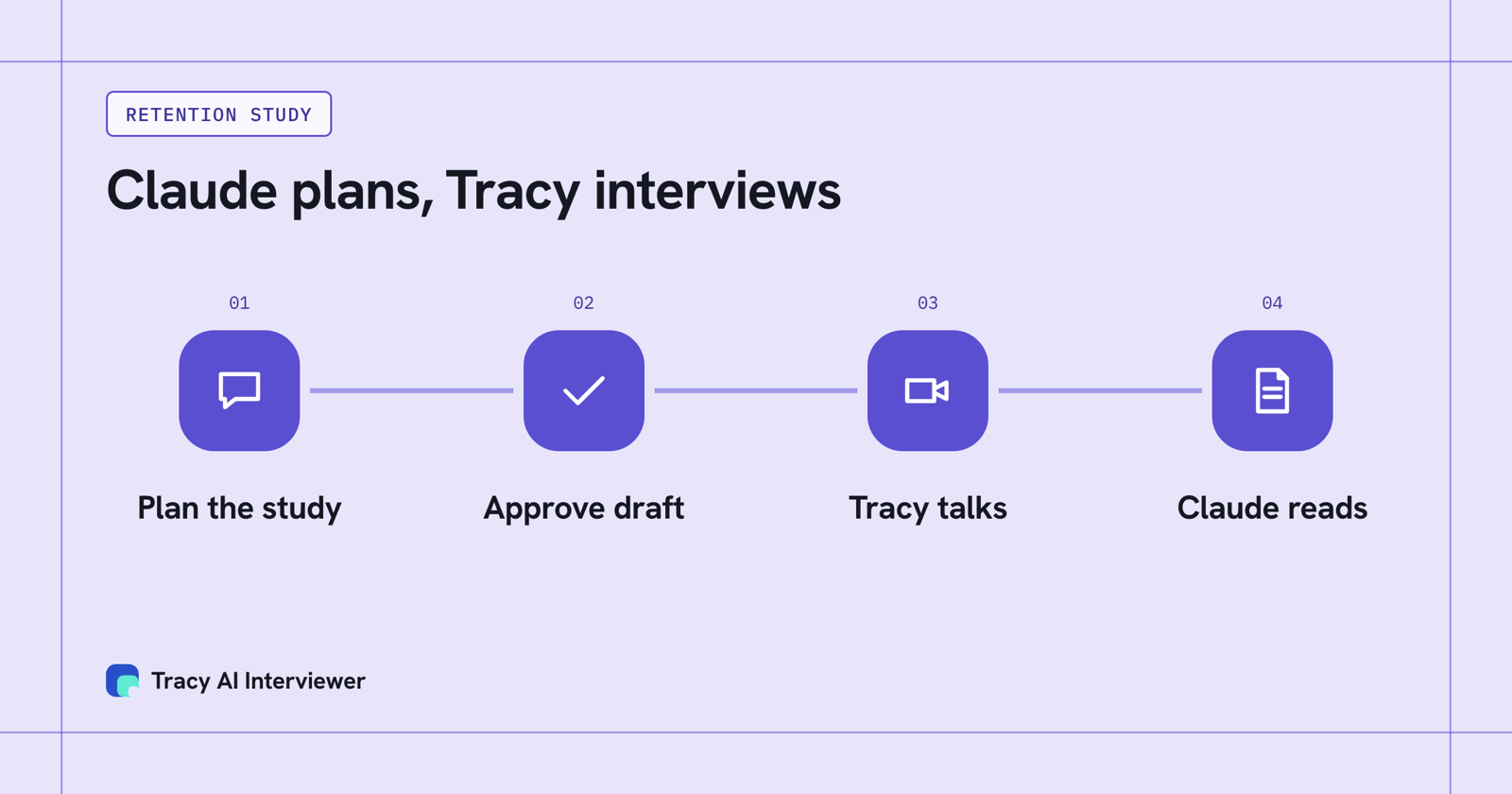
The agent plans and reads; Tracy does the interviewing between.
What Tracy adds to a Claude HR agent
- Reach every person. Each person starts on click, at any hour, in a browser, with no scheduling and no one from HR on the call.
- Ask the next question. Tracy follows the answer in the person's own words and waits for it, so a short reply to "why did you leave" gets a follow-up.
- Keep the evidence. Every result has a recording, a timestamped transcript and a written assessment per question with its reasoning. Your team reads it and decides.
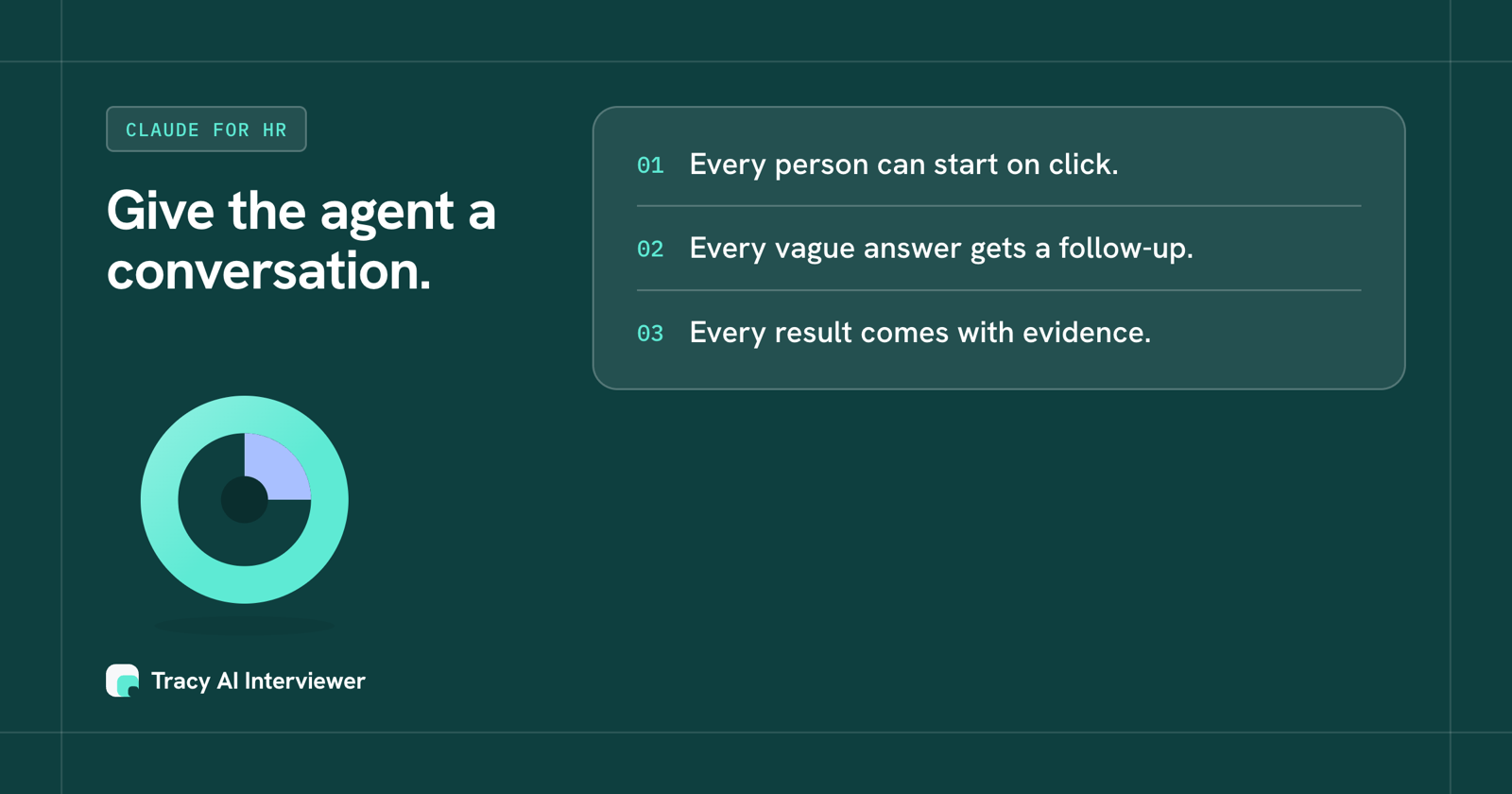
Every person can start on click, every vague answer gets a follow-up and every result has evidence.
What the agent still hands to a person
Claude asks before it uses a tool, and Tracy's connector asks you to approve a preview before it creates an interview or sends an invitation.
- Tracy does not join meetings, transcribe uploads, schedule calls or look up email addresses. It runs its own interview and reports what was said.
- Tracy does not score, rank or reject anyone. A person reads the result and decides what to change.
- Integrity signals on video interviews go to a person to review and decide nothing by themselves.
People are told about the recording before the interview starts, and they need only a browser link. For HR conversations, Tracy is SOC 2 Type II attested, with the report on request at hello@tracyinterview.ai.
How to start with one study
Pick one conversation, such as exit interviews for one team, and run it end to end before you build more. Write down the three things you want to learn. Let Claude draft the interview through Tracy, approve it, invite a small group and read the first results yourself. Only then decide what Claude should do alone next time, and keep approval on for anything that sends or writes.
A pilot also shows where your own process has gaps, such as who owns the follow-up once the themes are in. Claude can summarise the results, and your team still decides what changes, and who tells the people who took part.
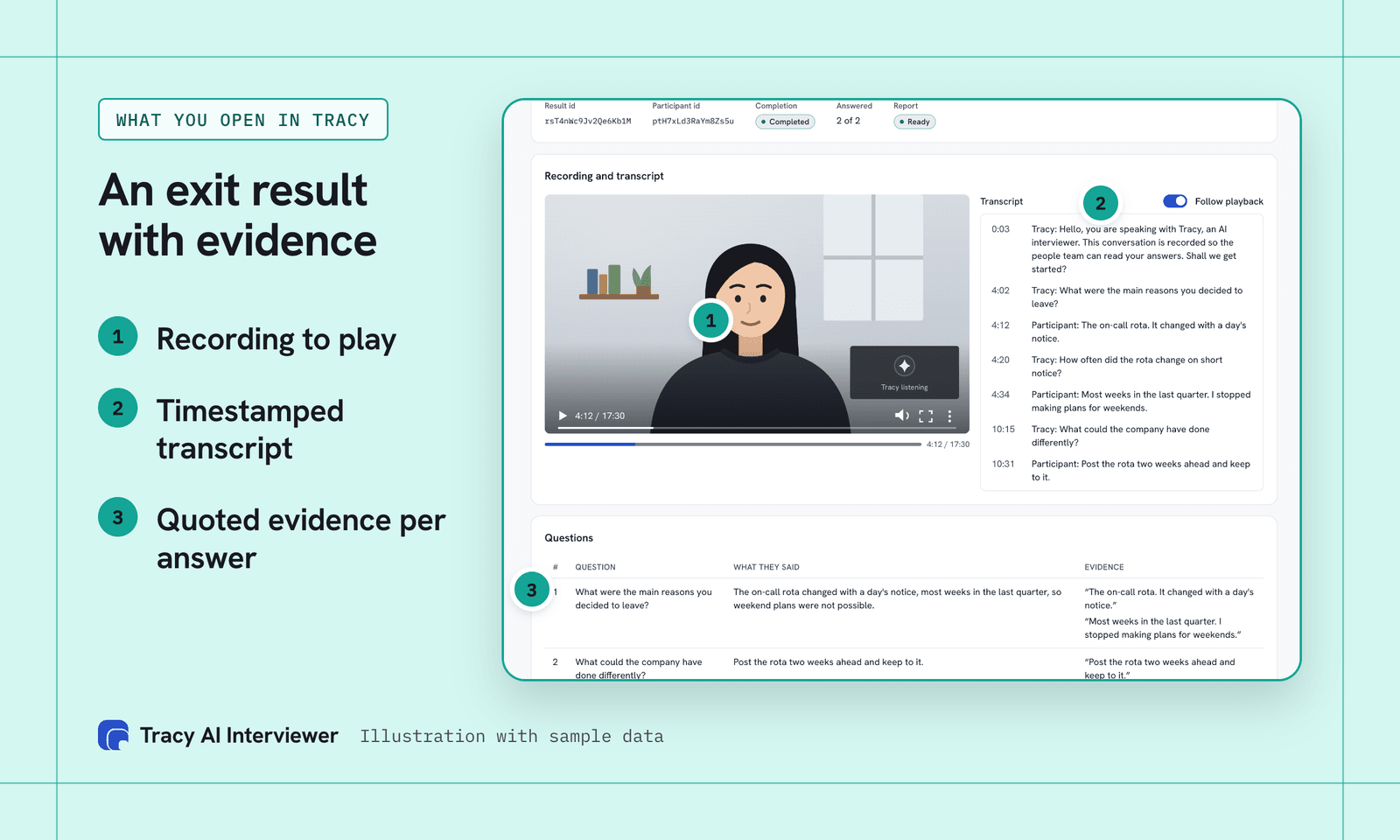
Behind what Claude reads in the chat, the result keeps the recording and quoted evidence.
Connect Tracy to your agent
Open Customize > Connectors in Claude, click + Add, then Add custom connector, name it Tracy AI Interviewer and paste https://tracyinterview.ai/mcp. Click Add, then Connect, sign in to Tracy and allow it. Custom connectors work on Free, Pro, Max, Ultra, Team and Enterprise plans, with one allowed on Free, and on Team only an owner can add one. Anthropic says Cowork loads the connectors enabled for your claude.ai account, and you manage them from Customize, so the same connector is available to the agent. Tracy's is a remote server, which is the kind Claude on the web connects to; Claude Desktop and Claude Code can also run local servers. To try it, ask for one exit interview; the first 3 results are free. The long version is the Tracy Claude setup guide, and Claude for HR professionals lists prompts by task.
Which path fits you?
- New to Claude for HR: start with Claude for HR professionals.
- Connecting HR systems: MCP server for HR.
- Running exit interviews: exit interview questions and AI interviews for people teams.
- Using Claude skills: Claude skills for HR.
- Recruiting agents: AI agent for recruiting.
Common questions
What is a Claude AI agent for HR?
Can a Claude agent run employee interviews?
Do I need Cowork to use Tracy with Claude?
Can an AI agent replace HR?
Is it safe to let an agent act on HR systems?
Which AI agent for HR works with Claude?
Give your Claude agent an interviewer
Connect Tracy, ask for one exit interview and read the first result. The first 3 results are free.
Try it free (opens in a new tab) Book a demo (opens in a new tab)
Your first 3 results are free. No card needed.
Sources
- Anthropic, Cowork overview, retrieved 14 Nov 2026.
- Anthropic, Get started with custom connectors using remote MCP, retrieved 14 Nov 2026.
- Tracy AI Interviewer, Connect, retrieved 15 Nov 2026.
- Tracy AI Interviewer, people teams use case, retrieved 14 Nov 2026.
- Model Context Protocol, Introduction, retrieved 14 Nov 2026.