
In short
The best AI tool for user research depends on the stage. NotebookLM, renamed Gemini Notebook in July 2026, reads the transcripts, notes and recordings you already hold and answers from them.
Collecting new interviews is a different job. Tracy AI Interviewer interviews participants on video from a Gemini, Claude, ChatGPT or Copilot Studio chat, asks follow-ups in the person's own words, and returns what each person said to each question.
Paste those answers into the notebook and read old and new evidence together, quote by quote.
To use NotebookLM for user research, give each study its own notebook, load the interview material as sources, ask one question at a time and open the original quote before it goes into a readout. Google says the product answers from "the information provided in your uploaded sources", so what it gives back is only as good as what you loaded.
It cannot add a session you never ran. When the notebook shows that nobody asked a question, you need interviews, and Tracy AI Interviewer runs them without a researcher in the room. The rest of this guide covers the reading side first, then the collecting side.
Which AI tool is best for user research?
It depends on which part of the study you are on. A notebook suits the reading, a chat assistant suits the drafting, and an AI interviewer suits the collecting.
What each tool does at each stage of a user research study.
| Job | NotebookLM | Tracy connected |
|---|---|---|
| Read | Answers from the transcripts, audio and documents you load | Returns what each person said to each question |
| Collect | Works on the material you already hold | Interviews each participant from one link, with follow-ups |
| Evidence | You open the source behind each answer | A recording and timestamped transcript behind each result |
| Decide | Your call | Your call; Tracy does not score or rank |
What is user research in UX, and where does a notebook fit?
User research in UX is studying how people use a product and why, so design decisions rest on what users do and say. Nielsen Norman Group notes that it "can be done at any point in the design cycle" and advises to "Go where the users are, watch, ask, and listen."
A notebook fits after the asking. Once interviews exist as text or audio, it can pull a theme across sessions in minutes. The listening still has to happen with participants, and a theme that no answer contradicts has probably not been tested.
How to use NotebookLM for user research
- Open one notebook per study, so a question about checkout never mixes with a question about onboarding.
- Load the material. Gemini Notebook Help lists pasted text, Google Docs, Slides, Sheets, PDF and Word files and audio files as supported. Name each source by participant code, and remove names and contact details first.
- Ask per question. "What did participants say when asked how they found the delivery date?" gives you something to check. "Summarise the study" does not.
- Ask for the answers that do not fit the pattern, and read those first.
- Open the original quote for each theme. A User Interviews survey of 485 people who do or support user research (25 July to 9 August 2025) found 91% worry about output accuracy and hallucinations, and checking each quote is how you answer that worry.
- Write findings in your own words, with the quote and the participant code beside each.
Short sources need extra care: Gemini Notebook Help says that for very short content the product references the whole document without citing individual text.
NotebookLM prompts for user research
Replace the brackets and adapt the wording. They are starting points, not tested recipes.
- "For each participant, what were they trying to do when they [task], and what stopped them? Quote the line."
- "Which participants mentioned [feature]? What did each one expect it to do?"
- "Which answers contradict the theme '[theme]'?"
- "List the points where two participants describe the same event differently."
- "What did we never ask that the decision on [topic] depends on? Write each as an interview question."
Prompt 5 produces the guide for the next round of interviews.
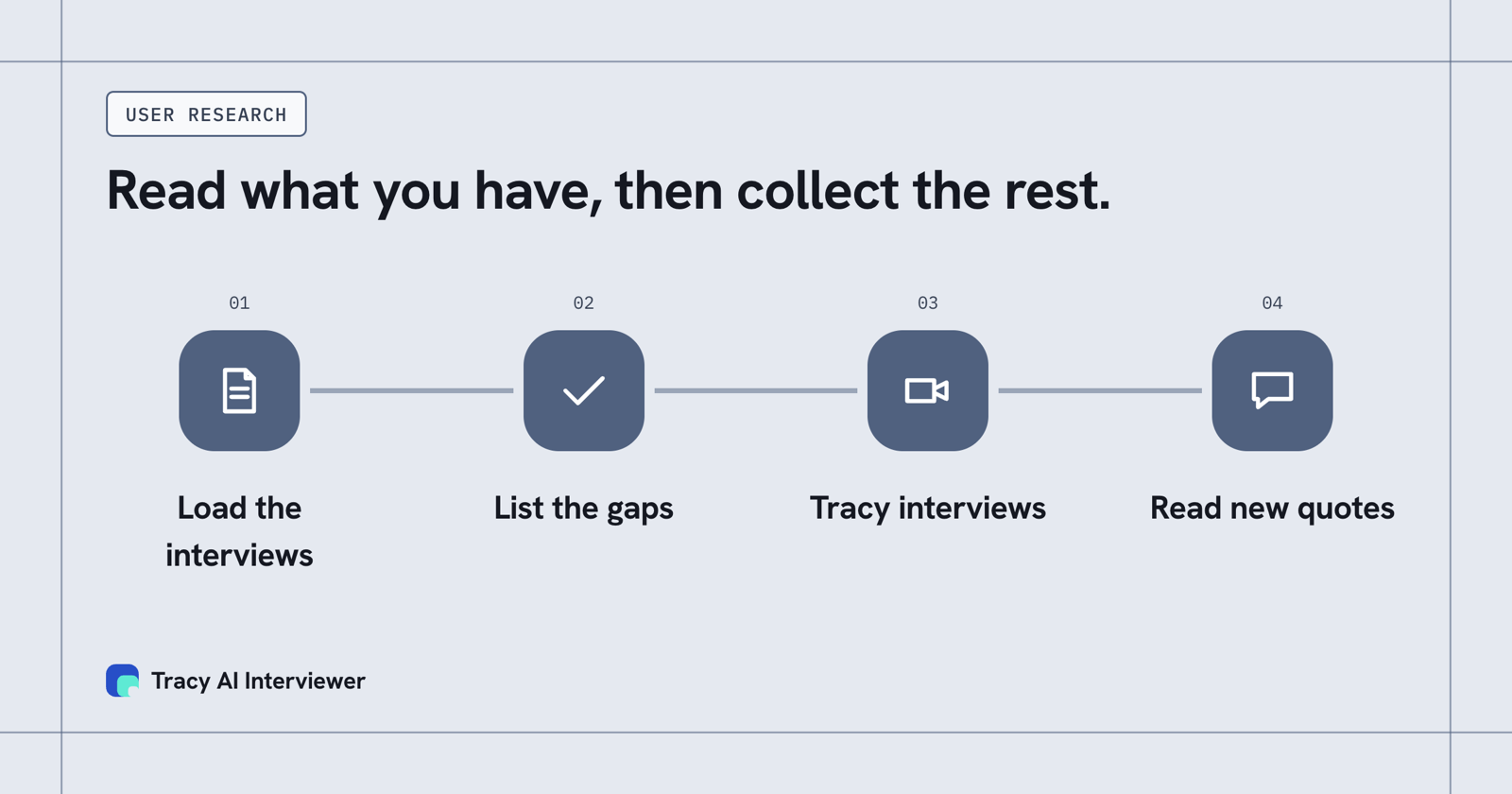
The notebook reads what exists, and the gaps it finds become the next interview round.
Collect the missing interviews with Tracy
Recruiting is where studies slow down. In the same User Interviews survey, 54% of respondents named the time it takes to recruit as a struggle. Tracy takes the scheduling out of the interview itself: each participant opens one browser link when it suits them, with no account and no calendar, and the join screen says the conversation is recorded and transcribed. You still bring the participants, because Tracy invites only the email addresses you give it.
Tell Tracy what the study should find out, or paste your own guide, and edit the questions it drafts. When an answer is thin, the next question asks for the example. Start from a chat: Tracy runs as an MCP server, so Gemini, Claude, ChatGPT or Copilot Studio can create the interview and read results back, after you approve a preview. Connecting Tracy to Gemini and connecting it to ChatGPT take a few minutes each.
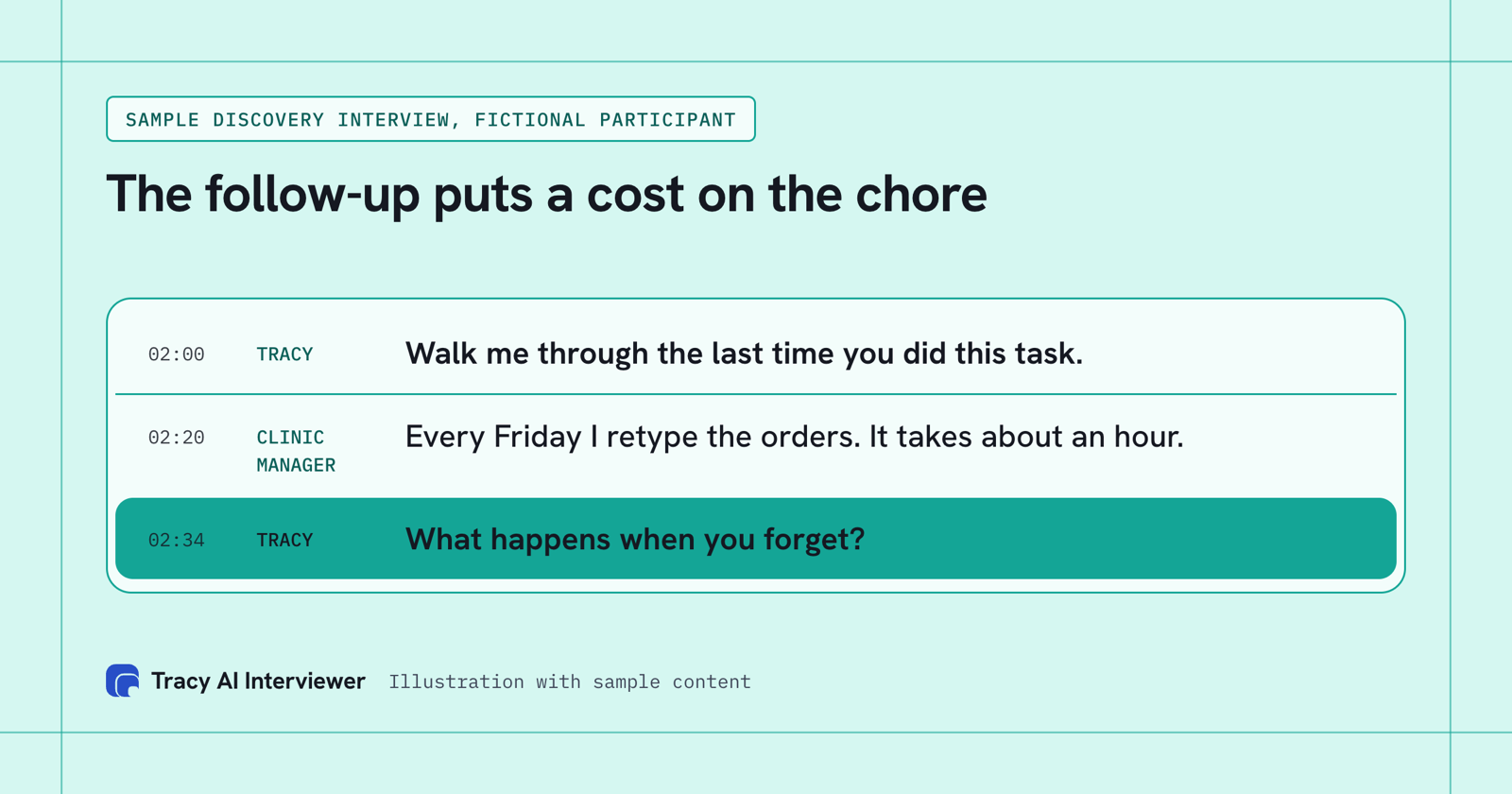
One follow-up turns a complaint about a chore into a cost: an hour every Friday.
Bring the new quotes into the notebook
In the sample, the reviewer reads two fields with their evidence: Current process (manual spreadsheet orders, weekly; Q1 at 02:00) and Time lost (about one hour a week; Q1 at 02:20). Ask the chat to read back what each participant said to each question, then paste the quotes you want into the notebook as text, one source per question.
Tracy gives you each person's words by question and leaves scoring and ranking to you. Grouping the answers into themes happens in the notebook or in your own head. For the method behind the questions, see user interview questions.
Which path fits you?
- Drafting the study in a chat first: Claude for UX research or ChatGPT for UX research.
- Weighing the wider field of AI in research: AI UX research.
- Choosing a platform to run interviews: best AI tools for user research.
- Looking for numbers to size the case: user research statistics.
The customer research use case shows how the pieces fit together.
Common mistakes
- Loading raw recordings with participants' names and contact details still in them.
- Asking for a summary of the whole study, then quoting it without opening a single source.
- Treating a theme as proven because every quote the notebook showed agreed.
- Using a notebook to fill a gap the interviews never covered.
- Keeping new interview quotes outside the notebook, so they never meet the old ones.
Common questions
Which AI tool is best for user research?
How to use NotebookLM as a research tool?
What is user research in UX?
Is NotebookLM the same as Gemini Notebook?
Can I add Tracy's interview results to a notebook?
Run the interviews from your AI chat
Connect Tracy in Gemini, Claude, ChatGPT or Copilot Studio, describe your study and send the first link. First 3 results free.
Try it free (opens in a new tab) Book a demo (opens in a new tab)
Your first 3 results are free. No card needed.
Sources
- Google: NotebookLM is now Gemini Notebook (16 Jul 2026), retrieved 23 Nov 2026.
- Gemini Notebook Help: Add or discover new sources for your notebook, retrieved 23 Nov 2026.
- User Interviews: The State of User Research 2025 (10 Sep 2025), retrieved 23 Nov 2026.
- Nielsen Norman Group: UX Research Cheat Sheet (12 Feb 2017), retrieved 23 Nov 2026.
- Tracy AI Interviewer: Connect, retrieved 22 Nov 2026.