In short
MCP OAuth lets an AI app use an MCP server on your behalf: you sign in once in a browser and the app receives a token. Tracy AI Interviewer uses it in Claude and ChatGPT with one permission, named tracy, acting only on your own account, and you can revoke it under Connected AI apps. Creating an interview or inviting people still waits for your approval of a preview.
What OAuth does well for MCP servers
MCP OAuth does one job well: it lets you grant an AI app access to a server without handing over a password. You sign in on the service's own page and approve, and the app receives a token. The token goes in a header on every request, never in the URL, and the server checks that it was issued for it.
Your sign-in gives the app a key to your Tracy account. Every interview it starts still waits at a preview for your yes, and the people you invite open a browser link.
How does OAuth work when an AI app connects to an MCP server?
When an AI app connects to a remote MCP server that needs an account, it uses OAuth; how to add MCP to Claude shows where you meet it in practice. The MCP specification builds its authorization on OAuth 2.1, which the specification lists as an IETF draft (draft-ietf-oauth-v2-1-13, and the IETF still shows it as an Active Internet-Draft), and the latest version on the site is 2026-07-28. Authorization is optional in MCP. When a server uses it, the flow runs in this order.
- The app calls the server with no token. The server answers 401 Unauthorized, with a header that points to its protected resource metadata.
- The app reads the metadata. It learns which authorization server issues tokens for this MCP server, then reads that server's own metadata.
- The app gets a client ID. The specification lists three ways: a Client ID Metadata Document, pre-registration, or Dynamic Client Registration, which the 2026-07-28 version marks deprecated and keeps for older servers.
- The app opens a browser. The authorization request carries a PKCE code challenge and a resource parameter naming the MCP server the token is for.
- You sign in and approve. This happens on the service's own page.
- The app gets a code and trades it for a token. It sends the PKCE verifier with the code and receives an access token, and possibly a refresh token.
- Every request carries the token. It goes in an Authorization: Bearer header, never in the URL, and the server checks that the token was issued for it.
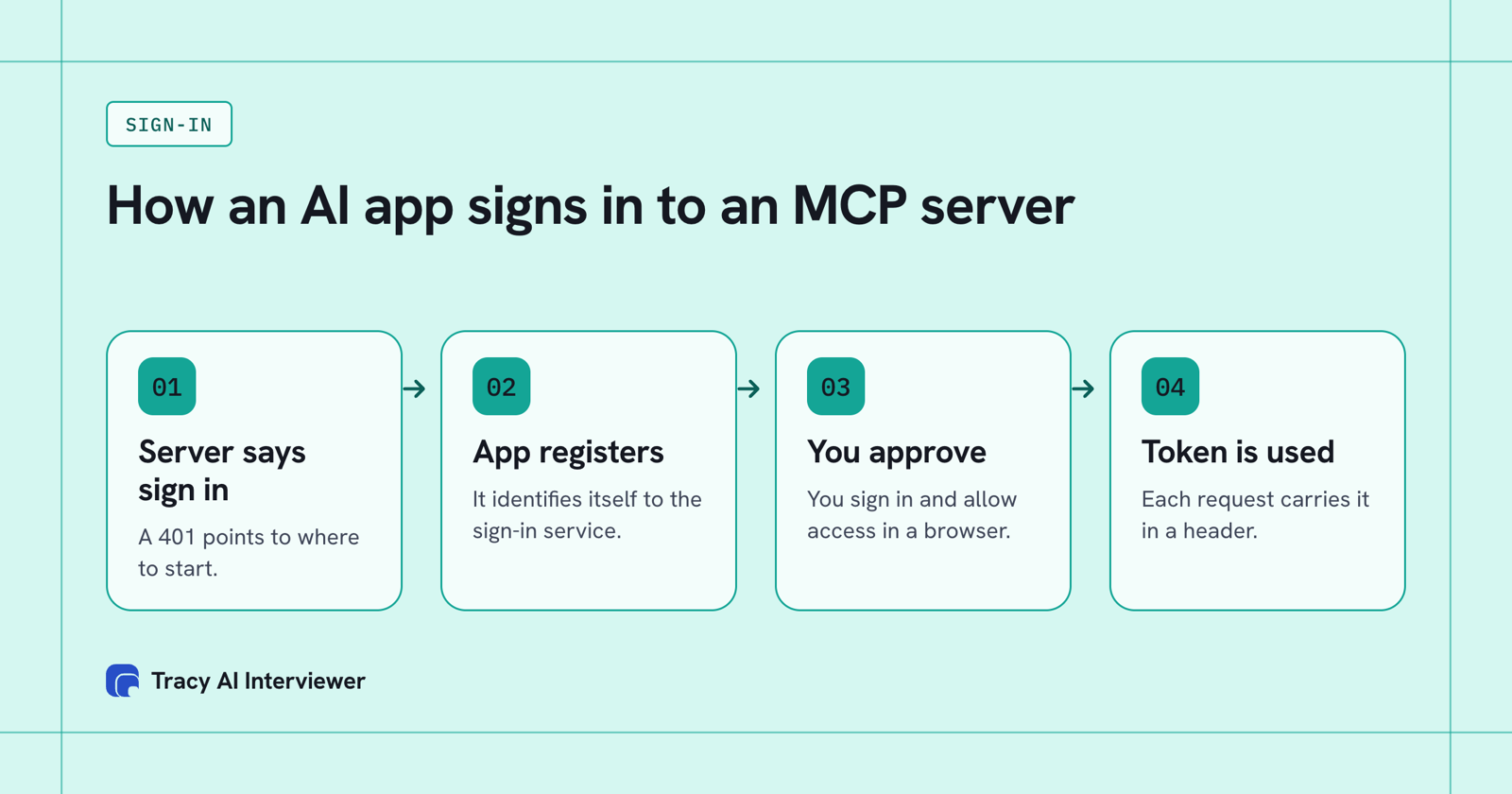
The server starts the sign-in, you approve it, and the token rides on every request.
What you see when you connect Tracy
In Claude, the sign-in choices appear when you add the connector. Tracy's address is https://tracyinterview.ai/mcp. Claude detects that the server needs sign-in and offers Sign in now, Sign in when needed or No sign-in. It also offers three ways to identify itself to the server: Claude's published identity, which is a Client ID Metadata Document, automatic registration, which is Dynamic Client Registration, or an OAuth client you registered yourself. Tracy's dialog detects the first of each. Leave them as detected, click Add, then Connect, and Claude sends you to Tracy to sign in and approve.
The consent screen asks for one permission, named tracy, and the connector acts only on your own account. In ChatGPT you choose OAuth when you add the custom MCP server, install the plugin, then sign in to Tracy and approve access. The full steps are in how to add MCP to Claude and how to add MCP to ChatGPT.
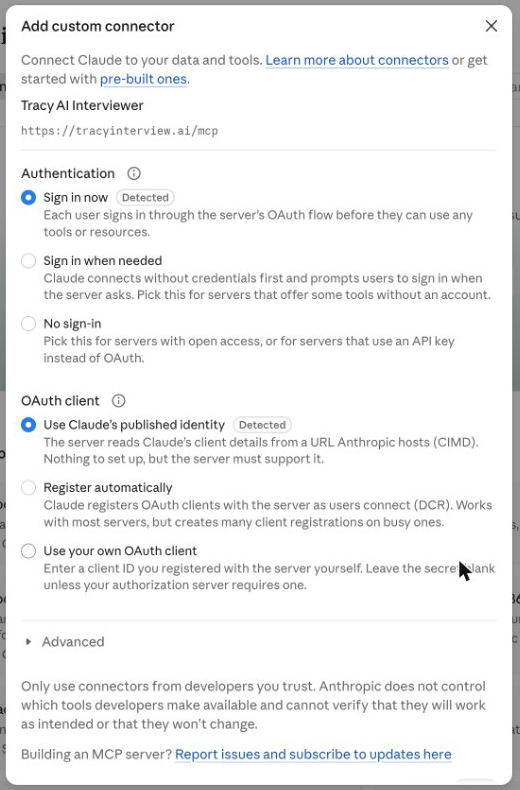
Claude shows the sign-in type and how it identifies itself before it connects.
The Tracy sign-in, step by step
Here is the same flow as a person sees it, using Tracy's server.
In Claude on the web or Desktop:
- Add the connector with the address
https://tracyinterview.ai/mcpand leave the detected sign-in options as they are. - Click Connect on the connector. Claude sends you to Tracy AI Interviewer in your browser. This is steps 4 and 5 of the flow above.
- Sign in to Tracy if asked, then click Allow on the consent screen. Tracy's guide shows it with Cancel and Allow, and it names one permission, tracy.
- Back in Claude, the connector shows a Disconnect button and its tool permissions.
In ChatGPT, choose OAuth when you add the custom MCP server, install the plugin, then sign in to Tracy and approve access when asked.
In Claude Code, run /mcp in a session and follow the steps in your browser. If the browser does not open, copy the URL Claude Code shows and open it yourself.
What one sign-in lets the app do
Signing in gives the app a token for your Tracy account, and nothing more. Of the seven steps above you see two, the browser opening and your approval. After that the app holds the token and each action beyond it waits for you. The sign-in is yours as the owner of the connector, and the people you invite open a browser link and need no account.
- Approval per action. Claude asks before it uses a tool. ChatGPT asks for confirmation before write actions by default. Tracy also waits for your approval of a preview before it creates an interview, sends an invitation or turns on a public link.
- Revoking. Open Connected AI apps in your Tracy account and revoke the app. It stops at once, and you can connect it again later with a new sign-in.
Tracy does not score, rank or reject anyone through this connection. It reports what people said, with a recording and a timestamped transcript behind each result. MCP access is part of Pay as you go, at $1 per credit with the first 3 results free. For the setup in each app, see Tracy in Claude and Tracy in ChatGPT.
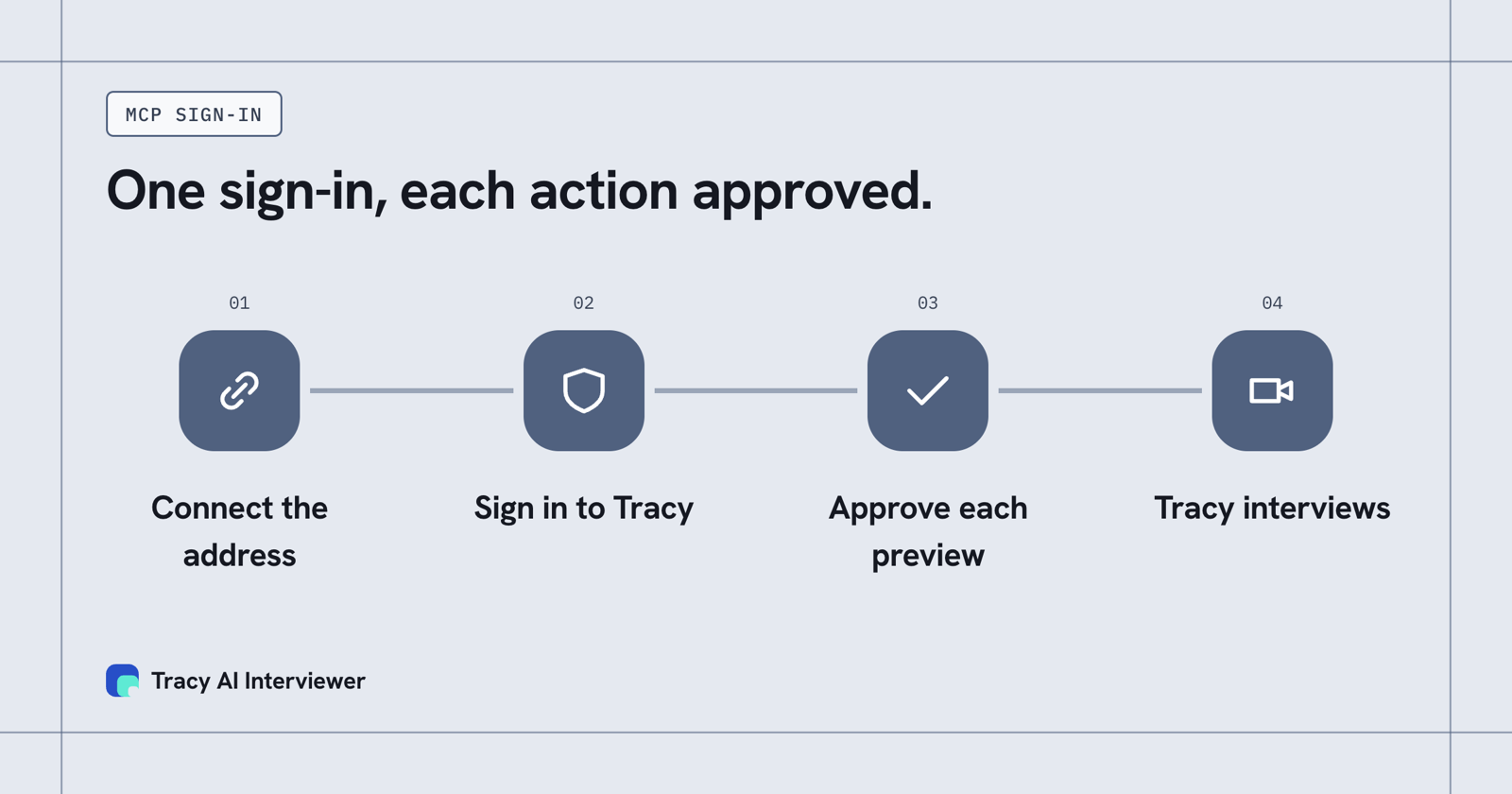
One sign-in, each action approved.
What Tracy adds to MCP sign-in
01
Reach every person you invite
Each person can start on click, at any hour, with no scheduling and no interviewer on the call. One sign-in by the owner sets the interview up, and the invitees need no account.
02
Ask the next question
Tracy asks in the person's own field, follows what they said, and waits for the answer. The sign-in carries permission. The interview carries the depth.
03
Keep the evidence
Every result includes a recording, a timestamped transcript, and a written assessment per question with its reasoning. The chat shows what each person said, and the recording and transcript sit behind it.
Where Claude and ChatGPT differ
Both apps follow the specification, and each adds details that matter if you build a server.
How Claude and ChatGPT handle MCP sign-in.
| Item | Claude | ChatGPT |
|---|---|---|
| PKCE | S256 on every request | S256 code challenge |
| Client ID | Metadata document when the server advertises it, else registration | Metadata document preferred, registration supported |
| Redirect | claude.ai/api/mcp/auth_callback | chatgpt.com/connector_platform_oauth_redirect for servers that meet the RFC 9207 requirements; a callback-specific address for others |
| Start of sign-in | A 401 is required | A 401 with a WWW-Authenticate header, or metadata at a well-known path |
| Machine-to-machine | Not supported | Not supported |
Claude Code, the terminal tool, uses a loopback redirect on a changing local port, and you sign in from inside it with the /mcp command. Claude also refreshes tokens when a request returns 401 and up to five minutes before expiry. What a remote MCP server is explains why these servers need sign-in in the first place.
When sign-in fails, and which step to suspect
The seven steps tell you where to look.
- Claude never offers a sign-in. Claude requires a 401 to start it, so check that an unauthenticated request to the server returns 401 and not a 200 or a redirect (step 1).
- Sign-in opens and then errors. The redirect address registered with the authorization server may not match the app's (steps 3 and 4). Claude's is claude.ai/api/mcp/auth_callback.
- The app connects and every call is refused. The server may be checking the token's audience: it must have been issued for this MCP server, which is what the resource parameter is for (steps 4 and 7).
- It worked, then stopped. Claude refreshes a token when a request returns 401 and up to five minutes before it expires, so check that the authorization server accepts the refresh.
- A script or scheduled job cannot sign in. Claude and ChatGPT do not support machine-to-machine grants, so a person completes the sign-in.
For Tracy specifically, if Claude is not listed under Connected AI apps in your Tracy account, the sign-in was never finished: click Connect again.
Common questions
What is the MCP OAuth flow?
Does MCP use OAuth 2.1?
Does every MCP server need OAuth?
What is Dynamic Client Registration in MCP?
How do I revoke an MCP connection to Tracy?
Connect Tracy and read the sign-in
Connect Tracy to Claude or ChatGPT, read the sign-in screens and draft one interview. The first 3 results are free.
Try it free (opens in a new tab) Book a demo (opens in a new tab)
Your first 3 results are free. No card needed.
Sources
- Model Context Protocol: Authorization, version 2026-07-28, retrieved 14 Nov 2026.
- Model Context Protocol: Architecture overview, retrieved 14 Nov 2026.
- Claude docs: Authentication for connectors, retrieved 14 Nov 2026.
- Claude Help Center: Get started with custom connectors using remote MCP, retrieved 14 Nov 2026.
- Claude Code docs: Connect Claude Code to tools via MCP, retrieved 14 Nov 2026.
- OpenAI docs: Authentication for MCP servers in ChatGPT, retrieved 14 Nov 2026.
- OpenAI docs: Connect and test your plugin in ChatGPT, retrieved 14 Nov 2026.
- Tracy AI Interviewer: Add Tracy to Claude, retrieved 14 Nov 2026.
- Tracy AI Interviewer: Pricing, retrieved 14 Nov 2026.
- Tracy AI Interviewer: Add Tracy to ChatGPT, retrieved 14 Nov 2026.