In short
As of November 2026, Claude Team and ChatGPT Business list the same price for a standard seat, $20 per month billed annually or $25 monthly, so choose on admin controls, connectors and what your IT team already runs. For hiring, Tracy AI Interviewer connects to both.
Neither assistant runs a first-round interview. Tracy drafts one from your job description with one server address and interviews each applicant on video. The first 3 results are free.
Your reviewer reads what each person said, with a recording behind it, and decides.
Claude vs ChatGPT for business is mostly a procurement question. Both vendors sell a team plan and an enterprise plan, both say they do not train on business data by default, and both connect to the tools your company uses. This page sets the published plan terms side by side as Anthropic and OpenAI list them on 22 November 2026, then shows where a hiring team needs something neither assistant does. If you recruit, the same comparison for that job is in Claude vs ChatGPT for recruiting.
Which is better for business, Claude or ChatGPT?
It depends on what your company already runs and which controls your security team needs. The published plans are close on price and on the basics, so a head-to-head test on your own tasks decides more than a ranking from a third party. Choose Claude when you want Cowork and Claude Code on the same team seat and admin controls for connectors, or ChatGPT when your company is already on it and you want its listed workplace connectors and cited deep research. The table below has the details.
Claude vs ChatGPT for business: plans and controls side by side
| Topic | Claude | ChatGPT |
|---|---|---|
| Team plan | Team, for 2 to 150 | Business, for 2 to 200 employees |
| Standard seat | $20 per month billed annually, $25 monthly | $20 per month billed annually, $25 monthly |
| Premium seat | $100 per month billed annually, $125 monthly | $100 per month billed annually, $125 monthly |
| Enterprise price | Seat price plus usage at API rates; US$20 per seat billed annually, 20 seat minimum | Not published; contact sales |
| Single sign-on | SSO on Team | SAML SSO on Business |
| Data for training | No model training on content by default | No training on business data by default |
| Research tool | Research on Pro, Max, Ultra, Team, Enterprise | Deep research on Business and Enterprise |
| Connectors | Directory; admin controls for remote and local connectors on Team | Google Workspace, Slack, GitHub, Microsoft 365; connector registry on Enterprise only |
| Enterprise controls | SCIM, audit logs, Compliance API, custom retention, IP allowlisting | SCIM, key management, role-based access, Compliance API, IP allowlisting |
Plan terms from claude.com/pricing and openai.com/business/pricing, read 22 November 2026. OpenAI's page also shows local currency figures.
Which is cheaper for small teams?
They cost the same on the published seat prices: a standard seat is $20 per month billed annually or $25 monthly on Claude Team and on ChatGPT Business, and the Premium seat is $100 or $125 on both. The difference shows up in usage. Anthropic's pricing page describes Premium as "5x more usage than standard seats", and OpenAI's Business page lists its Premium seat as "More usage than standard, with no 5-hour limit". Compare how much your team actually uses either assistant before choosing a seat type.
Which suits enterprise?
At enterprise level the lists are close again. Both name SCIM, a Compliance API and IP allowlisting. Claude Enterprise adds audit logs and custom data retention controls. ChatGPT Enterprise adds Enterprise Key Management and role-based access controls. On cost, Anthropic publishes a seat price plus usage at API rates, and OpenAI asks you to contact sales, so only one of them gives you a number to start from. Ask each for its security documents and a pilot before you commit.
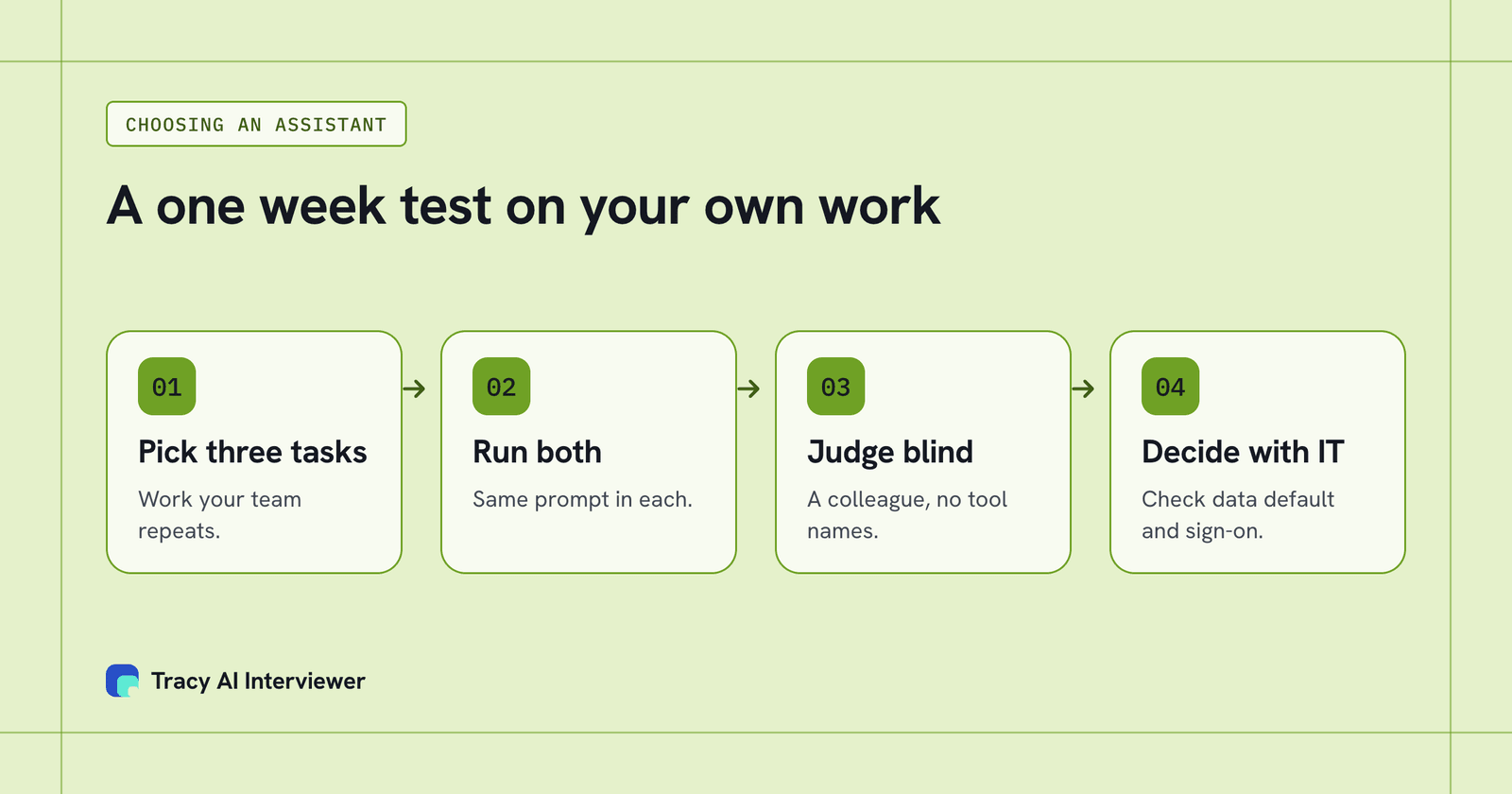
Pick the tasks, run both, judge without names, decide with IT.
How to choose in one week
Pick three tasks your team repeats, such as summarising a long contract, drafting a job description and answering a policy question from a document. Run each in both assistants with the same prompt. Have a colleague who did not write the prompts judge the drafts without knowing which tool wrote which. Then ask your IT or security lead to check the plan terms for the seat type you would buy, including the data default, sign-on and connector controls.
Neither assistant interviews your applicants
A talent team can use either assistant to draft job descriptions and summarise notes. Neither runs the first-round interview. Say a backend role draws 300 applicants: that is a lot of calls for a team of engineers, and an assistant cannot hold them for you.
Tracy AI Interviewer is an MCP server at https://tracyinterview.ai/mcp, so it connects to both. In Claude you add it as a custom connector under Customize > Connectors. In ChatGPT you add it as a custom MCP server, and if you do not see the option to add one, check whether Developer mode is on for your workspace. The steps are in how to add MCP to Claude and how to add MCP to ChatGPT. After that the flow is the same in either app: you give the role, Tracy drafts the interview from the job description, you edit the questions or bring your own, and nothing is created or sent until you approve a preview.
Applicants open a link in their browser with no account, and a notice on the first screen tells them the conversation is recorded and transcribed. There is no slot to book, because the interview starts on click, at any hour. Tracy follows up on whatever an answer left out, in the applicant's own field, for example asking a security analyst what happens if the user cannot be reached.
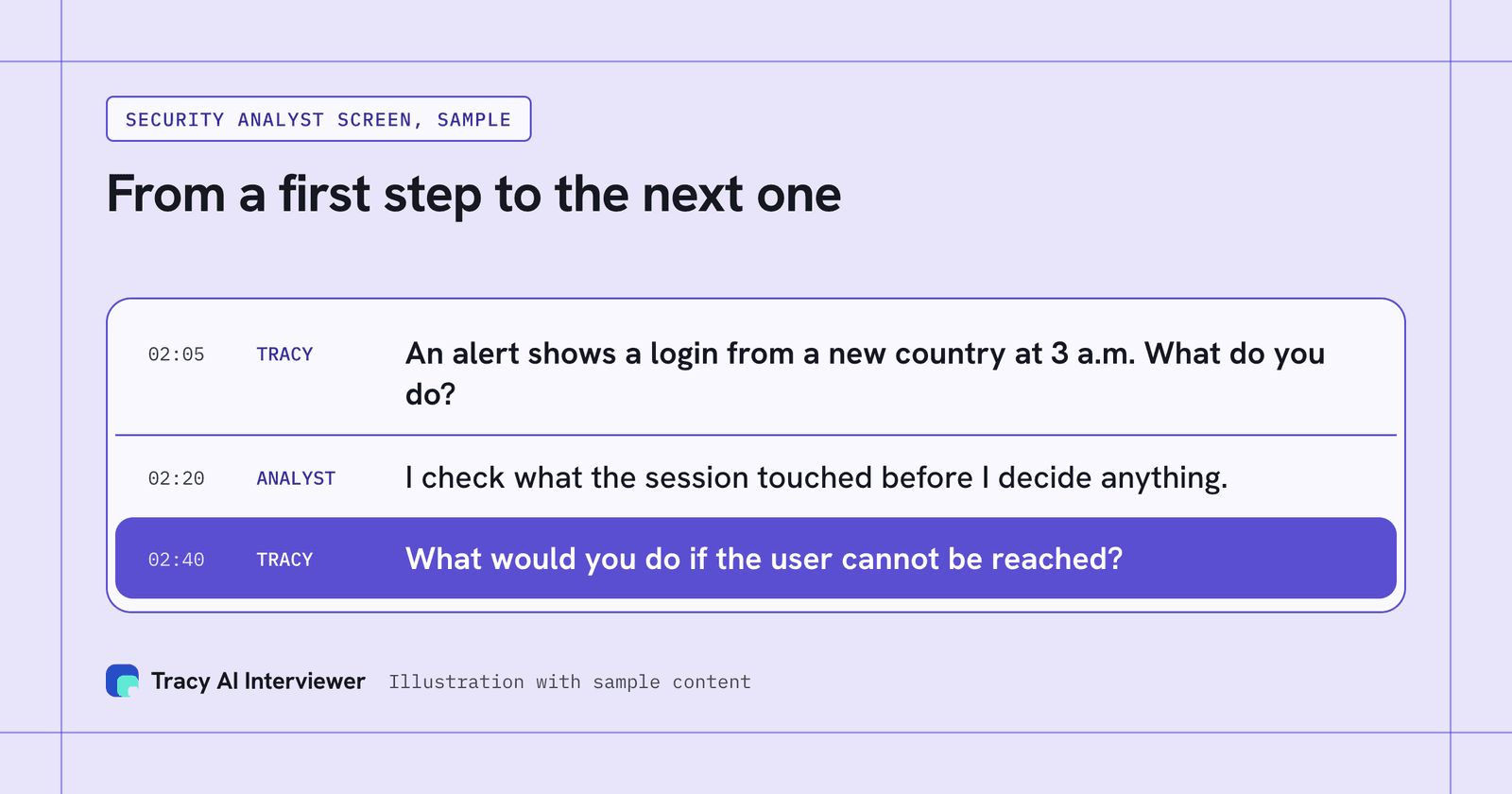
The follow-up asks for the next step the analyst would take.
What your reviewer gets back
Ask either assistant for the results and it returns, for every applicant, the answer to each question, the result fields you set up and a short note you can pass to your ATS. The chat gives your reviewer the evidence, with no score or ranking, and the reviewer decides. Here is a made-up excerpt to show the layout:
| Result field | Answer | Evidence |
|---|---|---|
| Incident triage steps | Context first, then session review | Q1, at 02:20: "I check what the session touched before I decide anything." |
| Follow-up asked | What would you do if the user cannot be reached? | After Q1 |
| Reported a vulnerability | Yes, an exposed bucket | Q2, at 06:30: "I wrote it up with proof and followed it until it was closed." |
Invented sample data.
Before you add a connector to a shared workspace, your security reviewer can ask for Tracy's SOC 2 Type II attestation by emailing hello@tracyinterview.ai.
Which path fits you?
- Choosing for recruiting or HR specifically: Claude vs ChatGPT for recruiting and Claude vs ChatGPT for HR.
- Connecting Tracy: adding Tracy to Claude or to ChatGPT, and ChatGPT apps vs connectors.
- Picking tools for a team: best Claude connectors for business and best MCP servers for ChatGPT.
Common questions
Which is better for business, Claude or ChatGPT?
Which is cheaper for small teams?
Which suits enterprise?
Can I use Tracy with both?
Interview applicants from Claude or ChatGPT
Connect Tracy to either assistant with one address, describe the role, and approve the preview. First 3 results free.
Try it free (opens in a new tab) Book a demo (opens in a new tab)
Your first 3 results are free. No card needed.
Sources
- Anthropic, Claude pricing, retrieved 22 Nov 2026.
- OpenAI, ChatGPT Business pricing, retrieved 22 Nov 2026.
- Anthropic, Using Research on Claude, retrieved 22 Nov 2026.
- OpenAI Help Center, Deep research, retrieved 22 Nov 2026.
- Tracy AI Interviewer, Connect, retrieved 15 Nov 2026.