In short
ChatGPT connects to remote MCP servers, so start with the ones whose vendors name ChatGPT. Tracy AI Interviewer goes first for teams that interview people: from a ChatGPT prompt it drafts questions for a role, emails the invitations and brings back what each person said.
Notion, Stripe, Workable, Ashby, Greenhouse and HiBob follow. A server on your own laptop needs Secure MCP Tunnel.
Custom servers depend on plan and workspace, so connect through your admin.
To try Tracy, use its Install in ChatGPT button and describe the role you are hiring for.
The best MCP servers for ChatGPT are the remote ones whose vendors say they work there, because ChatGPT reaches a server over the internet and not from your machine. Seven are listed here. Tracy sits first as the one server in this list that runs an interview. Notion and Stripe come next because their jobs reach the most teams. Workable, Ashby and Greenhouse follow, ordered by how much stands between you and a working connection (plan cost, then beta status, then an admin step), and HiBob closes the list because it serves HR alone. Each entry says why it holds its place. If the terms are new, start with how remote MCP servers differ from local ones and the basics of MCP servers.
Does ChatGPT work with MCP servers?
Yes, with limits on plan and place. Per OpenAI's help page, ChatGPT Business and Enterprise/Edu workspaces on the web get custom MCP connections and full MCP support, while Pro users can add custom servers limited to read and fetch. Custom servers work on the web only, and they must be remote.
Four checks decide whether a server suits ChatGPT: it is remote, its vendor names ChatGPT, each user signs in for themselves, and write actions can wait for approval.
| Server | Best for | What it does in ChatGPT | ChatGPT named by the vendor |
|---|---|---|---|
| Tracy | Running interviews | Draft, invite and read results | Yes, Install in ChatGPT |
| Notion | Workspace answers | Finds answers in your workspace | Yes |
| Stripe | Payments data | Stripe API tools and docs search | Yes, an official plugin |
| Workable | ATS pipelines | Jobs, candidates, stages, offers | Yes |
| Ashby | ATS and interviews | Pipeline, profiles, notes, stage moves | Yes |
| Greenhouse | ATS administrators | Read-only scopes by default | Yes, in Apps settings |
| HiBob | People teams | People data, time off, tasks | Yes |
Scroll the table sideways to see all 4 columns.
What each server does in ChatGPT, from OpenAI's help pages and each vendor's own documentation, read on 22 November 2026.
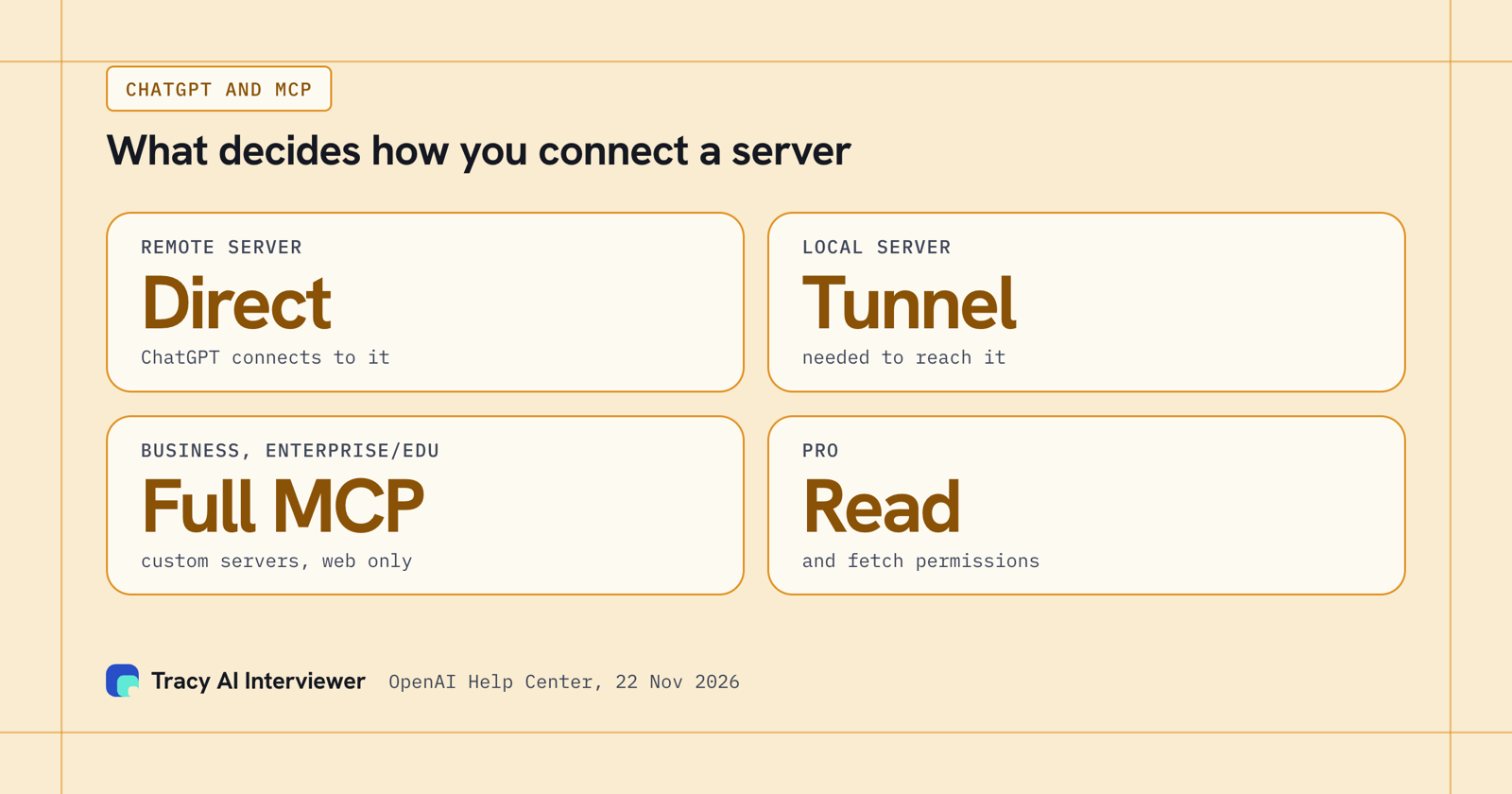
Where a server runs and your plan decide how you connect it.
Seven servers and why each sits where it does
1. Tracy AI Interviewer (for interviews)
- Why it is first: it is the only entry that runs a conversation with people rather than reading or changing records.
- What it does: you ask for an interview in a prompt and review the draft, then each invited person answers on video in a browser.
- Best for: anyone who talks to many people, whether candidates, customers or colleagues, and wants the answers back in the same chat.
- Trade-off: it runs interviews and nothing else. Joining meetings, transcribing uploads and scheduling calls are outside its job.
- Cost: public, at $1 per credit after the first 3 results, with no seats.
A result gives what each participant said to each question. This invented data engineer screen shows the shape.
Question: How do you handle a source table that changes shape without warning?
Summary: Added schema checks at ingestion that fail loudly and send the diff to the owning team.
Quote, 02:50: "I want it to fail at the door, not three tables downstream."
Tracy's follow-up: Who got the alert when it failed?
Sample data. The reviewer decides what the answers mean; Tracy leaves the scoring, ranking and rejecting to people.
2. Notion
- Why second: workspace notes are the widest job in this list, since every team keeps some.
- What it does: answers questions from pages in your workspace. Notion's own page lists ChatGPT next to Claude and Gemini as supported clients.
- Best for: teams whose plans and notes live in Notion.
- Trade-off: workspace admins can limit which MCP clients members use, so what you can connect may already be decided.
3. Stripe
- Why third: payments data serves finance and product, a narrower group than a whole workspace.
- What it does: lets an agent call Stripe API tools and search Stripe's documentation. Stripe lists an official ChatGPT plugin.
- Best for: finance and product teams that look up customers, payments and invoices.
- Trade-off: some actions wait for a person to approve them in the Stripe Dashboard, and an OAuth session lasts 14 days before a refresh.
4. Workable
- Why first among the hiring tools: Workable says it is included on all plans at no additional cost, so no upgrade stands in the way.
- What it does: works with ChatGPT, Claude or any MCP-compatible AI, signs in through OAuth2 and covers jobs, candidates, stages, offers and requisitions.
- Best for: recruiters already on Workable.
- Trade-off: each session is limited to the signed-in user's role.
5. Ashby
- Why before Greenhouse: it is in open beta on all Ashby plans, and access runs through each user's own OAuth sign-in.
- What it does: reads the pipeline and can take a few write actions, such as moving a candidate to another stage.
- Best for: recruiting teams already running on Ashby.
- Trade-off: still beta, and ChatGPT acts only with the permissions of whoever signed in.
6. Greenhouse
- Why after Ashby: it is also in open beta, and Greenhouse's steps are written for Site Admins, so an admin comes before any user.
- What it does: connects to ChatGPT through the Apps settings, read-only by default.
- Best for: Greenhouse customers whose admin wants to fix the limits before anyone connects.
- Trade-off: open beta, on the Core, Plus and Pro tiers.
7. HiBob
- Why last: it holds people data for HR, the narrowest audience in the list.
- What it does: lists ChatGPT among supported clients, with each employee signing in to their own Bob account.
- Best for: people teams on HiBob.
- Trade-off: read and write actions work only where Bob already allows them.
Are ChatGPT apps just MCP servers?
Nearly. OpenAI's help page says a server can expose tools without a custom interface, and MCP apps add an interactive interface to those tools. A ChatGPT app is the connection to a service; a plugin packages apps and skills into a workflow. So the servers above show up in ChatGPT as apps, under Settings > Plugins. The choice that matters for you is whether the vendor already listed one or you add a custom server yourself. For the difference in practice, see ChatGPT apps vs connectors and what MCP apps are.
Which popular MCP servers need a tunnel for ChatGPT?
The reference servers kept by the MCP steering group, Filesystem, Fetch, Git, Memory, Sequential Thinking, Time and Everything, start on your machine with npx or uvx. The repository calls them reference implementations and educational examples, not production-ready solutions. ChatGPT does not connect to a local server directly. OpenAI's route is Secure MCP Tunnel, which connects a server on a private network or a developer machine without exposing it to the public internet.
For more servers, the same repository points to the MCP Registry. The registry is in preview and holds metadata that points to packages, not the code itself, so check who runs a server before you connect it.
How do you connect a server safely?
- Check that the vendor lists ChatGPT, then install it from Settings > Plugins or its own button.
- Sign in as yourself, so the server acts with your permissions and not a shared account.
- Keep write actions on ask. OpenAI warns that "Only connect servers you trust", and Stripe's own advice is to turn on your client's tool-approval setting so you can review each call.
- A custom server's tools are frozen once an admin approves it. ChatGPT keeps that snapshot, so anything the developer changes later waits for another admin review.
Use how to add MCP to ChatGPT for the click path and MCP OAuth for how sign-in works. If the job you want ChatGPT to do is interviewing, add Tracy from its Install in ChatGPT button. Nothing is created until you approve the preview it shows.
Common questions
Does ChatGPT work with MCP servers?
What are the best MCP servers for ChatGPT?
Are ChatGPT apps just MCP servers?
Can ChatGPT use a local MCP server?
Can I use MCP servers in ChatGPT on mobile?
Can Tracy run interviews from ChatGPT?
Run an interview from ChatGPT
Press Install in ChatGPT, describe the role in a single prompt, then approve what Tracy drafts. Your first 3 results are free.
Book a demo (opens in a new tab) Try it free (opens in a new tab)
Your first 3 results are free. No card needed.
Sources
- OpenAI Help Center, Connecting custom MCP servers in ChatGPT, retrieved 22 Nov 2026.
- Model Context Protocol, reference servers, retrieved 22 Nov 2026.
- Stripe, Model Context Protocol, retrieved 22 Nov 2026.
- Tracy AI Interviewer, Connect, retrieved 22 Nov 2026.