In short
Claude and ChatGPT both handle the drafting side of HR well, so pick the one your plan and admin allow. Neither interviews your employees. Tracy AI Interviewer connects to both with the same server address, so exit interviews and check-ins run the same way in either, with follow-ups and a recording to review. As of 15 November 2026, pick the assistant your team and your admin already allow. Your team decides what the answers mean.
What Claude and ChatGPT do well for HR
HR teams ask which assistant to standardise on, and the answer depends on your plan and your admin's rules more than on the brand. Both are good at what you draft in them: policies, summaries of long files and the set-up of work.
Whichever you choose, your employees still need someone to ask the follow-up question a survey misses, and that part does not depend on the app. Tracy AI Interviewer is available in both through its MCP server. In the chat you ask, approve a preview, and Tracy runs the video interview; the setup is covered for Claude and for ChatGPT. For prompts by HR task, see Claude for HR professionals. This page compares Claude vs ChatGPT for HR on what an HR team touches.
Choose Claude or ChatGPT when
Choose Claude when:
- you want custom connectors on every plan. Anthropic lists them on Free, Pro, Max, Ultra, Team and Enterprise, and Free is limited to one;
- you want to approve each tool use. Claude asks, and you choose Allow once or Always allow;
- your plan is a commercial one and the default matters. Anthropic says it does not use inputs or outputs from Team, Enterprise and API for training by default.
Choose ChatGPT when:
- your company already runs it and your admin manages custom plugins through workspace permissions;
- you want Projects on every plan, including Free, and file uploads on Go, Plus and Pro;
- your team is on Plus or Pro and wants Developer mode (beta), which OpenAI's plan table lists for those two plans;
- you want write actions to need confirmation by default, as OpenAI states for custom MCP plugins.
Which is better for HR work, Claude or ChatGPT?
AIHR's Claude vs ChatGPT comparison is qualitative, and the experiment it cites, "AIHR's Claude for HR experiment", tested Claude only and reports no ChatGPT result. A vendor that says one writes better policies should show you the test.
Pick three tasks your team repeats, such as a policy answer from the handbook, a job ad and a summary of review notes. Run each in both apps with the same prompt, have a colleague who did not write the prompts judge the drafts, then decide with your admin.
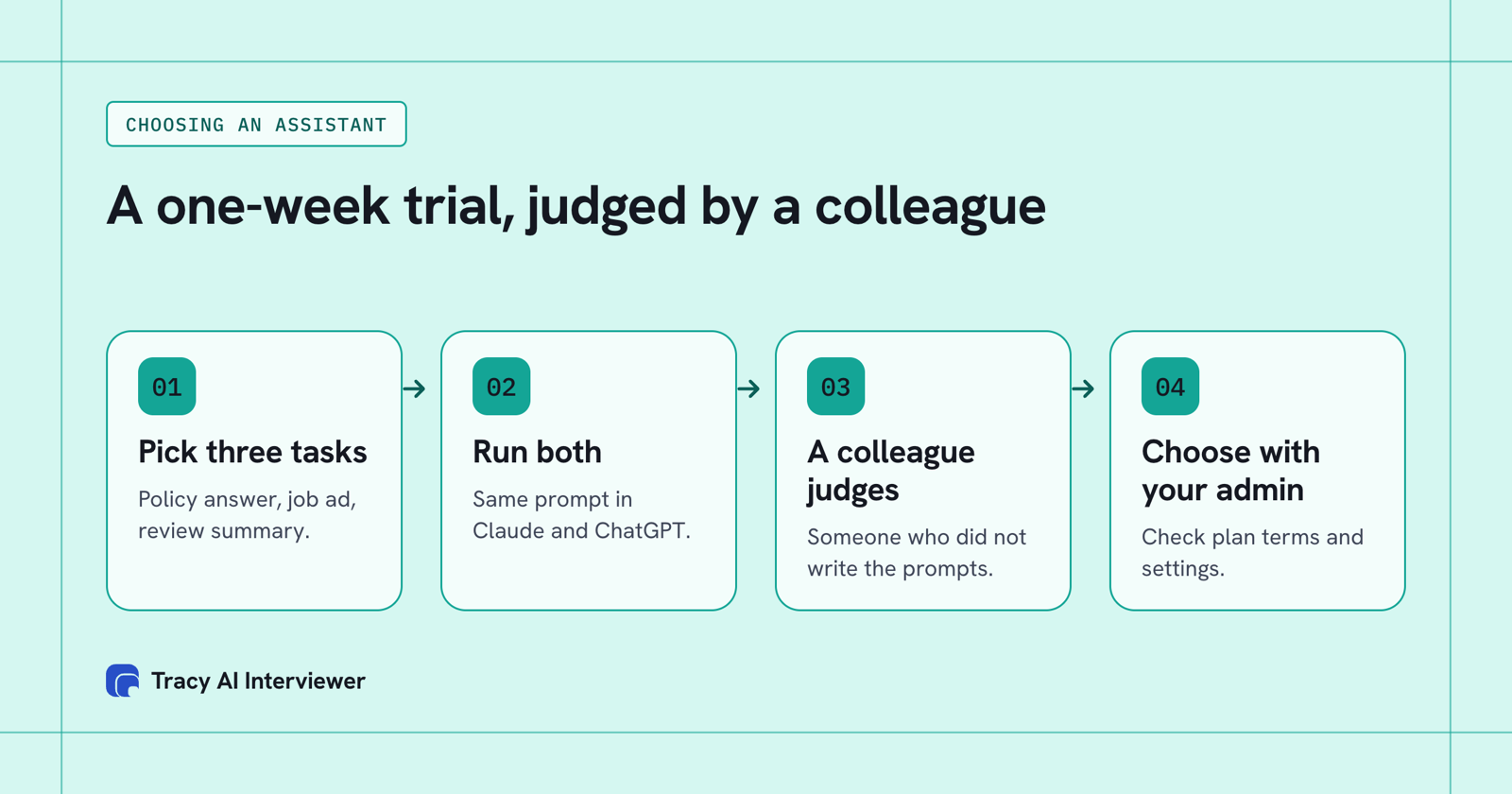
A week of side-by-side drafts, judged by a colleague, beats any ranking.
What each vendor's own pages show: Anthropic's read 14 November 2026, OpenAI's pricing table and business data page read 15 November 2026.
| What HR touches | Claude | ChatGPT |
|---|---|---|
| Projects | Workspaces with chat histories and knowledge bases; Free capped at five | Included in all four plans: Free, Go, Plus, Pro |
| File uploads | PDF, DOCX, CSV; 20 files per chat, 500MB each | Limited on Free; included in Go, Plus, Pro |
| Custom connectors | Free (one), Pro, Max, Ultra, Team, Enterprise | Create and share from Go; Developer mode (beta) on Plus and Pro; workspace permissions apply |
| Approval | Asks before tool use: Allow once or Always allow | Write actions require confirmation by default |
| Data and training | Team, Enterprise and API not used for training by default; Free, Pro, Max not covered on that page | Free, Go, Plus, Pro: opt-out available; Business, Enterprise and API: not used for training by default |
| Individual price | Pro $20 monthly, $17 billed annually | Shown in your local currency on OpenAI's pricing page |
How the Tracy setup differs in each app
In Claude, open Customize > Connectors, click + Add, then Add custom connector, name it Tracy AI Interviewer and paste https://tracyinterview.ai/mcp. In ChatGPT, use it on the web, open Plugins, select the plus button, then Add custom MCP server, enter the same name and address, choose OAuth, accept the risk warning and select Create as a plugin. If you do not see the option to add a custom MCP server, check whether Developer mode is on for your workspace; on a work workspace an admin may need to allow it first. Claude on the web and ChatGPT connect to remote servers like Tracy's; Claude Desktop and Claude Code can also run local ones. Step-by-step guides: Claude, ChatGPT.
After that both behave the same. You ask for an interview, the app shows a preview, and nothing is created until you approve. An invitation is previewed too and is not sent until you approve it. A new interview starts with its public link on (anyone with the link, up to 20 people for 14 days) and nobody invited; you can turn the link off. Tracy interviews each person in a browser, with no account, after telling them the conversation is recorded and transcribed.
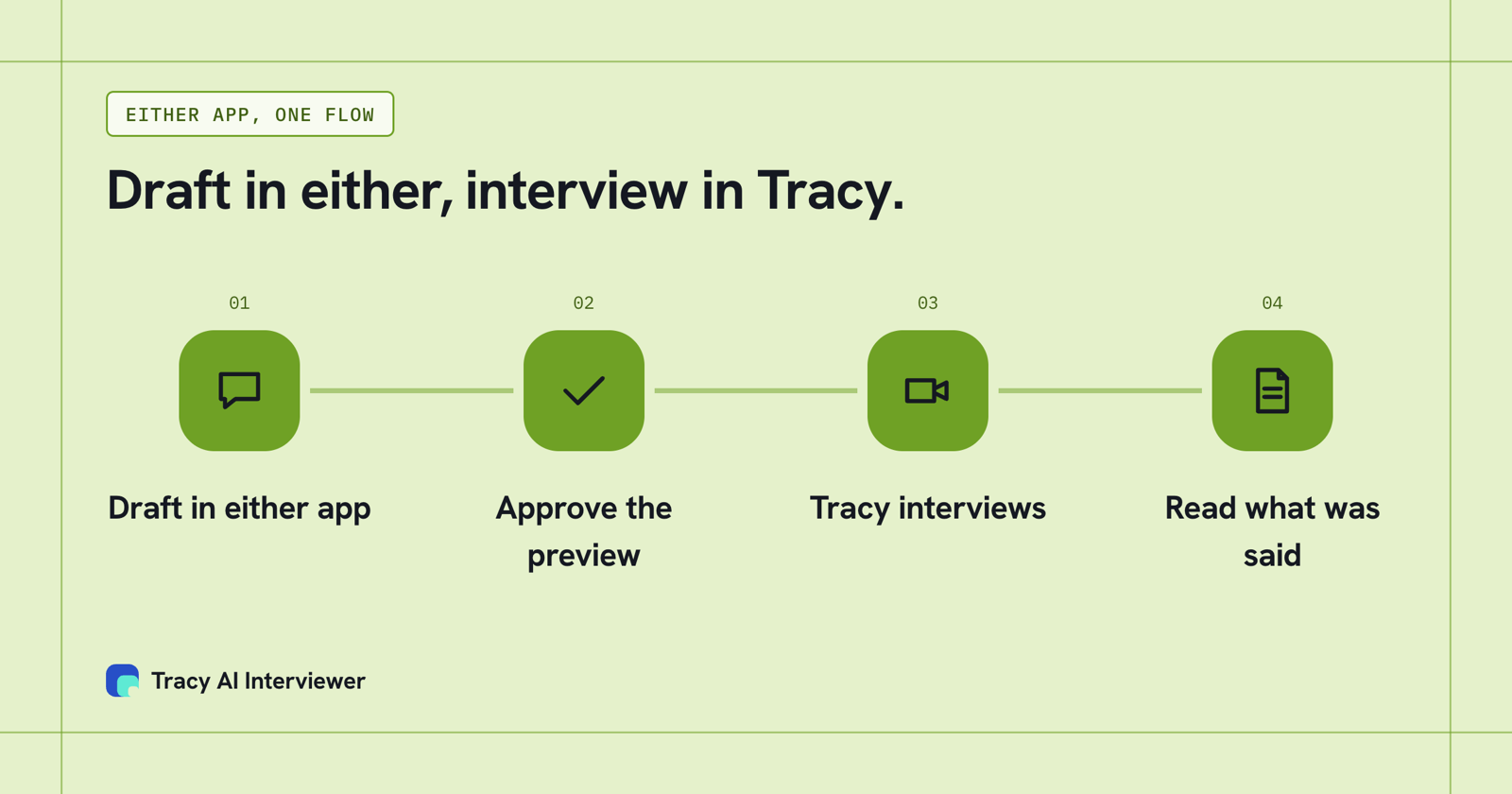
One Tracy address, two ways in, the same interview.
Where both assistants stop
Claude and ChatGPT are where you set the work up and read what came back, and Tracy asks your employees the questions: a vague answer gets a sharper one. Say you want 100 stay interviews of 20 minutes each: that is about 33 hours of live calls, and no assistant can hold them for you. Run through Tracy, each employee opens the link when it suits them. Ask the assistant for the results and the chat shows what each person said to each question, plus the result fields. If you want those answers grouped into themes, the assistant or your reviewer does that; Tracy gives the words behind them, with a recording and a timestamped transcript.
Tracy's connector returned this stay interview draft on 15 November 2026 for senior engineers with two or more years at the company, with nothing saved and nobody invited:
- How long have you been working at the company?
- What initially attracted you to stay with the company for this time?
- Can you describe a recent experience that made you feel valued or satisfied here?
- What are some challenges or frustrations you've faced that have made you consider leaving?
- Have you taken any specific actions or considered alternatives because of those challenges?
- What changes or improvements would make you more likely to stay long term?
- Is there anything else about your experience here that you think is important to share?
It came with six result fields: tenure, retention reasons, positive experiences, challenges faced, actions taken and retention improvements. A person reads the results and decides; Tracy does not score, rank or reject people.
What Tracy adds to Claude and ChatGPT for HR
Three things change when the interview moves from you to Tracy.
01
Reach every employee
Each employee can start on click, at any hour, with no scheduling and no HR person on the call. The same first round reaches the whole list.
02
Ask the next question
Tracy follows the answer in the person's own field and waits for the end of the thought. A polished headline has to survive a specific follow-up.
03
Keep the evidence
Every result has a recording, a timestamped transcript and a written assessment per question with its reasoning. Your team decides what it means.
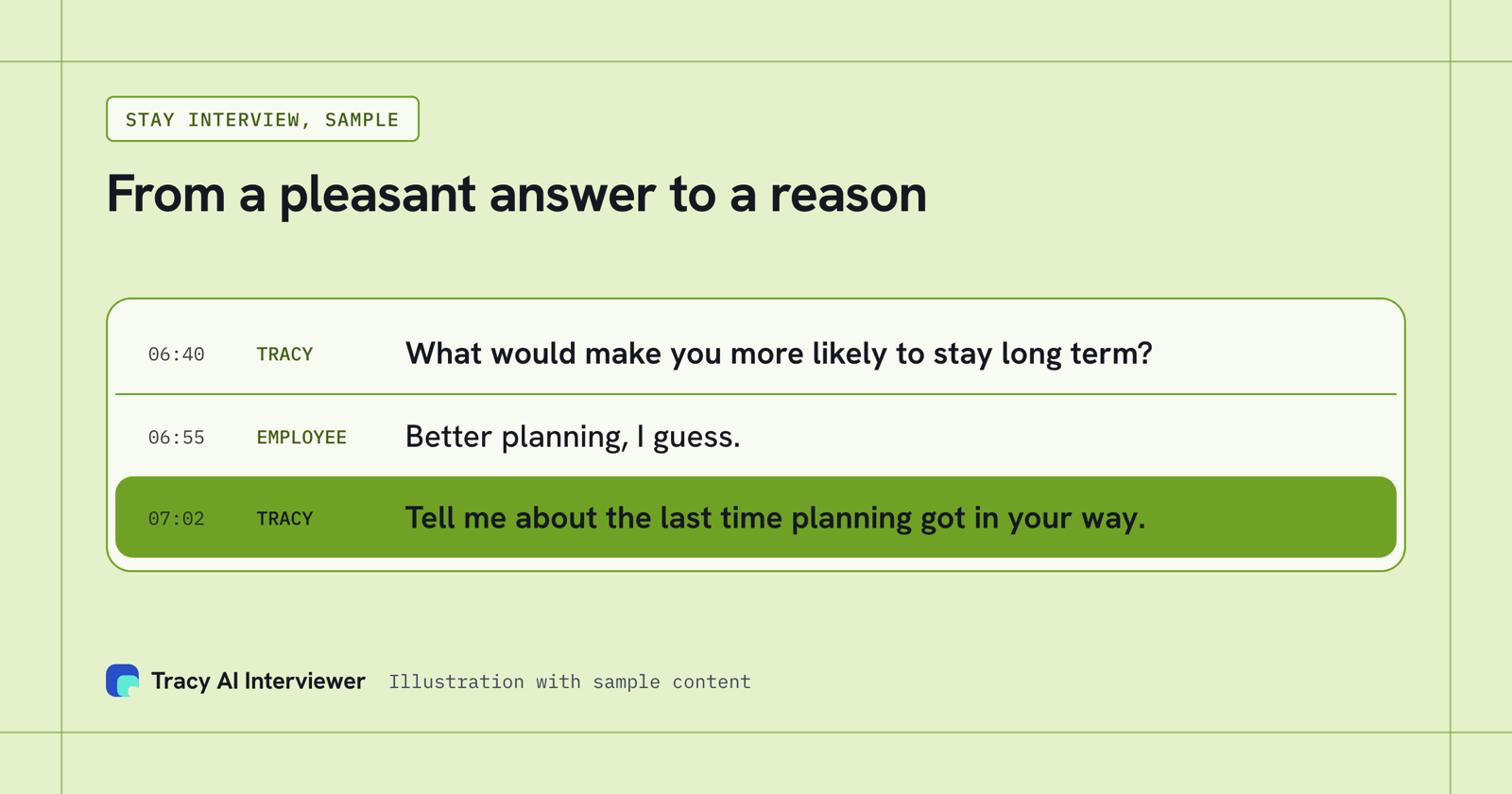
A pleasant answer becomes a reason.
Rules for HR data in either app
- Check your plan's data terms first. Anthropic states that Team, Enterprise and API inputs are not used for training by default. OpenAI states the same default for ChatGPT Business, Enterprise and its API, and its pricing page lists "opt-out available" for the individual plans.
- Leave out names and ids you do not need.
- Keep decisions about people with a person.
- Tell people before you record them. Tracy's join screen does this for interviews.
Which path fits you?
- Using Claude: Claude for HR professionals lists prompts by task, and the Tracy Claude setup guide has every step.
- Using ChatGPT: the Tracy ChatGPT setup guide covers the plugin steps.
- Running exit interviews or check-ins: AI interviews for people teams.
Common questions
Is Claude or ChatGPT better for HR?
Claude vs ChatGPT for HR professionals: can I use both?
Which is cheaper for an HR team?
Can Claude or ChatGPT interview employees?
Does Tracy work in ChatGPT on a free account?
Is it safe to put employee data into either?
Run one exit interview from your app
Add the server address in Claude or ChatGPT and draft one exit interview or check-in. The first 3 results are free.
Try it free (opens in a new tab) Book a demo (opens in a new tab)
Your first 3 results are free. No card needed.
Sources
- Anthropic, Claude pricing, retrieved 14 Nov 2026.
- Anthropic, Get started with custom connectors using remote MCP, retrieved 14 Nov 2026.
- Anthropic, Is my data used for model training, retrieved 14 Nov 2026.
- OpenAI, ChatGPT pricing, retrieved 15 Nov 2026.
- OpenAI, Business data privacy, security, and compliance, retrieved 15 Nov 2026.
- OpenAI, Developer mode, retrieved 14 Nov 2026.
- AIHR, Claude vs ChatGPT for HR, retrieved 15 Nov 2026.
- Tracy AI Interviewer, Connect, retrieved 15 Nov 2026.
- Tracy AI Interviewer, pricing, retrieved 11 Nov 2026.