In short
The official MCP server list is the MCP Registry, a preview catalog of publicly accessible servers. This page adds twelve to start from, with Tracy AI Interviewer first for teams that interview people.
Tracy lets an AI chat draft an interview, invite people and read back what each said, after you approve a preview. The other eleven cover Notion, Stripe, GitHub, Linear, three hiring systems and four reference servers.
To list the servers you already use, run claude mcp list in Claude Code.
Before you connect any of them, check who runs it and how it signs you in.
If you want an MCP server list, start with the MCP Registry: the official, centralized metadata repository for publicly accessible MCP servers, currently in preview. The steering group's own reference repository says the same in its first lines. A directory does not tell you which servers to trust or which are worth your time, so this page gives twelve to start from, in one order. Tracy goes first because it is the one entry here that interviews people. The rest run from the widest audience to the narrowest: tools any team uses (Notion, Stripe), then engineering teams (GitHub, Linear), then hiring platforms (Workable, Ashby, Greenhouse), with the reference servers last because they are examples. For the idea itself, see what an MCP server is.
Where is a list of MCP servers?
The MCP Registry at registry.modelcontextprotocol.io. It holds metadata that points to packages on npm, PyPI and Docker Hub, and it does not host the code. Server names follow a reverse-DNS format that ties them to a verified GitHub account or domain, and it has a REST API for aggregators and marketplaces to pull from. Private servers are not supported. Whether a server runs on your machine or on the vendor's side matters for setup, as what a remote MCP server is explains.
The registry delegates security scanning to the package registries and to downstream aggregators, so a listing is not a security review. Marketplaces built on it add their own curation. The reference-servers repository lists seven servers kept by the steering group and a set of archived ones, and tells readers who want a list of servers to use the registry.
MCP server list: twelve servers to start from
| Server | Runs | Best for | Watch for |
|---|---|---|---|
| Tracy | Remote | Running interviews | Interviews only |
| Notion | Remote | Workspace answers | Admin may control clients |
| Stripe | Remote | Payments data | Sessions expire in 14 days |
| GitHub | Remote | Repositories | Pick toolsets |
| Linear | Remote | Issues and projects | Use the read-only address first |
| Workable | Remote | ATS pipelines | Role-scoped |
| Ashby | Remote | ATS and interviews | Open beta |
| Greenhouse | Remote | ATS administrators | Open beta, read-only default |
| Filesystem | Local | File operations | Reference example |
| Fetch | Local | Web content | Reference example |
| Git | Local | Repositories on disk | Reference example |
| Memory | Local | Persistent notes | Reference example |
Scroll the table sideways to see all 4 columns.
What each server does, from each vendor's own documentation and the MCP steering group's repository, read on 22 November 2026.
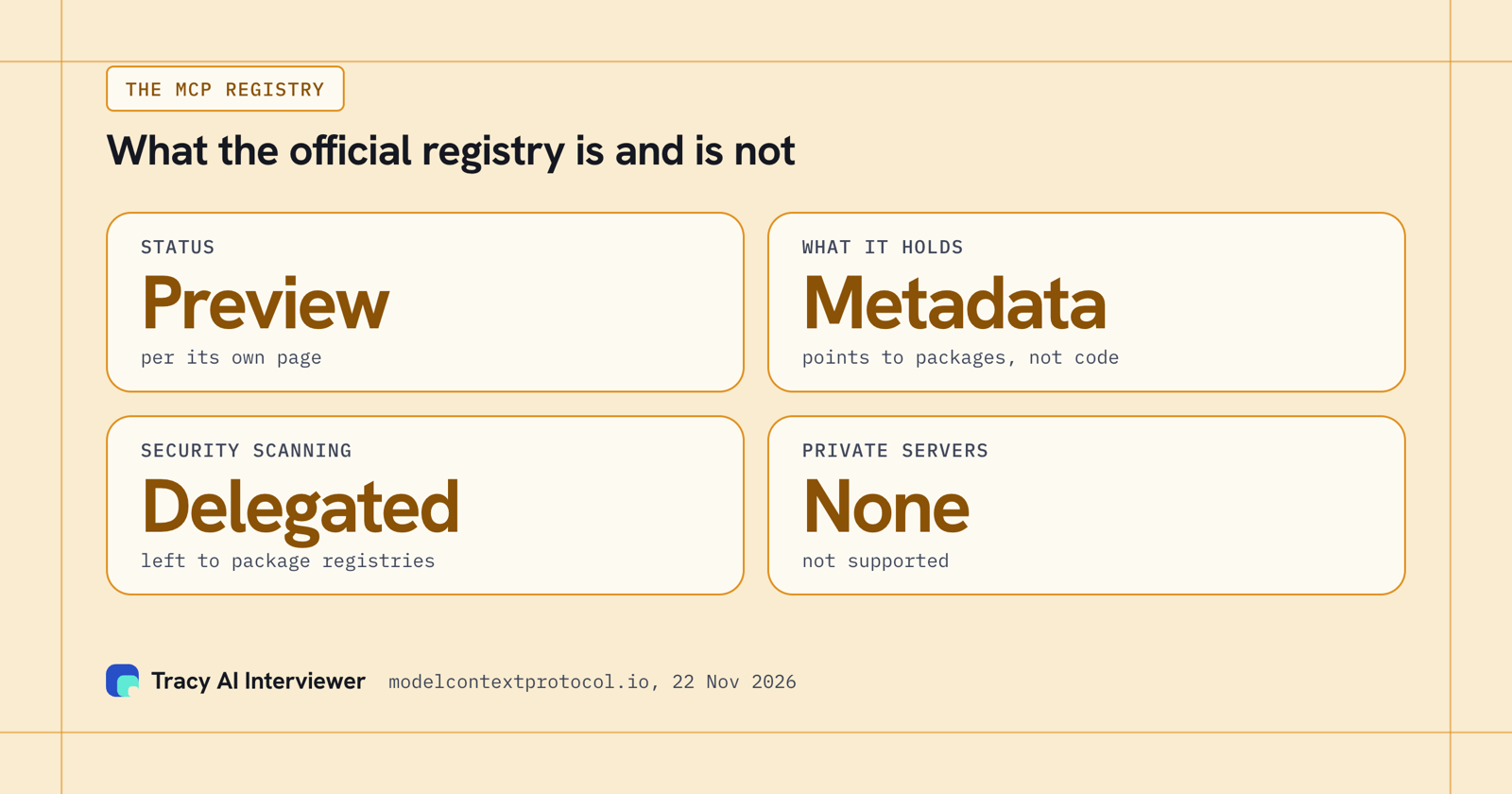
The registry lists servers; it does not vouch for them.
The servers, in order
1. Tracy AI Interviewer (for interviews)
Position: first, because it is the one entry here that interviews people.
Verdict: Lets an AI chat run an interview. Ask for one, review the draft and approve it, and each person interviews on video in a browser.
Best for: People who hire, run customer research or hold employee check-ins and want the conversations to happen without a calendar.
Trade-off: Interviews only; it does not join meetings, transcribe uploads, schedule calls or look up emails.
Price: $1 per credit with no seats; your first 3 results cost nothing.
Getting results returns what each participant said to each question, as in this invented DevOps screen.
Question: Walk me through the last outage you handled.
Summary: Pager fired for a full disk; the candidate cleared logs, then added rotation and an alert at 80 percent.
Quote, 02:40: "The disk filled up. I fixed it, then added an alert at 80 percent."
Tracy's follow-up: How long between the alert and the fix?
This is sample data. The report gives what was said and leaves the decision to you. To add it, open Tracy's Connect page and approve the preview before anything is created; Tracy for Claude covers the Claude route.
2. Notion
Position: first of the tools any team uses.
Verdict: Lets an AI assistant find answers in your workspace, and names Claude, ChatGPT and Gemini as clients.
Best for: Teams that keep plans and notes in Notion.
Trade-off: Admin controls manage which clients members can use.
3. Stripe
Position: next in the same group, narrower to finance and product work.
Verdict: Gives agents tools for the Stripe API and a search of its knowledge base.
Best for: Finance and product teams.
Trade-off: Stripe can require a person to approve certain actions, and OAuth refresh tokens expire after 14 days.
4. GitHub
Position: opens the engineering group, whose users are fewer than the general tools above.
Verdict: GitHub says its server connects AI tools directly to its platform, with a remote server it hosts at api.githubcopilot.com/mcp.
Best for: Engineering teams that want repository work in chat.
Trade-off: It needs a host with remote server support, and you can switch groups of functions on or off with the toolsets flag.
5. Linear
Position: second in the engineering group, covering issue tracking only.
Verdict: Finds, creates and updates issues, projects and comments, and offers a separate read-only address that exposes only read tools.
Best for: Teams whose issue tracker is Linear.
Trade-off: Start from the read-only address while you learn what the server can change.
6. Workable
Position: opens the hiring group, because it is included on every plan.
Verdict: Official server on every plan, covering jobs, candidates, stages and offers.
Best for: Recruiters on Workable.
Trade-off: Each session follows the signed-in user's role.
Price: Included at no additional cost.
7. Ashby
Position: after Workable, since it is in open beta.
Verdict: Official open-beta server with user-level OAuth.
Best for: Teams on Ashby.
Trade-off: Beta.
Price: All Ashby plans.
8. Greenhouse
Position: last of the hiring platforms, in open beta and read-only by default.
Verdict: Open beta, read-only scopes by default, set up by a Site Admin.
Best for: Greenhouse teams.
Trade-off: Beta, and limits come from your admin.
Price: Core, Plus and Pro tiers.
9 to 12. Filesystem, Fetch, Git and Memory
Position: last, because the repository calls them examples.
Verdict: The steering group's reference servers: secure file operations with configurable access controls, web content fetching, tools to read, search and manipulate Git repositories, and a knowledge graph-based memory.
Best for: Learning how a server works, or a local developer setup.
Trade-off: The repository calls them educational examples, not production-ready solutions.
How to list MCP servers by CLI
In Claude Code, claude mcp list lists every configured server, claude mcp get <name> shows one, and /mcp inside a session checks status. To add a remote server, run claude mcp add --transport http <name> <url>. In ChatGPT, open Settings > Plugins. How to add MCP to Claude walks through the Claude click path.
To list the tools a server offers, a client sends a tools/list request, and a server that supports tools must answer with the set currently available to that caller. The answer can differ by the authorization presented, which is why two people can see different tools from the same server.
What to check before you connect one
Claude Code's docs say to verify you trust each server before connecting it, and that servers fetching external content can expose you to prompt injection. The MCP spec adds that there should always be a human able to deny tool invocations. In practice:
- Prefer a server the service itself runs.
- Sign in as yourself, not with a shared key.
- Turn on approval for anything that writes.
- Start from a read-only address where one exists, as Linear offers.
For hiring-specific lists, see best MCP servers for ChatGPT and best MCP servers for recruiting. For a plain comparison of the protocol with a direct integration, read MCP vs API.
Common questions
Where is a list of MCP servers?
How do I list MCP servers by CLI?
How do I list the tools on an MCP server?
Is the MCP Registry a security review?
Which MCP server should a hiring team add first?
Add Tracy to your MCP setup
Connect Tracy from its Connect page, ask for an interview for one role and approve the draft. First 3 results free.
Book a demo (opens in a new tab) Try it free (opens in a new tab)
Your first 3 results are free. No card needed.
Sources
- Model Context Protocol, The MCP Registry, retrieved 22 Nov 2026.
- Model Context Protocol, reference servers, retrieved 22 Nov 2026.
- Model Context Protocol, Tools specification, retrieved 22 Nov 2026.
- Anthropic, Claude Code MCP documentation, retrieved 22 Nov 2026.
- Tracy AI Interviewer, Connect, retrieved 22 Nov 2026.