In short
ChatGPT can turn a job description into a Boolean search string in about a minute, but it cannot see your results, so you run the string and tighten it from what comes back.
A string only builds a list. Tracy AI Interviewer connects to ChatGPT through MCP, so the same chat can start a video interview for the role, with follow-ups in each person's own field.
The chat then returns what each person said to each question, plus the result fields and a note for your applicant tracking system.
Copy the prompt below, then connect Tracy to interview the shortlist.
Can ChatGPT write a Boolean search?
Yes. ChatGPT Boolean search starts with a job description: paste it in and ChatGPT returns a string with title variants in one group, skills and their synonyms in another and a short list of words to leave out. It uses the operators LinkedIn's help page lists for its own search: AND, OR and NOT, quotation marks for exact phrases and parentheses to group terms.
What ChatGPT cannot do is look at your results. It does not know how many profiles the string returns, which odd titles slipped in or how the site you paste it into reads a given operator. Treat the string as a first draft and the second pass as yours. For prompts that cover the rest of a recruiter's day, see ChatGPT prompts for recruiters; for finding people beyond one string, ChatGPT for sourcing candidates.
A prompt to copy
Paste this into ChatGPT, fill the brackets and attach the job description:
Write a Boolean search string for LinkedIn to find [role] candidates in [location].
Use AND, OR and NOT. Put exact phrases in quotation marks and group every OR list in parentheses.
Give me one string, a looser version for when results are thin and a stricter version for when there are too many.
Then name the three title variants or skill synonyms you were least sure about.
A sample of what comes back for a data engineer role, written for this guide and not captured from a ChatGPT run:
("data engineer" OR "analytics engineer" OR "platform engineer") AND (Python OR Scala) AND (Airflow OR dbt OR Spark) NOT (intern OR trainee OR junior)
The string has three groups joined by AND, each OR list sits inside its own parentheses and the last group removes early-career profiles. Ask for the looser version when the first page of results is thin, and the stricter one when it is a wall of near matches.
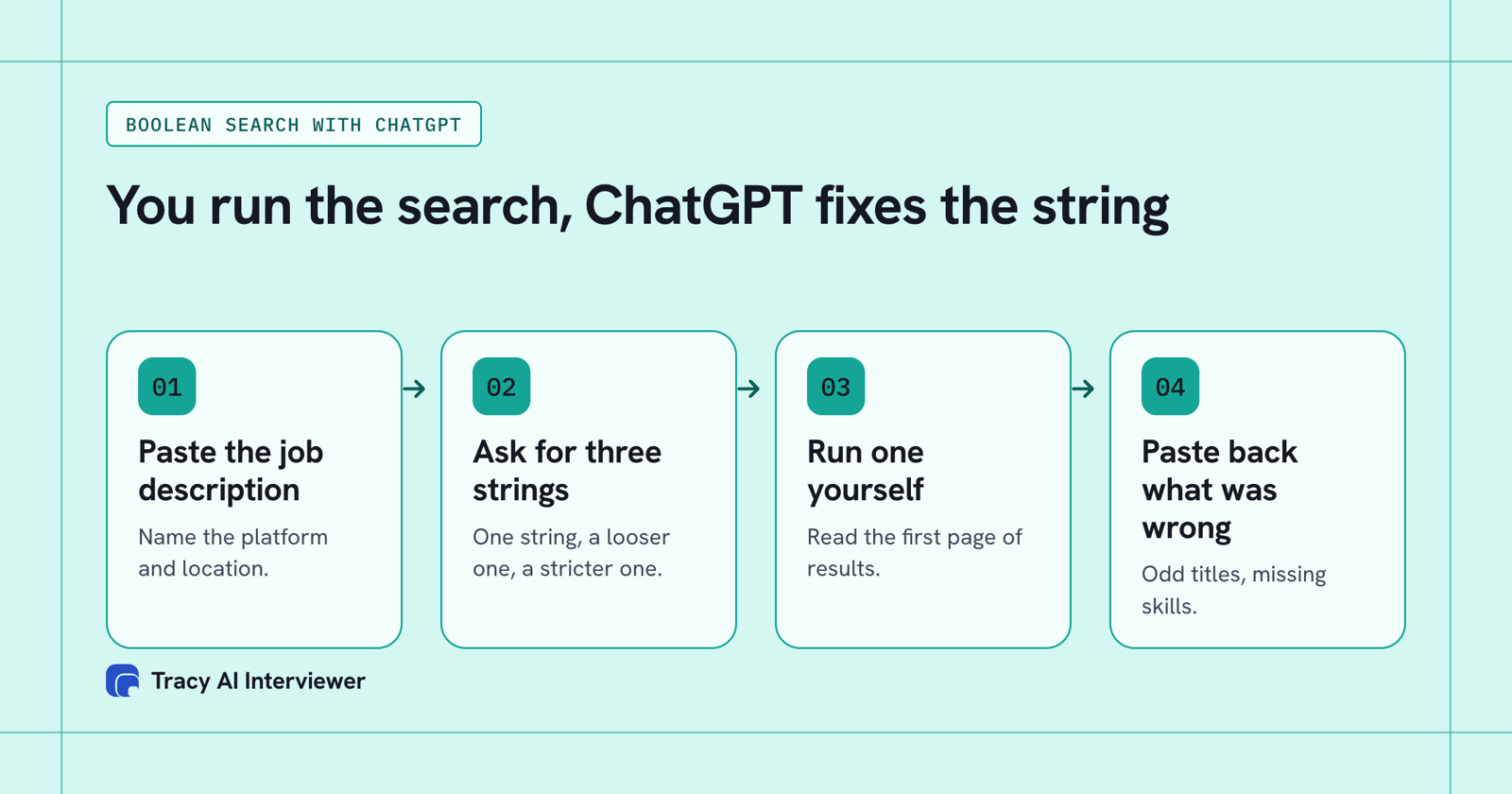
You run the search, then tell ChatGPT what was wrong, and the string improves.
Is ChatGPT Boolean output accurate?
ChatGPT usually gets the syntax right. It slips on judgement, because it guesses which titles and skills belong to a role and has no view of your results. Run the string yourself, read the first page and check the five points below.
Five checks to run on any string ChatGPT writes before you rely on it.
| Check | What to look for | Fix in the chat |
|---|---|---|
| Grouping | Every OR list sits in its own parentheses | Ask it to add the missing parentheses |
| Titles | The titles your market really uses are present | Paste five real profile titles and ask what is missing |
| Exclusions | NOT words do not remove people you want | Ask which exclusion could drop a good profile |
| Phrases | Exact phrases use straight quotation marks | Retype any curly quotes after pasting |
| Sample | The first twenty profiles match the role | Paste three that do not and ask for a stricter string |
How to use Boolean search in Google for recruiters
Say in the prompt where the string will run, because the operators differ. Google's help page lists quotation marks for an exact phrase, a minus sign in front of a word to leave it out and site: to limit a search to one domain, so ask ChatGPT for a string in those operators when you search the open web. For LinkedIn, ask for AND, OR, NOT and parentheses.
LinkedIn's help page says it does not permit third-party bots, plug-ins or extensions that scrape or automate activity on its site, so paste the string into the search box yourself.
From a list of names to a first conversation
A good string gives you a list, and a list still has to be screened. Tracy AI Interviewer is available inside ChatGPT through its MCP server, so the next step can start in the chat you already have open. Add Tracy's server address once (the steps are in how to add MCP to ChatGPT), paste the same job description and ask for an interview for the role. Tracy drafts the questions and you edit them, and nothing is created until you approve a preview.
A new interview starts with its public link on: anyone with the link can join, up to 20 people for 14 days, and nobody is invited until you say so. Put the link in your outreach message, or invite people by email, and each person starts on video in the browser at any hour, with no account. Tracy listens, waits for the end of the thought and asks for the missing detail in the person's own field. Ask ChatGPT for the results and the chat shows what each person said to each question, the result fields and a note for your applicant tracking system. Tracy does not score, rank or reject anyone; you read and decide. For speed, one customer cut its average time to hire from 44 days to 7, and Tracy did the work of 53 full-time recruiters in one month.
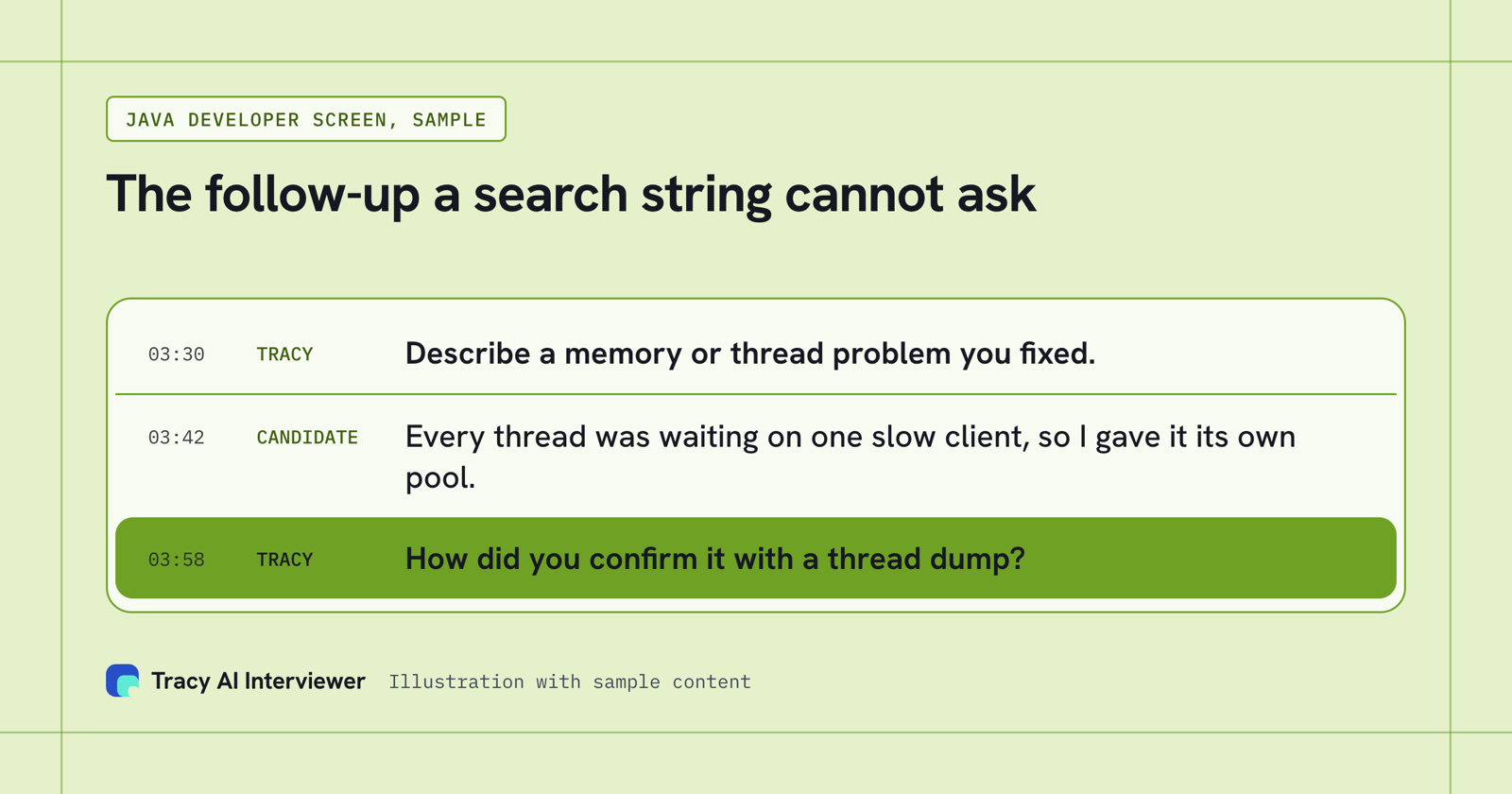
The follow-up asks for the detail a string could never show.
Which path fits you?
- Hiring engineers from a search: AI interviews for software engineers shows what the first interview asks.
- Filling many roles for clients: AI interview tools for RPO lists what to ask a vendor.
- Hundreds of applicants for one role: high-volume recruitment covers the first round at that size.
Common questions
Can ChatGPT write a Boolean query?
Is ChatGPT Boolean output accurate?
Can ChatGPT run the search for me?
Does a Boolean string work the same in Google and LinkedIn?
What do I do with the people the search finds?
Interview the list from ChatGPT
Add Tracy's server to ChatGPT, paste the job description and approve a draft interview. First 3 results free.
Try it free (opens in a new tab) Book a demo (opens in a new tab)
Your first 3 results are free. No card needed.
Sources
- LinkedIn Help, Use Boolean search on LinkedIn, retrieved 23 Nov 2026.
- LinkedIn Help, Prohibited software and extensions, retrieved 14 Nov 2026.
- Google Search Help, Refine web searches, retrieved 23 Nov 2026.
- Tracy AI Interviewer, Connect, retrieved 23 Nov 2026.