In short
Slack publishes its own MCP server at mcp.slack.com/mcp. Approved AI clients can search messages and files, read threads and draft or send messages within the connecting person's permissions.
Claude connects through its Slack connector in Claude Desktop or a plugin in Claude Code, after a workspace admin approves the integration.
A hiring team can ask an assistant about its Slack threads, and candidates sit outside those threads. Tracy AI Interviewer has its own Slack app and an MCP server for interviewing them, and each create or invite waits for your approval.
Slack MCP is Slack's own Model Context Protocol server. It lets an AI client search your workspace, read channel history and threads, and send, schedule or draft messages, using Streamable HTTP at https://mcp.slack.com/mcp. Slack's developer documentation says workspace admins can approve and manage every MCP client integration.
Hiring teams run on Slack threads, so an assistant that can answer "what did the hiring managers agree last week?" is tempting. The server reads that conversation, and candidates are outside it. Tracy AI Interviewer talks to them. It drafts interview questions from a job description that you edit, asks follow-ups in the person's own field, and connects to the tools you already use, Slack included. If the protocol is new to you, read the Model Context Protocol in plain words.
What is the Slack MCP server?
The Slack MCP server is a hosted endpoint that gives MCP clients a set of Slack actions. Slack groups them as search (messages, files, users, channels), messages (send, schedule, draft, read history and threads, add reactions), canvases (create, update, export), users and files, and lists.
Clients must be backed by a registered Slack app with a fixed app ID, and an admin approves that app. Slack says only directory-published apps or internal apps may use MCP. Each tool needs specific user-token scopes, such as search:read.public, chat:write or channels:history, so the client can do no more than the person who connected it. Rate limits follow the Web API tiers, and activity shows in Slack's audit logs.
Is there an official Slack MCP server?
Yes. Slack documents it on docs.slack.dev and in its Help Center guide, which lists partner clients including ChatGPT, Claude, Cursor, Notion and Perplexity. Check the Help Center for the current partner list before you plan around a client.
Slack also says it supports neither SSE nor Dynamic Client Registration. Use a client that already lists Slack rather than a generic custom-connector box, and see why dynamic client registration matters for MCP sign-in if you want the background.
How to connect Slack to Claude
There are two routes, and both follow Slack's own guide.
- Claude Desktop. Open Customize, click Connectors, click +, find Slack and add it, then complete the OAuth flow.
- Claude Code. Run
claude plugin install slack(or/plugin install slackin a session). The plugin configures the server, and you sign in to your workspace with OAuth.
Claude also has its own Slack connector for Team and Enterprise plans. It is a separate integration that needs the earlier Claude in Slack app, and Claude's page says its steps cover that earlier per-user app, since the current product is Claude Tag. It is not the route Slack documents for its MCP server, so this page leaves it out.
In both routes, Slack requires a workspace where the MCP integration has been approved by your admin. If you are not an admin, ask for the approval first.
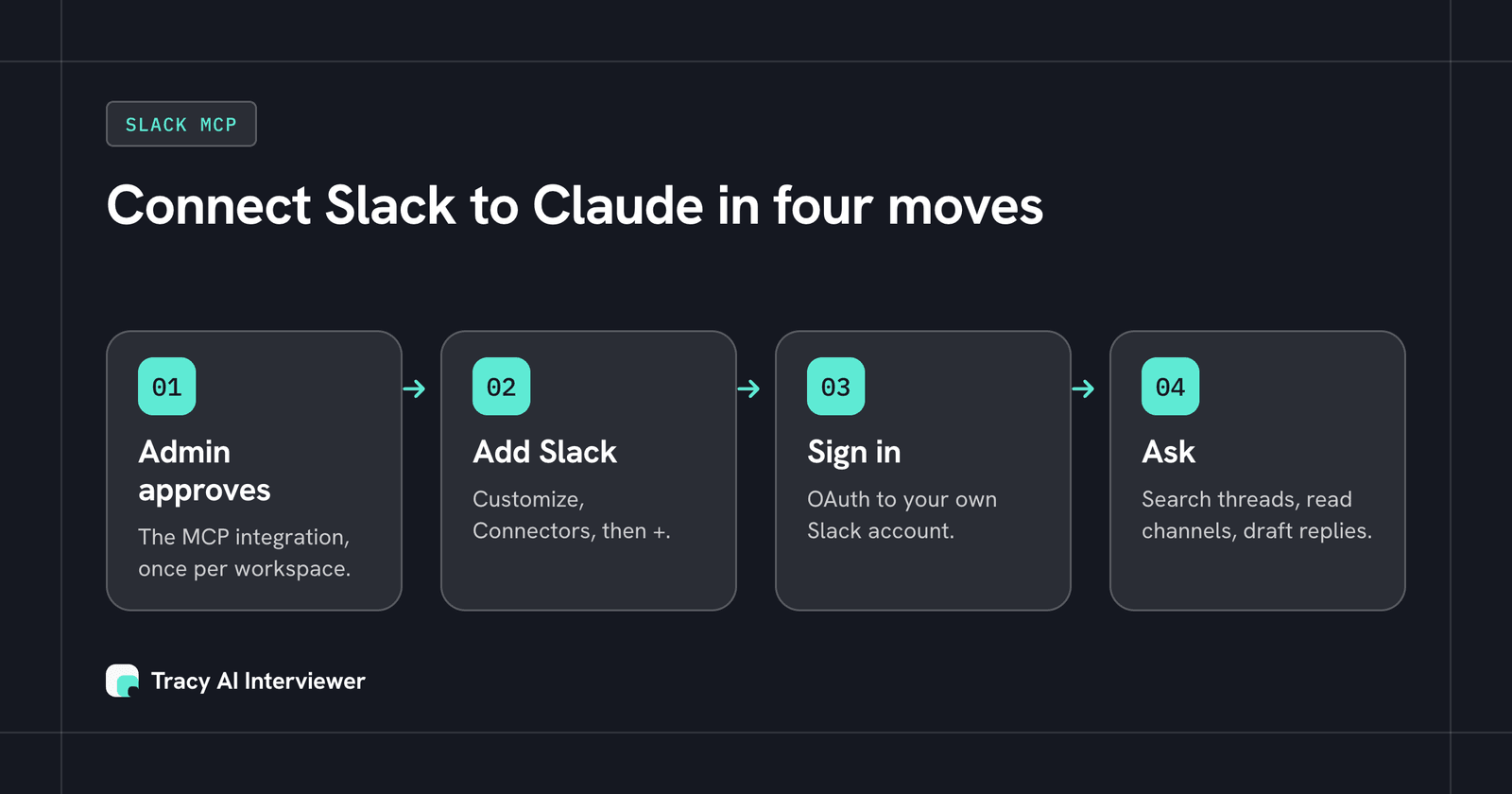
An admin approves once, then each person connects and asks.
What a hiring team can ask Slack MCP to do
Each of these uses a tool Slack lists, within your own permissions.
- "Find the thread where the hiring managers settled on the stage names, and summarize it." (search and thread reading)
- "Read #recruiting from Monday and list who is waiting on feedback." (channel history)
- "Draft a reply to the hiring manager asking for the interview rubric." (draft a message)
- "Put this week's open roles into a canvas." (canvases)
Prefer drafts to sends while you learn how your client behaves. Slack's page also advises caution when you combine its server with other MCP servers, since each has its own security and stability profile.
What does Tracy do in Slack?
Tracy AI Interviewer has its own Slack app, separate from Slack's MCP server. Add it to Slack, and you can ask Tracy which interviews you have, who is on one, where their results stand and how many free results and credits you have left. You can also ask her to draft an interview or invite people by email. She shows a preview with Approve and Cancel, and nothing is created or sent until you approve.
In a direct message, she answers there. In a channel, mention her and she replies with one short line, then sends the full answer to your direct message. She reads direct messages sent to her, channel messages that mention her and the /tracy commands you type, and no other channel conversations. If your workspace needs app approval, ask an admin to approve Tracy. For security review, Tracy is SOC 2 Type II attested and shares the report on request at hello@tracyinterview.ai. The full guide is AI interviews in Slack.
Run the interview from your AI chat
Tracy also runs as an MCP server at https://tracyinterview.ai/mcp, so a chat in Claude can set up an interview from a job description. Describe the role and Tracy drafts the questions, which you edit or replace with your own. The chat asks for your approval of a preview before it creates the interview or invites anyone. Each candidate then opens a browser link, with no account and no scheduling, and Tracy builds the next question from the last answer. Adding a remote MCP server to Claude has the steps, and the recruiting MCP guide shows what else to connect.
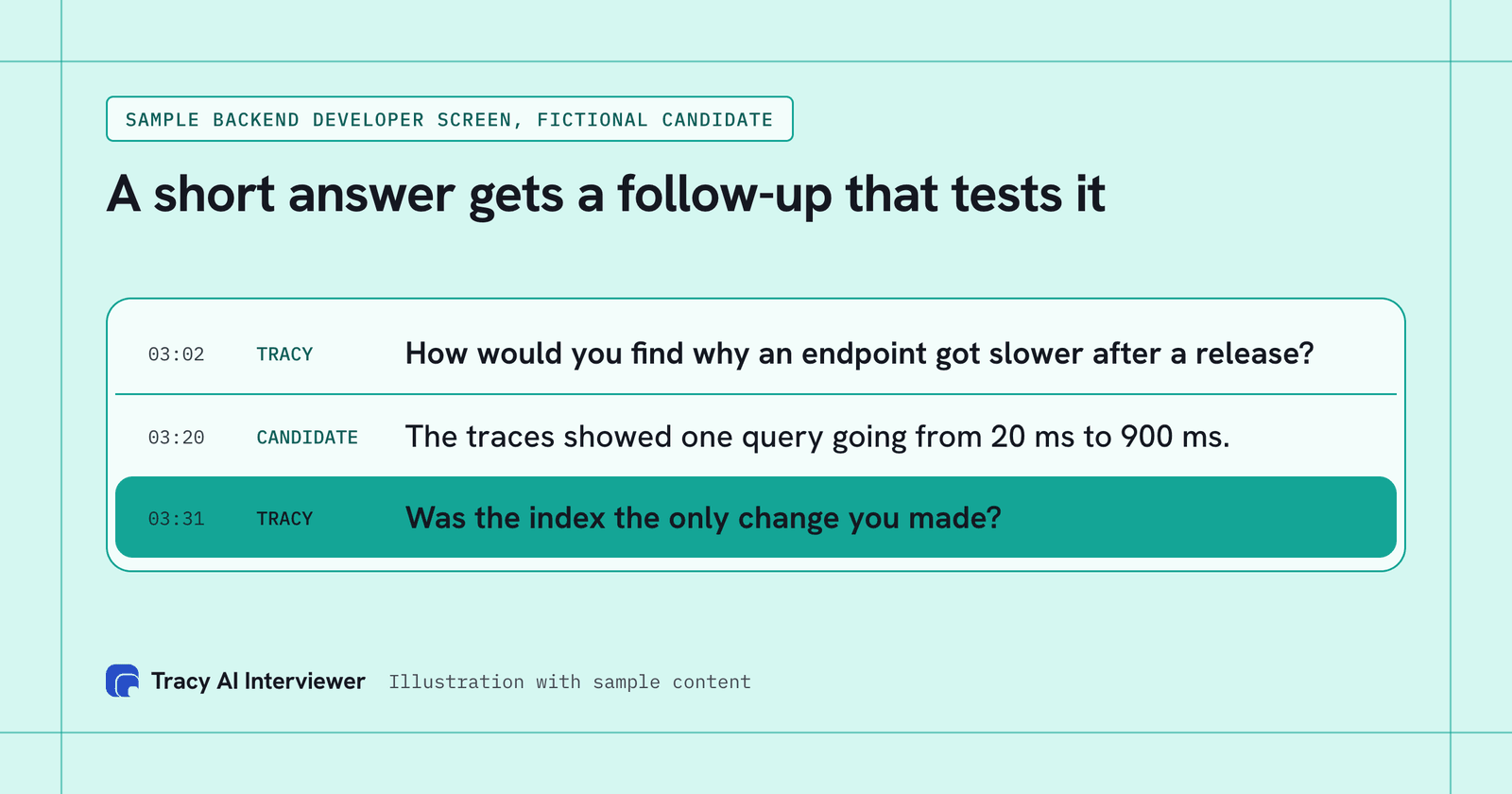
A short, concrete answer gets a follow-up that tests it.
What your team reads afterwards
In the sample, the reviewer sees Uses tracing to debug latency (yes; Q1, 03:20) and Has run a live schema migration (yes, in two deploys; Q2, 08:10). Each field carries the time of the words behind it, and the chat can read back what each person said to each question.
Your team decides from that evidence, since Tracy does not score, rank or reject anyone. Interviews on video carry integrity signals by default, covering a full-screen window, a face on camera and a pop-up if the face leaves the frame, and you can switch them off. A human reviewer sees them as prompts to look, never as proof, and candidates are told about the recording.
Common questions
What is the Slack MCP server?
Is there an official Slack MCP server?
How do I connect Slack to Claude?
Does Slack MCP need admin approval?
Can Tracy run interviews from Slack?
Run your first interview from Slack or Claude
Add Tracy to Slack or connect it to Claude, draft one interview from a message and approve the preview. First 3 results free.
Try it free (opens in a new tab) Book a demo (opens in a new tab)
Your first 3 results are free. No card needed.
Sources
- Slack developer docs: Slack MCP server, retrieved 22 Nov 2026.
- Slack developer docs: Connect to Claude, retrieved 22 Nov 2026.
- Slack Help Center: Guide to MCP in Slack, retrieved 22 Nov 2026.
- Claude documentation: Slack integration, retrieved 22 Nov 2026.
- Tracy AI Interviewer: Slack guide, retrieved 22 Nov 2026.